
1. Introduction: Business Needs in the Era of Digital Transformation
As digital transformation accelerates, businesses are moving away from paper-based documents and traditional workflows. In their place, efficient and intelligent electronic form (eForm) systems are being adopted to improve operational efficiency, reduce costs, and enhance data management. However, with so many eForm systems available in the market, how can businesses choose the solution that best fits their needs?
Adobe Experience Manager Forms (AEM Forms), as an enterprise-grade eForm solution, has become the top choice for many organizations undergoing digital transformation, thanks to its powerful features and flexibility. This article will explore why businesses should choose AEM Forms and highlight the core value it brings.
2. What is Adobe Experience Manager Forms (AEM Forms)?
Adobe Experience Manager Forms (AEM Forms) is a key component of Adobe Experience Cloud, designed as an enterprise solution for electronic forms and digital documents. It simplifies the design, management, and distribution of forms while seamlessly integrating with existing IT systems. This enables automated data processing and helps businesses significantly improve operational efficiency.
Adaptive Forms
- Allows users to dynamically adjust form layouts based on different devices (desktop, tablet, mobile) to enhance user experience.
- Supports features such as pre-filled data, conditional logic, and dynamic field display/hide.
Interactive Communications
- Interact with customers through personalized electronic documents (such as bills, reports, notifications).
- Supports various formats (HTML, PDF, email, paper printing, etc.).
Workflow Automation
- Automate business processes after form submission through AEM Workflow or Adobe Workfront.
- Integrates electronic signatures (such as Adobe Sign) for document signing and approval.
Document Generation & Management
- Generate fillable PDFs and dynamic HTML5 forms, supporting multiple formats (such as XDP, PDF/A).
- Manage PDFs and digital assets, with integration with AEM Assets.
Integration & Data Binding
- Supports integration with external systems through REST API, SOAP Web Service, ODBC/JDBC, and other methods.
- Can bind to XML Schema, JSON, SQL databases to enhance data accuracy.
Security & Compliance
- Provides form validation, digital signatures, and data encryption to ensure data security.
- Complies with industry regulations such as GDPR, HIPAA, PCI-DSS, and more.
3. Six Key Benefits of AEM Forms
When choosing an eForm system, businesses should consider the following key factors based on their own needs:

Efficient form management and automated processes
AEM Forms supports the creation of interactive dynamic forms, easily managing everything from simple surveys to complex application processes. Through automated data processing and workflows, businesses can significantly reduce manual errors, improve data handling efficiency, streamline business processes, shorten processing times, and reduce costs.

Seamless integration and flexible customization, perfectly matching business needs.
AEM Forms not only offers powerful API support for seamless integration with existing systems such as CRM, ERP, and databases, but also provides highly flexible customization capabilities. Businesses can adjust form modules, design personalized user interfaces, and even customize approval workflows based on the needs of different departments or business requirements, catering to various complex business scenarios. This flexibility in integration and customization allows companies to quickly achieve digital transformation without changing their existing IT infrastructure.

Excellent user experience design (UX/UI)
Adobe is known for its design excellence, and AEM Forms offers intuitive form design tools with drag-and-drop editing, allowing businesses to easily create professional forms that align with their brand identity without writing complex code. Additionally, the forms are perfectly displayed on desktops, tablets, and mobile devices, providing a consistent and smooth user experience that enhances customer engagement and satisfaction.

Enhanced data security and compliance assurance
Data security is a core consideration for businesses when choosing an eForm system. AEM Forms provides enterprise-level encryption, detailed access controls, and comprehensive compliance management to ensure sensitive data is protected and meets international data protection regulations such as GDPR. This not only protects businesses from data leakage risks but also enhances customer trust in the company's data management practices.

Cross-platform support, adapted to mobile device needs.
AEM Forms supports multi-platform usage, ensuring that forms adapt to different screen sizes on desktops, smartphones, and tablets, providing a consistent user experience. This cross-platform flexibility is particularly suitable for businesses promoting remote work, mobile office, and multi-channel customer interactions, ensuring that business processes are not limited by devices and can operate efficiently anytime, anywhere.

Flexible deployment options: dual choice of cloud and on-premises.
AEM Forms offers both cloud and on-premise deployment options to meet the IT needs of different businesses:
- Cloud Deployment: Ideal for businesses that need quick scalability and cost reduction, with regular updates and maintenance from Adobe.
- On-Premise Deployment: Suitable for businesses that prioritize data security, keeping data internal for easier management and control.
4. How AEM Forms Enhances Business Operational Efficiency?
Case Study: A Commercial Bank – Achieving Paperless Operations and Electronic Form Strategies with Adobe Experience Manager (AEM) Forms
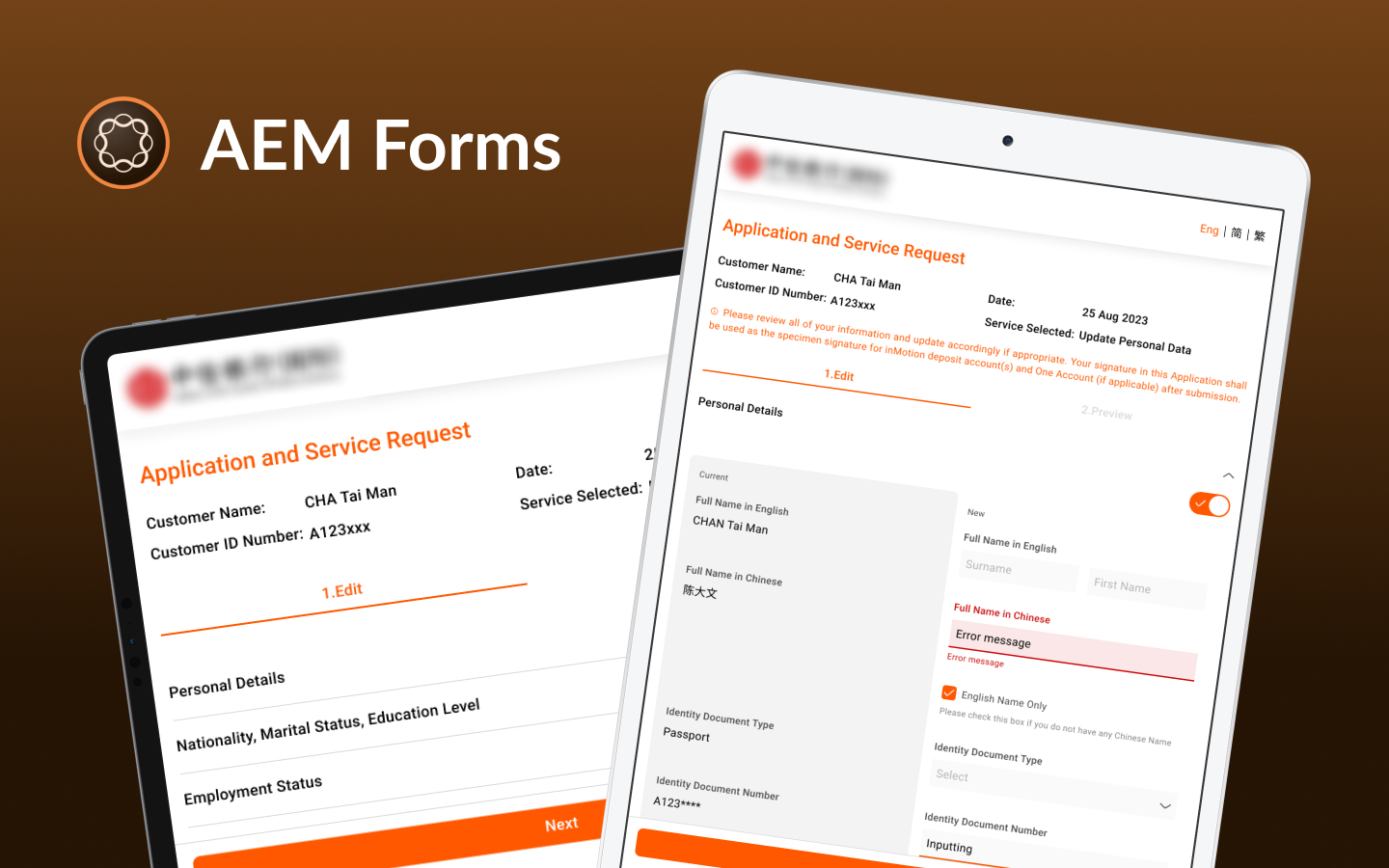
A commercial bank successfully implemented Adobe Experience Manager (AEM) Forms to achieve fully paperless operations, significantly improving business process efficiency and reducing operational costs. By automating electronic form design, process integration, and ensuring high-security data management, the bank reduced form processing time by 50%, while ensuring that sensitive data complied with international regulations (such as GDPR). This transformation not only optimized internal workflows but also greatly enhanced customer experience.
Learn more about this successful case:Click here
5. AEM Forms vs. Traditional eForm and Online Form Tools
AEM Forms vs. Traditional eForm Systems
| Comparison | AEM Forms | Traditional eForm Systems |
|---|---|---|
| Feature Set | Supports dynamic and intelligent forms, automated workflows, and easy integration with digital marketing systems | Primarily static forms with limited features and more difficult system integration |
| Automation and Resource Management | Includes a robust process automation engine, automated approval workflows, and integration with marketing data management | No built-in automation tools; external tools are generally required |
| System Integration | Seamlessly integrates with CRM and ERP systems, supports RESTful APIs, and enables cross-platform integration | Limited integration capabilities and often relies on third-party tools for data exchange |
| Customization | Highly customizable, with an intuitive interface and detailed design controls | Limited customization; interfaces and workflows are more difficult to adjust |
| Data Security and Compliance | Provides advanced security controls and supports requirements such as GDPR and HIPAA | Often lacks advanced security features and requires additional configuration for compliance |
| User Experience (UX / UI) | Provides a clean, intuitive interface and user-configurable design tools | More basic interface with fewer intuitive design tools |
| Cross-Platform Support | Supports web, mobile, and desktop applications | Typically focused on desktop, with limited mobile support |
| Deployment Flexibility | Offers cloud and on-premises deployment options | Usually limited to on-premises deployment |
| Maintenance and Upgrades | Adobe provides regular updates and technical support, although overall maintenance costs are higher | Lower maintenance requirements but less consistent long-term update support |
| Total Cost of Ownership (TCO) and Return on Investment (ROI) | Higher initial investment, but long-term efficiency gains can deliver significant returns | Lower initial investment, but long-term labor and time costs may be higher |
AEM Forms vs. Common Online Form Tools
| Comparison | AEM Forms | Microsoft Forms | Google Forms |
|---|---|---|---|
| Best Suited For | Complex enterprise processes and digital services | Internal surveys and simple forms | Surveys and data collection |
| Complex Workflows and Approvals | Supports complex workflows and system integration | Basic; can be extended with Power Automate | Basic; typically requires additional tools |
| CRM / ERP Integration | Enterprise-grade APIs and back-end system integration | Integration through the Microsoft ecosystem | Integration through APIs or third-party tools |
| Form Personalization | High; content can adapt dynamically to data and user context | Basic | Basic |
| UX / UI Customization | High | Limited | Limited |
| Enterprise Scalability | High; suitable for large and complex applications | Medium | Medium |
6. Who Should Use AEM Forms?
6.1. Financial Services (Banking, Insurance, Securities)

Industry Characteristics: Highly focused on data security and compliance, with complex business processes involving large amounts of customer data and approval workflows.
Use Cases:
- Customer Account Opening and Data Updates: Online KYC (Know Your Customer) forms and automated identity verification processes.
- Applications and Approvals: Automated account opening, credit card, loan, and personal data change application forms, integrated with risk assessment processes for fast processing.
- Internal Compliance Audits: Digital audit records and automated report generation to ensure regulatory compliance.
- Insurance Claims Applications: Online claims application forms, combined with automated approval processes to speed up claims processing.
6.2. Healthcare and Health Care Services

Industry Characteristics: Involves large amounts of sensitive personal health data, requiring strict compliance with privacy protection regulations (e.g., HIPAA).
Use Cases:
- Patient Registration and Health Questionnaires: Electronic medical record forms and automated medical history collection processes.
- Appointment and Check-in Systems: Online registration forms, integrated with automatic reminder notifications.
- Internal Management Processes: Medical staff duty roster applications, equipment maintenance record management.
- Vaccination and Health Screening: Online registration and real-time data tracking to improve public health response capabilities.
6.3. Education and Training Institutions

Industry Characteristics: Involves large amounts of student data management, course applications, and administrative processes, emphasizing process automation and remote operation capabilities.
Use Cases:
- Enrollment and Registration Processes: Online application forms, automated student data collection and review.
- Course Selection and Grade Management: Electronic course selection, assignment submission, and grade evaluation systems.
- Internal Administration Management: Employee leave requests, expense reimbursements, and automated approval processes.
- Parent Communication Platform: Online surveys, parent meeting response forms, etc.
6.4. Manufacturing and Supply Chain Management

Industry Characteristics: Involves large amounts of production data, inventory management, and supply chain collaboration, requiring standardized processes and data visualization.
Use Cases:
- Equipment Maintenance and Inspection Forms: Automated equipment maintenance records and fault reporting processes.
- Quality Management: Digitized quality inspection reports, anomaly handling requests, and tracking.
- Inventory and Logistics Management: Automated warehouse entry and exit requests, logistics tracking forms.
- Supplier Management: Supplier qualification review, contract management, and performance evaluation forms.
6.5. Government and Public Institutions

Industry Features: Facing a large number of citizens, the need to handle various public service applications and policy promotion, with an emphasis on data transparency and process compliance.
Use Cases:
- Electronic Government Services: Online applications for passports, driver's licenses, or other permits, simplifying citizens' processes.
- Public Resource Management: Automation of government subsidy applications and social welfare program forms.
- Internal Administrative Management: Civil servant business trip applications, expense reimbursement, and process tracking.
- Citizen Feedback Platform: Public opinion surveys, online feedback, and real-time response mechanisms.
6.6. Human Resources and Internal Enterprise Management

Industry Characteristics: Applicable to all enterprises, especially medium and large organizations, requiring management of extensive employee data and internal application processes.
Use Cases:
- Employee Onboarding and Offboarding: Online onboarding forms, automated document review, and training program tracking.
- Leave and Attendance Management: Automated leave requests, attendance records, and overtime approval processes.
- Performance Evaluations and Employee Satisfaction Surveys: Digital performance evaluation forms and anonymous surveys.
- Expense Reimbursement and Budget Requests: Automated expense reimbursement processes to improve financial review efficiency.
7. Key Considerations for Implementing AEM Forms
7.1. Requirements Analysis and Goal Setting
- Clearly define business needs:
Enterprises need to understand their business pain points and requirements, such as whether they want to simplify form processes, improve data collection efficiency, enhance data security, or improve customer experience. - Set clear KPIs:
Set measurable goals for implementing AEM Forms, such as reducing form processing time by 50%, increasing customer response rates by 30%, reducing human errors, etc. This helps in evaluating system effectiveness later.
7.2. Evaluate Existing IT Environment and Systems
- Infrastructure inventory:
Review the existing IT infrastructure and assess whether it meets the deployment requirements of AEM Forms, especially server performance, network bandwidth, and data storage capacity. - System integration needs:
Confirm whether AEM Forms needs to integrate with existing ERP, CRM, databases, etc., and assess the complexity and feasibility of integration.
7.3. Budget Planning and Resource Allocation
- Cost estimation:
Implementing AEM Forms involves software licensing costs, deployment costs, training costs, and subsequent maintenance costs. Enterprises need to carry out comprehensive budget planning. - Team formation:
Establish a cross-departmental project team, including IT, business, and management departments, to ensure that all requirements are taken into account.
7.4. Deployment Model Selection: Cloud vs. On-Premises
- Cloud deployment:
Suitable for enterprises that need to scale quickly and reduce infrastructure costs, and can enjoy Adobe’s regular updates and maintenance services. - On-premises deployment:
Suitable for enterprises with strict data security requirements, ensuring that all data is stored on internal servers, making it easier for self-management.
7.5. Invest in Employee Training and Skill Development
- Implementing the system is just the first step; continuous employee training and skill development are key to long-term success.
- Build a knowledge base and internal support platform to enable employees to easily access operational guides or answers to questions.
7.6. Collaborate with Professional Technical Partners
- Seek technical consultants or partners with extensive AEM implementation experience to ensure professionalism and reliability in technical support.
- Especially in system integration, custom development, and performance optimization, a professional team can effectively reduce implementation risks.
8. Frequently Asked Questions
1. What types of organizations should implement AEM Forms?
AEM Forms is best suited to medium and large organizations with many forms, complex processes, or requirements for cross-system integration, approvals, and access control.
2. Can AEM Forms integrate with CRM, ERP, and other systems?
Yes. AEM Forms can connect to CRM, ERP, databases, and other enterprise systems through APIs and other integration methods.
3. Can AEM Forms support complex approval processes?
Yes. It can support multi-level approvals, conditional logic, and automated workflows tailored to business requirements.
4. Does AEM Forms support multilingual and global websites?
Yes. It is well suited to organizations that need multilingual forms and digital services across regions.
5. What should an organization prepare before implementing AEM Forms?
Start by reviewing existing forms, business processes, system integrations, access controls, and data security requirements.
6. How are the timeline and cost of an AEM Forms implementation estimated?
They depend mainly on the number of forms, process complexity, integration scope, and customization requirements. A requirements assessment is normally needed before an estimate can be prepared.
9. Conclusion: Building a Digital Foundation for the Future
AEM Forms is more than a form management tool; it is a powerful enabler of enterprise digital transformation. From improving operational efficiency and strengthening data security to supporting flexible cloud and on-premises deployment, AEM Forms can meet a wide range of business needs.
Choosing AEM Forms helps establish a strong digital foundation for the future and positions your organization to stand out as digital transformation accelerates.
Want to learn how AEM Forms can accelerate your digital transformation? Our specialists can recommend an implementation approach tailored to your needs.


Related Articles

Enterprise AI MarTech Trends Analysis 2024-2029 Outlook Report
From AI content productivity tools to a core engine for revenue growth and marketing transformation
*The PDF will be sent directly to your inbox.

