
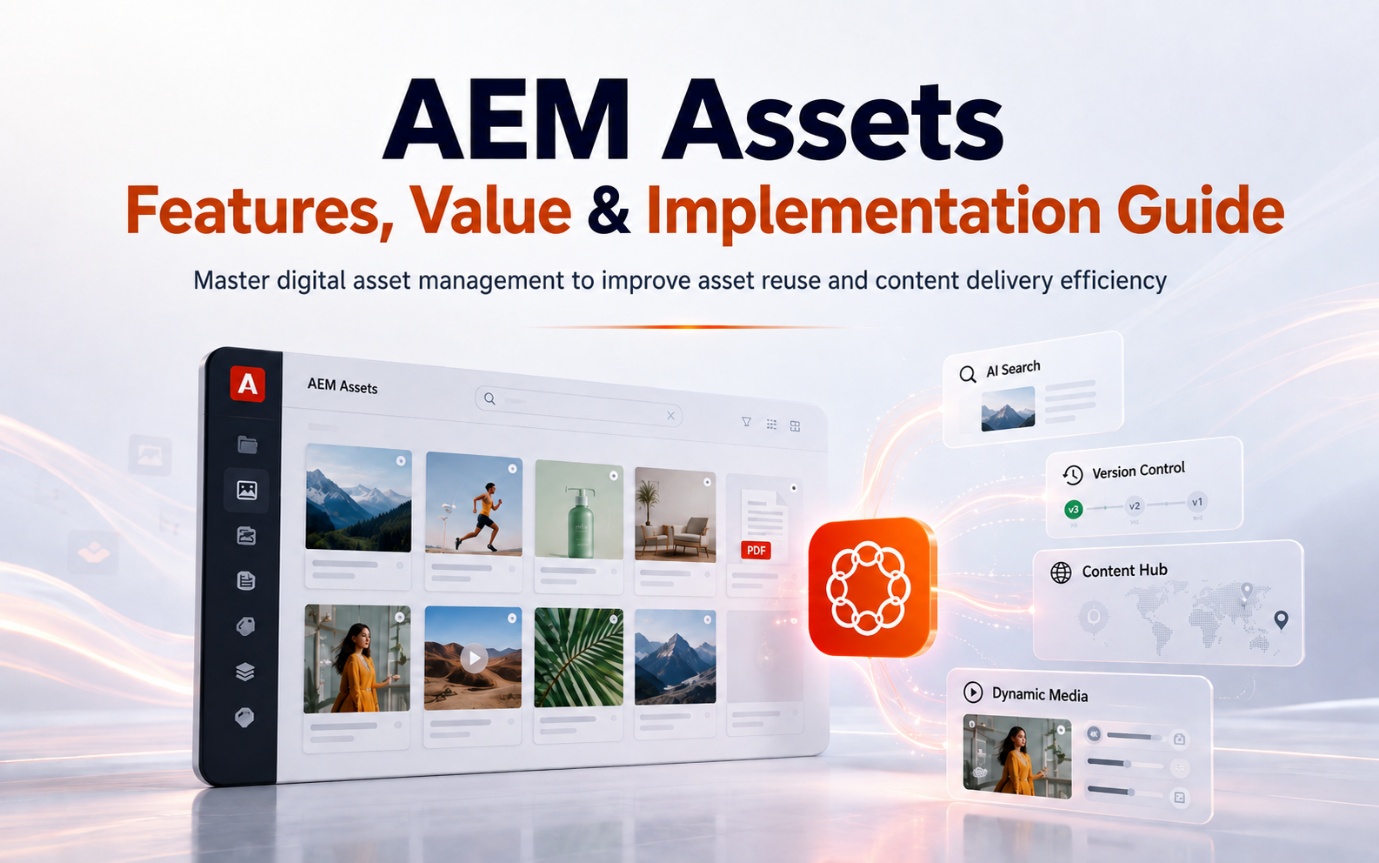
Mastering Digital Asset Management: An AEM Assets Guide
AEM Asset, Digital Asset Management (DAM)
31 August 2026
Organizations create images, videos, product documents, and campaign assets every day. As these libraries grow, the real challenge is rarely storage capacity. Teams struggle to find the right asset, identify the approved version, verify usage rights, and understand where content has been used. This guide examines the capabilities, business value, and implementation approach of AEM Assets.
1. Key Takeaways
AEM Assets is Adobe’s enterprise digital asset management (DAM) platform. It gives organizations a centralized way to manage, search, approve, govern, and distribute images, videos, documents, and other rich media.
Its value goes beyond moving files into one platform. AEM Assets brings metadata, versions, permissions, expiration dates, and approval rules together so teams can determine which asset is approved for a specific market, channel, and period.
Depending on their product edition and licensing, organizations can also use capabilities such as Content Hub, Dynamic Media, AI-generated metadata, and natural-language search to reduce the time spent finding, adapting, and distributing content. A successful implementation starts with taxonomy and governance before migration and automation; otherwise, the organization simply moves existing disorder into a new platform.
2. What Is AEM Assets?
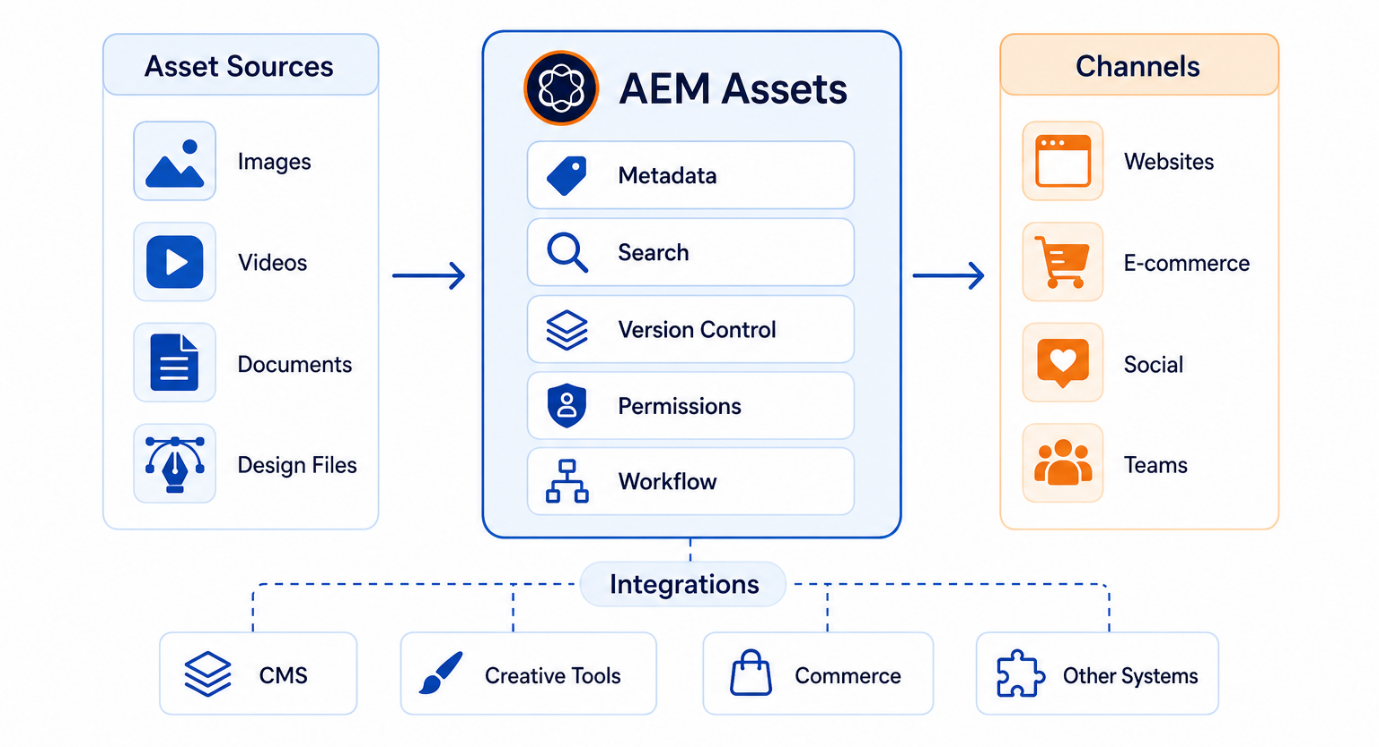
Adobe Experience Manager Assets, commonly called AEM Assets, is an enterprise DAM platform for managing digital assets. These assets may include product images, videos, PDFs, design files, brand logos, sales presentations, social media creative, and other rich media.
A standard cloud drive primarily supports file storage and sharing. AEM Assets manages the broader asset lifecycle, including creation, upload, classification, search, approval, version updates, access control, cross-channel distribution, expiration, and archiving.
That distinction matters for large organizations. When content spans multiple brands, products, languages, and regions, folder names alone quickly lead to duplicate uploads, version confusion, and unclear usage rights.
When LeadsTech helps an organization plan a DAM program, we do not begin with a list of features to enable. We first assess asset sources, user roles, metadata, approval processes, and downstream systems. LeadsTech can support DAM strategy, AEM Assets architecture, asset migration, workflow configuration, systems integration, training, and post-launch support. Adobe provides the underlying AEM Assets software capabilities.
3. Core AEM Assets Capabilities and Business Value
From an enterprise perspective, the foundational capabilities of AEM Assets include a centralized asset repository, metadata and tagging, version control, dynamic transformations, workflows, collaboration, and rights management.
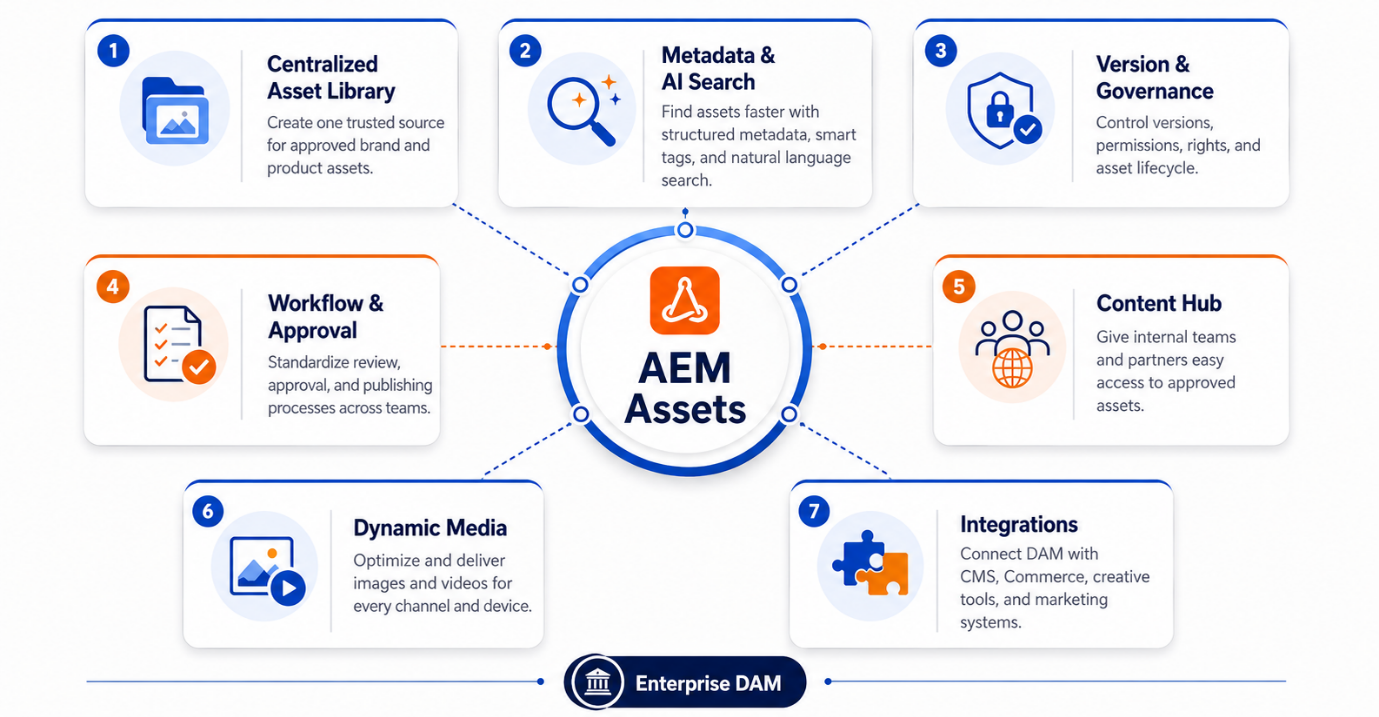
a. Centralized Asset Repository: Create a Trusted Source for Content
AEM Assets can consolidate content scattered across personal computers, shared drives, email, design tools, and multiple website back ends into one repository.
The business value of centralization is simple: teams spend less time asking where the latest version lives. Web, commerce, social media, and sales teams can work from the same approved assets, reducing redundant production and the risk of using the wrong version.
Centralization does not mean uploading every file as-is. Organizations still need to remove duplicate, expired, low-quality, and rights-uncertain content. Otherwise, the repository becomes a larger, more expensive junk drawer.
b. Metadata, Smart Tags, and Search
Metadata describes an asset through attributes such as product model, brand, language, market, owner, capture date, licensed territory, expiration date, and approval status.
A filename provides limited context, while complete metadata lets users search according to business requirements. For example, a team can find an approved banner for a specific product that is valid for the Taiwan market and still within its license period instead of opening folders one by one.
AEM Assets as a Cloud Service also offers Smart Tags, AI-generated titles, descriptions, and keywords, plus Contextual Search, which converts natural-language prompts into search criteria. These capabilities can reduce manual tagging, but organizations should still apply business rules and user review to AI-generated metadata.
c. Version Control and Asset Relationships
When a design team changes a headline, product package, or brand logo, AEM Assets can retain version history so users know when the asset changed and which version is current.
Organizations should also define relationships between master assets and derivatives. An English product manual may serve as the master, with Traditional Chinese, Japanese, and Korean documents as regional versions. Website banners, social images, and commerce thumbnails may be channel-specific outputs based on the same master creative.
Clear asset relationships keep teams from losing traceability when they copy files. They also make it easier to identify content that must be updated when the master changes.
d. Workflows, Approvals, and Permissions
AEM Assets can support enterprise processes for upload, review, revision, approval, publication, and expiration. Role-based permissions can determine which assets each user may view, edit, download, or publish.
For example, designers can upload drafts, the brand team can review them, legal can verify usage rights, and regional marketers can download only approved versions. This process reduces reliance on email approvals while creating clearer accountability and version records.
Adobe’s governance capabilities also cover permissions, expiration dates, duplicate content, and compliance controls, helping organizations reduce the risk of reusing unapproved or expired assets.
e. Content Hub: Give More Teams Access to Approved Assets
Content Hub is an asset distribution portal for AEM Assets as a Cloud Service. It enables internal teams, agencies, and business partners to search for and access approved content.
Compared with opening the full DAM interface to every user, Content Hub offers a simpler search and download experience. Administrators can configure search filters, asset properties, and branded interfaces. With the appropriate Adobe Express entitlements, non-designers can also adapt content or create variations within brand guidelines.
The business value is less time spent responding to requests such as “Please send the logo again” or “Can you resize this image for social media?” while maintaining approval and permission controls. Available capabilities depend on the AEM Assets edition, user type, and licensing.
f. Dynamic Media: Deliver the Right Rendition for Each Channel
A single product image may appear on desktop and mobile websites, apps, commerce platforms, and social media. If designers manually produce every size, the number of assets and the maintenance burden grow quickly.
Dynamic Media can help organizations transform, optimize, and deliver images and video. Smart Imaging adjusts image format and file size based on the browser and network environment. Smart Crop identifies the focal point of an image or video and creates renditions for different aspect ratios.
These capabilities reduce manual conversion work and help prevent websites from loading oversized source images. Dynamic Media functionality and licensing should be confirmed during solution design.
g. Integration with Content, Creative, and Commerce Systems
AEM Assets can integrate with AEM Sites, Adobe Creative Cloud, Adobe Express, Workfront, Adobe Commerce, Adobe Journey Optimizer, and other enterprise applications.
Designers can access DAM assets from creative tools, web authors can select approved images within their content workflows, and commerce teams can connect product assets to product pages.
The real value of integration is reducing downloads, file renaming, repeated uploads, and manual synchronization. Rather than maintaining a separate asset library in every system, the organization manages assets in AEM Assets and delivers them to each channel as needed.
4. Enterprise Scenario: Preventing Version Chaos Across Markets
Consider an industrial equipment exporter operating in several international markets. Headquarters manages product photography and brand assets, while regional teams create localized web pages, trade show materials, and sales presentations.
A common pattern is for headquarters to place assets on a shared drive, after which regional teams download, rename, and modify them independently. Within months, several versions of the same product asset exist. Some markets still use old packaging images, and sales representatives cannot tell which specification sheet has been approved.
This creates direct business consequences:
- Campaigns wait for headquarters to confirm assets, delaying launch.
- Design teams recreate images that already exist, increasing labor costs.
- Sales representatives may send outdated documents to customers.
- Markets present inconsistent brand visuals.
- Teams may misuse expired images or assets licensed only for specific regions.
A more effective approach is to define metadata for product, language, market, licensing, and approval status in AEM Assets, then establish relationships between master and regional versions. Headquarters approves the master assets, regional teams access eligible content through Content Hub, and Dynamic Media delivers web and commerce renditions by channel.
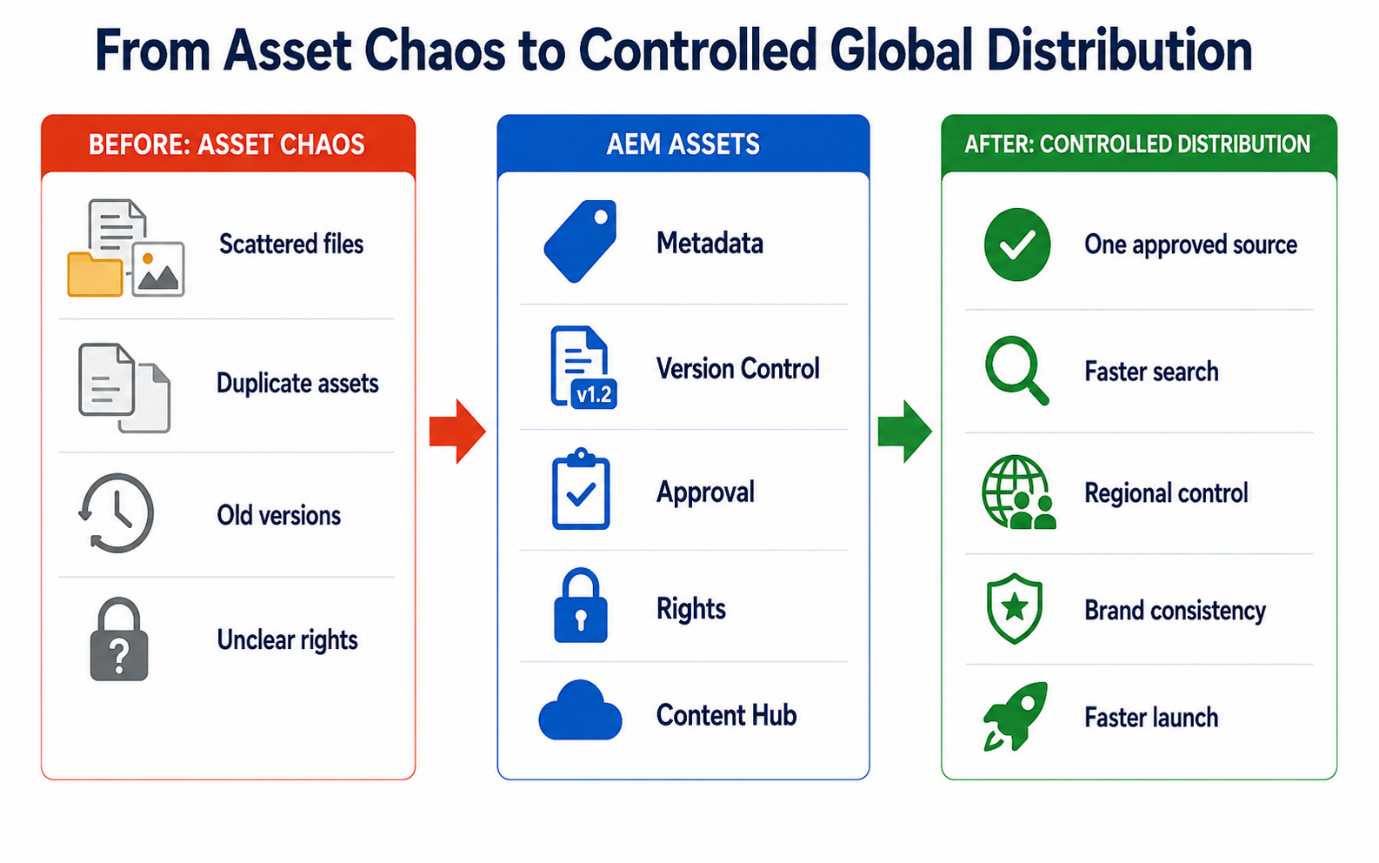
Instead of measuring success by the total number of files in the DAM, track average asset search time, duplicate production, approval cycle time, incidents involving expired assets, asset reuse, and the time from request to campaign launch.
5. How to Implement AEM Assets
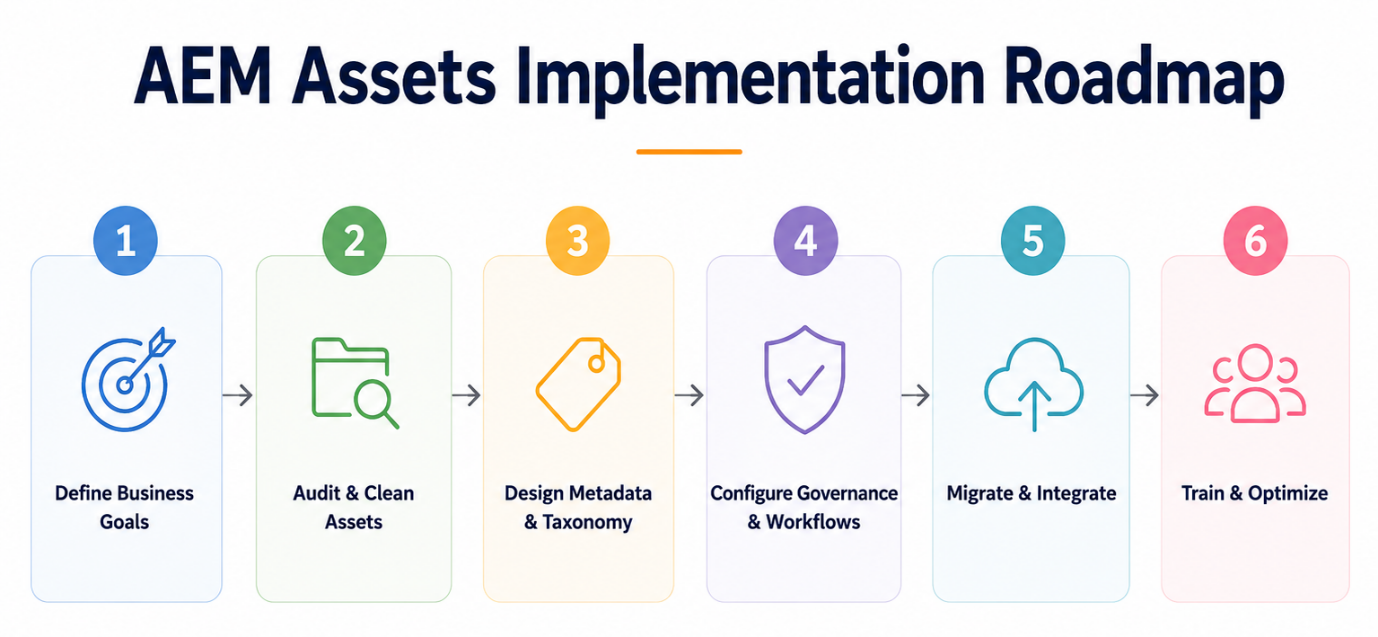
Step 1: Define the Business Problem and Pilot Scope
Determine whether the primary goal is better search, version governance, brand consistency, commerce distribution, or multi-market collaboration. Start with one brand, product line, or high-use asset category rather than moving every file into the platform at once.
Step 2: Inventory and Clean Up Existing Assets
Document where assets are stored, their formats and volumes, who owns them, where duplicates exist, and which usage rights apply. Quarantine content whose source, licensing, or business value cannot be confirmed until someone can review it.
Step 3: Design the Taxonomy and Metadata Model
Identify which fields are required, which the system can generate, and which apply only to certain asset classes.
Common fields include:
- Brand and product family
- Market and language
- Asset type and intended use
- Owner and responsible department
- Approval status
- Licensed territory and expiration date
- Master and regional versions
- Permitted channels
Use terminology that business users understand instead of modeling metadata solely around an IT folder structure.
Step 4: Establish Permissions, Approvals, and the Asset Lifecycle
Define who can create, revise, approve, download, and publish assets. Establish the full lifecycle from draft and review through approval, publication, expiration, and archiving.
Overly complex workflows encourage users to bypass the system, while overly permissive processes undermine governance. Apply approval requirements according to asset risk rather than forcing every item through the same process.
Step 5: Plan Migration and Systems Integration
Asset migration involves more than copying files. It must account for filenames, metadata, versions, permissions, and asset relationships. Test a small batch first to confirm that search, preview, download, and downstream use work correctly before scaling the migration.
At the same time, identify required connections to AEM Sites, Creative Cloud, commerce platforms, PIM, marketing automation, and other systems. Clarify which platform owns each type of data.
Step 6: Train Users, Launch, and Maintain Governance
Tailor training by role. Uploaders need to understand naming and metadata requirements; approvers need to know permission and approval criteria; general users need to learn how to search, download, and use assets correctly.
LeadsTech can support the full journey—from requirements discovery, taxonomy and metadata design, AEM Assets configuration, migration, and integration to testing, training, and ongoing optimization—so DAM becomes a sustainable content operation rather than a one-time technology project.
6. How to Measure AEM Assets Performance
There is no single AEM Assets success benchmark that applies to every industry. Establish a baseline before implementation, then compare performance after launch.
Consider tracking these metrics:
- Average search time: How long users take to find the correct asset.
- Asset reuse rate: The percentage of existing assets used again.
- Metadata completeness: The percentage of assets with all required fields completed.
- Duplicate asset rate: The volume of identical or similar content in the system.
- Approval cycle time: The time from asset submission to formal approval.
- Wrong-version and misuse incidents: The number of times teams use expired, unapproved, or market-inappropriate content.
- Time to market: The time from a content request to publication on a website, commerce platform, or campaign.
- Asset usage: Which assets, formats, regions, and teams generate the most searches, downloads, or use.
- Manual production costs: Work created by duplicate production, manual file conversion, and repeated confirmation.
The goal should not be simply to upload more assets. A valuable DAM enables a smaller, cleaner, and more reusable asset library to support more markets and channels.
7. AEM Assets Implementation Checklist
- Have you documented all major asset sources and their owners?
- Have you identified duplicate, expired, and rights-uncertain files?
- Have you defined metadata for brand, product, language, market, and licensing?
- Have you established consistent naming rules and master-version relationships?
- Is it clear who may upload, revise, approve, download, and publish assets?
- Have you established processes for draft, review, approval, expiration, and archiving?
- Have you confirmed the integration scope for AEM Sites, commerce, PIM, creative, and marketing systems?
- Have you selected a pilot brand, product line, or asset category?
- Have you recorded baseline search time, approval time, and duplicate production?
- Have you planned role-based training and assigned long-term governance owners?
8. Frequently Asked Questions
How Is AEM Assets Different from Google Drive, Dropbox, or SharePoint?
Standard cloud drives focus on storage and sharing. AEM Assets adds metadata, versioning, approvals, licensing controls, and cross-channel distribution for the more complex governance needs of multi-brand and multi-market organizations.
Do You Need AEM Sites to Use AEM Assets?
No. AEM Assets can operate as a standalone enterprise DAM. It offers a more direct integration with AEM Sites and can also connect to commerce platforms, creative tools, and other content or marketing systems.
Can AEM Assets Replace a PIM?
Not completely. AEM Assets manages images, video, and documents, while a PIM manages SKUs, specifications, and product master data. Integrated together, they can support websites and commerce experiences.
Can AI-Powered Smart Tags Replace Manual Classification?
No. AI can assist with initial tagging and search, but the organization must still define its taxonomy, brand terminology, and licensing rules, then use human review to monitor accuracy.
Which Organizations Are a Good Fit for AEM Assets?
AEM Assets is generally a strong fit for midsize and large organizations with high asset volumes, multiple brands or markets, strict version and permission governance, and integration requirements. Simpler needs may not require a full enterprise DAM.
How Should You Estimate the Cost of Implementing AEM Assets?
Consider licensing, asset volume, users, storage, modules, data cleanup, migration, integration, training, and support. Complete a requirements assessment before defining the implementation scope.
9. Conclusion
AEM Assets is more than a central system for images, videos, and documents. It provides a searchable, governed, reusable, and distributable approach to digital asset management.
Before implementing AEM Assets, do not begin by migrating every file. Select a high-value use case, assess the assets, taxonomy, permissions, approvals, and integration requirements, and document current search and time-to-market performance. After a focused pilot, expand gradually to additional brands, products, and markets.
If your organization is evaluating AEM Assets, LeadsTech can help define the DAM strategy, metadata model, asset lifecycle, platform architecture, migration, and systems integration, then develop an implementation roadmap around your operating processes.


10. Further Reading
- What Is Digital Asset Management (DAM)? Why Organizations Need It
Learn the fundamentals of DAM, its common applications, and the value it can deliver to an organization. - Which Organizations Are a Good Fit for AEM Assets? An Enterprise DAM Guide
Evaluate fit based on company size, number of brands, global operations, and governance requirements. - DAM for Global Enterprises: Building a Unified Asset Hub with AEM Assets
See how a multi-region organization can plan a unified, governed, and scalable asset platform. - Integrating DAM with Adobe Commerce: Unifying Product Content Across Channels
Learn how AEM Assets can support the management of product images, video, and categorized content for commerce.
Related Articles

Enterprise AI MarTech Trends Analysis 2024-2029 Outlook Report
From AI content productivity tools to a core engine for revenue growth and marketing transformation
*The PDF will be sent directly to your inbox.

