
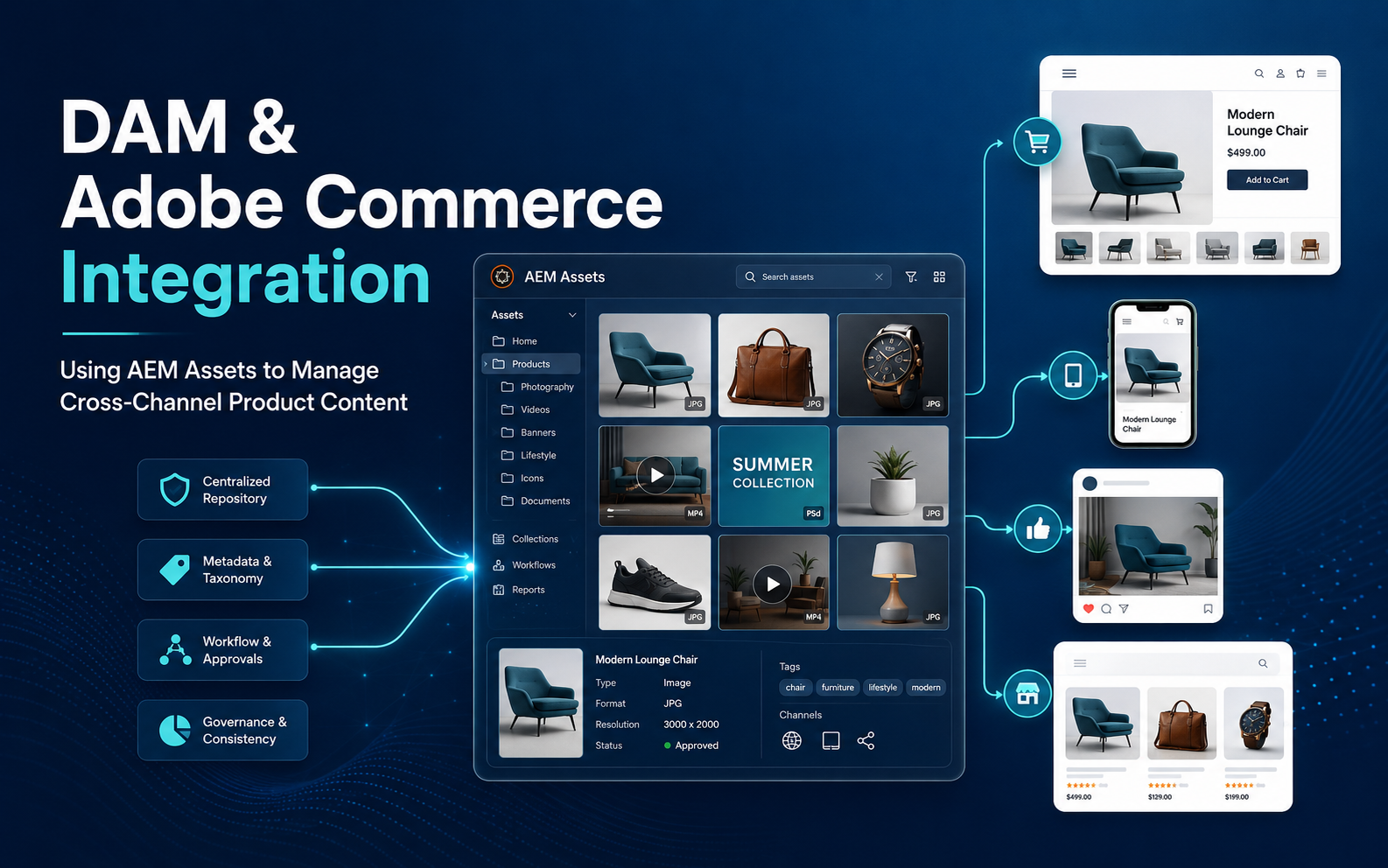
DAM and Adobe Commerce Integration: How to Use AEM Assets to Manage Product Content Across Channels
Adobe Commerce (Magento), AEM Asset, Digital Asset Management (DAM), e-commerce Platforms
29 June 2026
- Introduction: Why product content becomes a bottleneck for e-commerce growth
- Core value of DAM and Adobe Commerce integration
- How product content flows from AEM Assets to Commerce channels
- How AEM Assets unifies product asset management
- Key design considerations for implementation
- Common mistakes and optimization recommendations
- Conclusion
- Introduction: Why product content becomes a bottleneck for e-commerce growth
- Core value of DAM and Adobe Commerce integration
- How product content flows from AEM Assets to Commerce channels
- How AEM Assets unifies product asset management
- Key design considerations for implementation
- Common mistakes and optimization recommendations
- Conclusion
Summary
In cross-border e-commerce and multi-channel retail, product images, videos, product detail assets, and campaign content are often scattered across different systems and teams. This leads to version confusion, repeated uploads, and inconsistent brand presentation. Starting from the product content operations workflow, this article explains how DAM and e-commerce platform integration can use Adobe Experience Manager Assets to build a unified asset hub and efficiently distribute approved, high-quality product content to websites, e-commerce stores, campaign pages, and sales channels.
1. Introduction: Why product content becomes a bottleneck for e-commerce growth
For many companies, the first challenge in e-commerce operations is not a lack of products or channels, but the difficulty of managing product content consistently. The same product may have website images, product detail images, social media visuals, advertising creatives, videos, manuals, and regional versions, while different teams keep their own copies on local computers, cloud drives, e-commerce backends, and design tools.
This is the core problem that DAM and e-commerce platform integration needs to solve.

As SKU counts increase, channels expand, and regional teams get involved, the problem quickly grows: old images continue to be used, new images are not synchronized in time, the latest product videos are hard to find, e-commerce teams repeatedly upload assets, and brand teams struggle to control the final presentation. DAM and e-commerce platform integration means using DAM to centrally manage product images, videos, category visuals, and content assets, then distributing governed product content to e-commerce, websites, and marketing channels through SKU, metadata, approval status, and integration rules.
Adobe Experience League documentation for Commerce and AEM Assets integration explains that, after the integration is enabled, teams can manage product images, content images, product videos, and category images; product images can be associated with Adobe Commerce products through preset matching rules.
2. Core value of DAM and Adobe Commerce integration
The value of DAM and e-commerce platform integration is not simply copying images. It rebuilds product content governance and distribution logic through SKU matching, metadata, approval status, asset roles, and channel rules.
In the past, e-commerce teams often uploaded product images manually in the Commerce backend, brand teams maintained a separate asset library, and design teams kept original files elsewhere. This creates three problems: content versions are hard to control, channel updates are inefficient, and asset usage lacks approval and governance.
After integration, DAM can become the unified governance source for product assets, while the e-commerce platform becomes an important customer-facing channel. Adobe documentation states that after AEM Assets integration for Commerce is enabled, image management is centralized in DAM, and Adobe Commerce serves as a key delivery channel to ensure storefronts use approved, high-quality images while reducing manual image upload and management work in Commerce.
This model brings four direct benefits:
Stronger brand consistency
- All channels use the same approved assets, reducing outdated, incorrect, or non-compliant visuals.
Higher operational efficiency
- E-commerce teams no longer need to frequently download, crop, upload, and replace images manually.
Clearer asset reuse
- The same product assets can support websites, campaign pages, e-commerce stores, social media, and sales materials.
More controllable update workflows
- After new product images or videos are updated, they can be synchronized or pulled into related products, categories, or content areas in Adobe Commerce when matching rules, approval status, and integration configuration are properly set.
Therefore, mature DAM and e-commerce platform integration is essentially an upgrade of the product content supply chain.
3. How product content flows from AEM Assets to Commerce channels
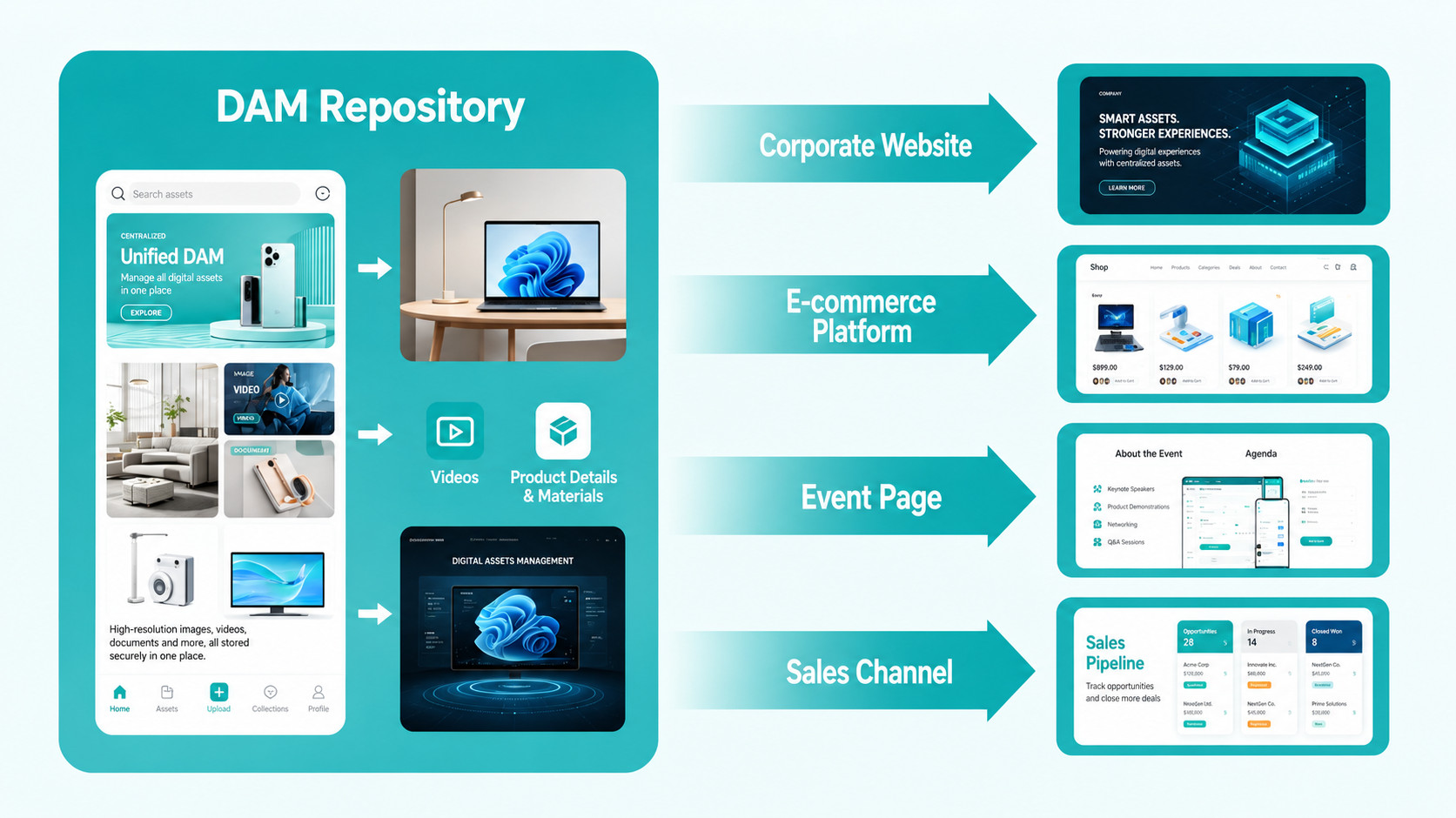
To make DAM and e-commerce platform integration truly usable, the key question is how assets identify products. Product assets cannot be managed only by folder names; SKU, product ID, metadata, tags, approval status, asset roles, language, and market dimensions must work together.
A typical workflow can be divided into five steps:
- 1. Assets enter DAM
Product images, videos, instructional visuals, packaging images, and product detail visuals are uploaded into DAM together, while original files, derivatives, and basic information are retained. - 2. Product information is linked
Through metadata such as SKU, product name, category, language, market, usage channel, asset role, and approval status, assets can be connected with products, categories, or content modules. Adobe documentation notes that the AEM Commerce assets-commerce package adds the Commerce namespace and Metadata Schema resources to AEM Assets environments to support Commerce asset management. - 3. Approval and governance are completed
Brand, product, or legal teams confirm whether assets can be used in public channels and mark their usage scope, validity period, and regional restrictions. - 4. Assets synchronize to the e-commerce platform
Approved assets can enter product image areas through automatic matching rules; category images or Page Builder content images usually need to be selected manually through AEM Asset Selector. - 5. Updates and replacements continue
When product images in DAM are updated, a properly configured matching rule, approval status, and synchronization workflow can reduce repeated uploads and manual replacement on the e-commerce side.
This workflow upgrades e-commerce content management from manual asset transfer to automated distribution based on asset rules.
4. How AEM Assets unifies product asset management
The strength of Adobe Experience Manager Assets is that it is not just a file repository. It is an enterprise-grade DAM platform built around asset discovery, governance, variant generation, and multi-channel usage.
In DAM and e-commerce platform integration scenarios, Adobe Experience Manager Assets can play three roles.

1. Product asset hub
Companies can centrally manage product hero images, detail images, lifestyle images, videos, 3D assets, manuals, packaging images, and campaign visuals. Operations teams do not need to repeatedly search for assets across multiple channels; they can call them from a unified asset hub.

2. Content governance center
Adobe Experience Manager Assets can manage the asset lifecycle through metadata, tags, permissions, approval workflows, validity periods, and usage scope. Adobe product information also notes that Experience Manager Assets can support asset variant generation, Dynamic Media, and content optimization and delivery across different screens and channels.

3. Cross-channel distribution center
The same set of product assets can generate different sizes, formats, and versions based on channel requirements for e-commerce product detail pages, website content pages, advertising creatives, social media, and sales portals.
This is what differentiates DAM and e-commerce platform integration from ordinary asset synchronization: it is not simply pushing files to the e-commerce backend. Instead, approved product content with metadata and usage rules enters product pages, category pages, Page Builder content, website pages, and marketing channels under unified governance.
5. Key design considerations for implementation
When companies implement DAM and e-commerce platform integration, the most underestimated work is early-stage design. If the project only connects systems technically without designing asset rules, operations will still become chaotic later.
Focus on the following five design questions:
1. SKU and asset naming rules
- Image filenames, SKUs, product models, and e-commerce product IDs need stable relationships. Otherwise, the system cannot accurately determine which image belongs to which product.
2. Metadata structure
- At minimum, metadata should include product line, category, language, region, channel, version, copyright status, validity period, and approval status. The clearer the metadata, the more accurate future automatic matching and search will be.
3. Approval and publishing workflow
- Not every asset uploaded to DAM should enter the e-commerce platform. Companies need to distinguish drafts, pending approval, approved, expired, and disabled assets.
4. Boundaries with PIM
- PIM usually manages product attributes, specifications, and descriptions; DAM manages images, videos, files, and visual assets; Commerce handles product display, pricing, cart, orders, and transactions. Clearer boundaries make the system more stable.
5. Channel adaptation rules
- Different channels require different sizes, ratios, formats, and language versions. Companies should plan in advance which assets are used for product hero images, product detail pages, advertising, or social media.
High-quality DAM and e-commerce platform integration does not synchronize every asset at once. It performs automatic matching or manual selection based on product SKU, channel, asset role, approval status, language version, and business rules.
6. Common mistakes and optimization recommendations
Many companies have already launched DAM or e-commerce platforms, but their integration results are still unsatisfactory because the project is often understood too technically.
Common mistakes include:
Building interfaces without governance
- Without approval, metadata, and version rules, even stable interfaces can synchronize the wrong content.
Focusing only on product hero images while ignoring content images and videos
- Cross-border e-commerce conversion increasingly depends on lifestyle images, videos, and content modules. Managing only basic product images is not enough.
Confusing the responsibilities of DAM and PIM
- Product specifications, marketing copy, and visual assets need clear boundaries; otherwise, future maintenance becomes difficult.
Lacking regional and language dimensions
- Global e-commerce operations must consider differences across countries, languages, and channels.
Failing to establish update mechanisms
- New product launches, packaging updates, and campaign replacements all need standard workflows; otherwise, integration will fall back into manual maintenance.
A practical approach is to split the project into two stages: first implement core product image and SKU matching, then expand to videos, content images, category visuals, campaign assets, and multilingual versions. This is more stable than trying to synchronize everything at once.
7. Conclusion
For cross-border e-commerce companies and multi-channel brands, product content has become an important asset that affects conversion. If images, videos, product detail assets, and campaign content are managed separately, operational efficiency drops while brand consistency and customer experience suffer.
The real value of DAM and e-commerce platform integration is turning product content from scattered files into governable, reusable, and distributable enterprise assets. By using Adobe Experience Manager Assets to centrally manage product assets and collaborate with Adobe Commerce, companies can reduce repeated uploads, improve asset governance quality, increase version consistency, and respond faster to different market and channel needs. If other e-commerce platforms are connected, custom integration will be needed based on platform APIs and middleware capabilities.
If you are planning Adobe Experience Manager Assets, Adobe Commerce, or a cross-channel product content management system, you are welcome to learn more about our DAM and e-commerce integration services. You can also visit Contact Us to discuss your SKU structure, asset governance, and system integration path with our consultants.
Related Articles
- Mastering Digital Asset Management: A Deep Dive into AEM Assets
Useful for understanding the core capabilities of AEM Assets and the value of enterprise digital asset management. - How Should Different Companies Choose the Right Digital Asset Management (DAM) System?
Useful for evaluating DAM systems from the perspectives of business needs, asset scale, and use cases. - Recommended Cross-Border E-commerce Platform for Global Brands: Key Advantages of Adobe Commerce (Magento)
Useful for understanding how Adobe Commerce supports complex cross-border e-commerce and brand-owned platforms.
Related Articles

Enterprise AI MarTech Trends Analysis 2024-2029 Outlook Report
From AI content productivity tools to a core engine for revenue growth and marketing transformation
*The PDF will be sent directly to your inbox.
Email Error
Please enter a valid email address.
Thank You!
The whitepaper has been sent to your inbox. If you don’t see it, please check your spam or promotions folder.