
Enterprise Website UX Best Practices: Improve Experience and Conversions
UX/UI Design
18 September 2026
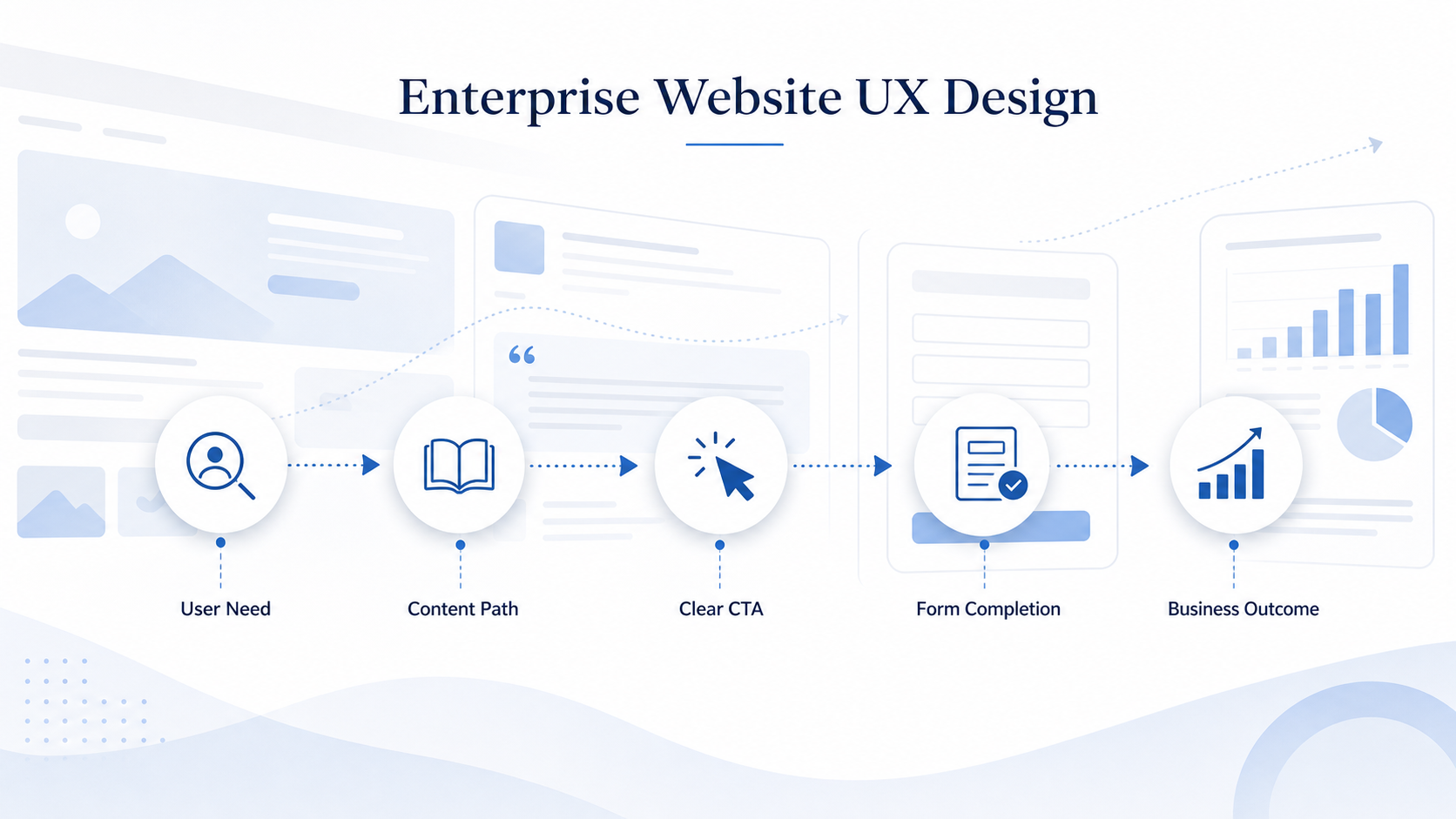
Enterprise website UX goes beyond visual appeal. It determines whether visitors can quickly understand what your company offers, find content that meets their needs, and submit an inquiry, download a resource, or get in touch. Many companies begin a redesign with visual mockups but see no improvement in conversion rates. In LeadsTech’s experience planning enterprise websites, priorities should first reflect user needs, content structure, interaction flows, and website goals. Layout and interface design should follow. This article outlines a practical approach to planning or redesigning an enterprise website.
Summary
Effective enterprise website UX design starts with user tasks and business goals, rather than choosing colors or applying a template. Define your primary audiences, information architecture, content priorities, and conversion paths, then validate the design through prototype testing, behavioral data, and form completion rates. A redesign also needs to account for accessibility, mobile experience, website speed, CMS maintenance, and collaboration across teams.
1. Why Enterprise Website UX Affects Business Outcomes
When visitors arrive at an enterprise website, they typically make three quick assessments: what the company does, whether it can solve their problem, and what they should do next. A homepage filled with slogans, product pages that lack specific information, or contact details that are hard to find all force visitors to spend more effort searching.
Suppose a B2B software company wants to attract enterprise buyers, but its website navigation is organized only by internal department. Customers struggle to find answers by industry, use case, or product capability. Even if website traffic grows, the sales team may still receive incomplete inquiries. UX improvements turn visitor tasks into clearer paths through content and let the business track how each path performs.
2. Plan Your Website Around User Tasks
Start by identifying your main users and their tasks, rather than using your company’s organizational chart. Buyers may want to compare solutions, check implementation requirements, and request a quote. Technical users may need specifications, API information, or integration details. Existing customers may be looking for support resources. Each task requires appropriate entry points and a different level of detail.
Next, create a content map that connects the homepage, solutions, products, resources, case studies, and contact process. Every key page should answer a clear question and provide a next step. Use navigation labels your customers understand instead of relying on internal terminology.
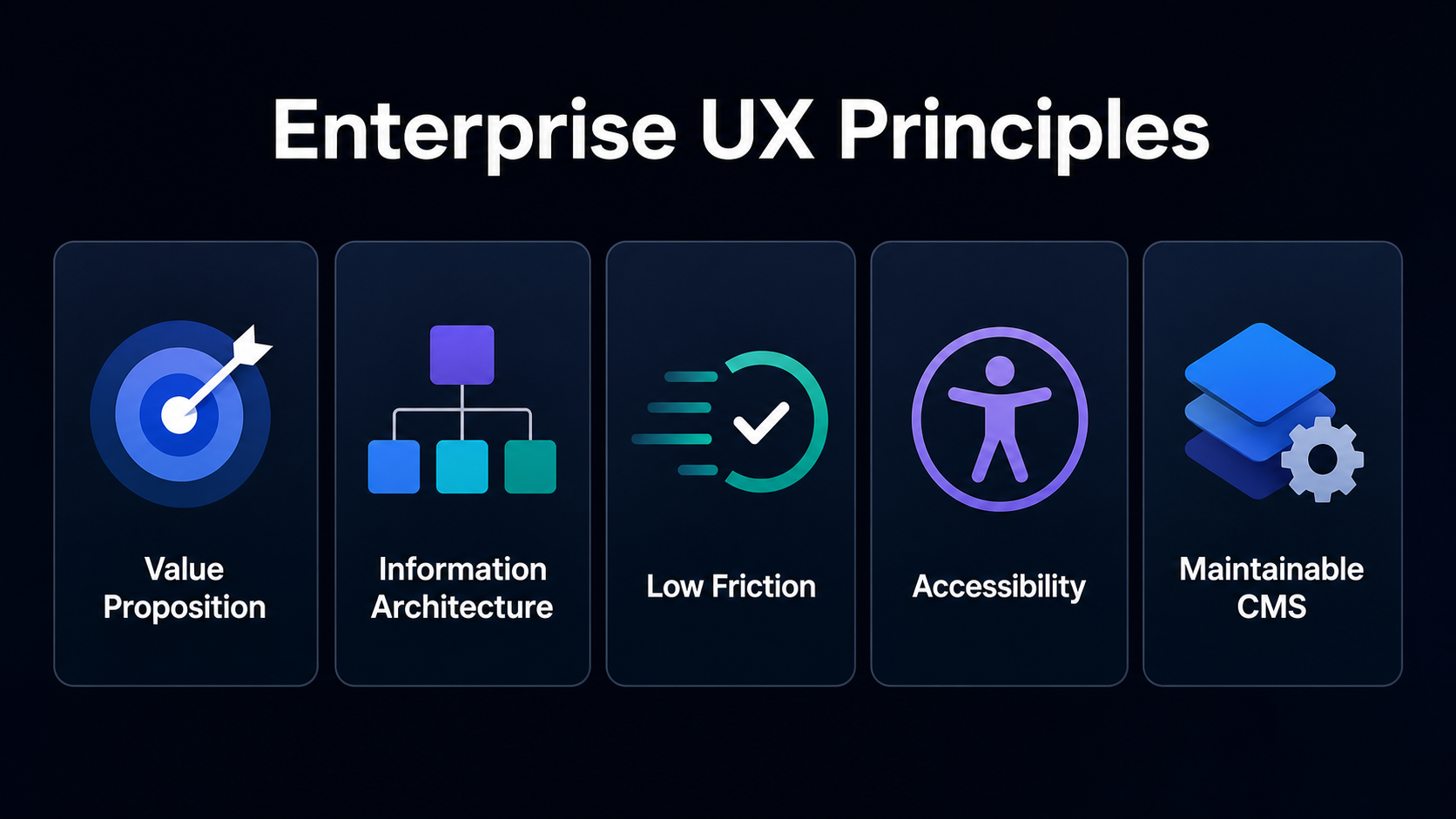
3. Five Core Principles of Enterprise Website UX Design
1. Make Your Value Proposition Easy to Understand
Use the first screen to state whom you serve, the problem you solve, and the next step. Keep the headline, supporting copy, and primary CTA aligned.
2. Build Information Architecture Around Content Priorities
Prioritize content by search demand, sales questions, site-search data, and user research. Put decision-making information before internal priorities.
3. Reduce the Effort Required by Forms and Processes
Ask only for information needed now, and collect the rest during follow-up. Explain use, response time, and privacy; make errors actionable.
4. Address Mobile Experience, Accessibility, and Performance
Design for devices, browsers, and assistive technologies. Check contrast, keyboard access, headings, alt text, touch targets, and page speed.
5. Help Content Teams Maintain the Website Over Time
Build components, fields, image rules, and approvals around the CMS. This lets content teams update the site without relying on developers.
4. How to Validate UX Improvements with Data
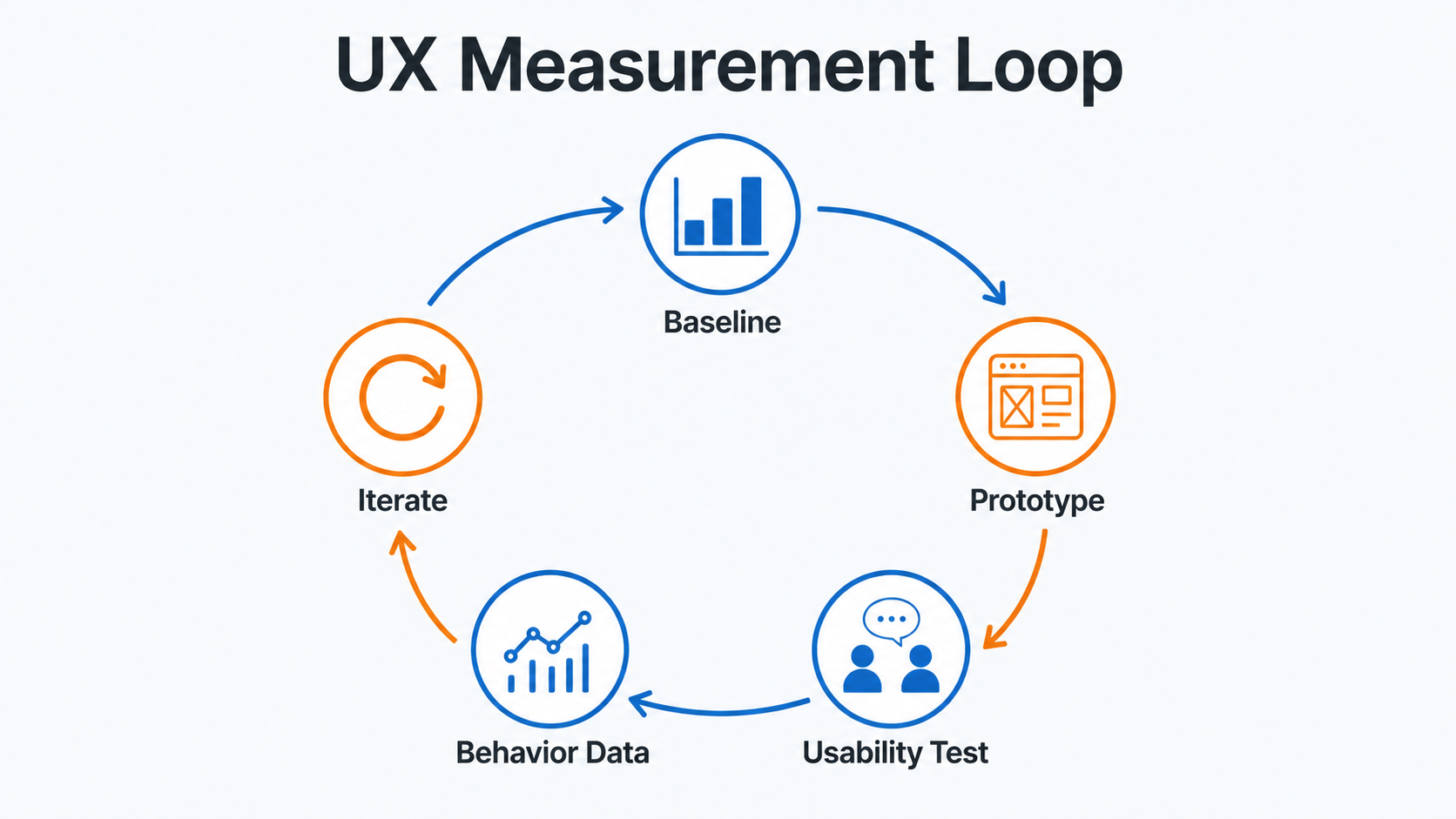
Evaluate UX with more than a judgment that it looks better. Establish a baseline, then choose metrics that match your goals. For navigation improvements, examine on-site search, the share of visitors reaching key pages, and exit rates. For forms, track start rates, completion rates, and valid inquiry rates. For content structure, look at the depth of product page exploration, downloads, and return visits.
Combine quantitative data with qualitative research. Recorded tests, interviews, and customer support questions can explain why users get stuck. Start with a small test of one or two high-value journeys before deciding whether to expand across the site. Changing every page at once makes it difficult to determine which change caused the results.
5. Enterprise Website UX Checklist
- Does the homepage clearly explain whom you serve and the main value you offer?
- Is navigation organized around user tasks rather than only internal responsibilities?
- Do key product pages provide clear comparisons, specifications, and next steps?
- Do CTAs match the user’s current intent?
- Do forms request only necessary information?
- Can mobile users complete the same core tasks?
- Do images, headings, links, and forms meet basic accessibility requirements?
- Does the CMS support the content team’s everyday updates?
- Have you defined metrics for conversions, search, errors, and process completion?
6. Frequently Asked Questions (FAQ)
What Is the Difference Between UX and UI?
UX focuses on how users complete tasks and their overall experience. UI focuses more on the visual interface and how interactions are presented. Enterprise websites usually need both working together. Improving appearance alone is not enough if content and processes remain difficult to use.
Does an Enterprise Website Redesign Have to Start with the Homepage?
No. A more effective approach is to identify the journeys with the greatest impact on business outcomes, such as product comparison, forms, or contact paths. Then use data and user research to set priorities.
How Do You Measure Whether UX Design Is Successful?
Set metrics that reflect website goals, such as valid inquiry rate, form completion rate, task success rate, error rate, on-site search usage, and content engagement. Bounce rate alone cannot represent the overall user experience.
Do UX Design and SEO Conflict?
Not necessarily. Clear information architecture, readable content, a good mobile experience, and fast pages generally benefit both users and search engines. The balance to consider is between content depth, interactive effects, and crawlability.
7. Conclusion
Enterprise website UX design starts with understanding what visitors need to accomplish and what actions your business wants to encourage. Define the content and journeys first, then improve them through prototypes, testing, and data. This approach generally makes risk easier to manage than pursuing a complete redesign all at once.
To connect user research, information architecture, UI design, and website development, explore LeadsTech’s UX/UI design services.
If your website already has clear traffic and conversion problems, document the main user tasks and relevant data before arranging a focused UX assessment.


8. Further Reading
- The Methods and Principles Behind Exceptional UX/UI Design Services: Explore the overall approach to UX/UI design.
- UX Design vs. UI Design: Differences and Collaboration: Understand how UX and UI responsibilities differ and how the two disciplines work together.
- How UX/UI Drives Successful Digital Transformation: Explore the relationship between design and enterprise transformation.
Related Articles

Enterprise AI MarTech Trends Analysis 2024-2029 Outlook Report
From AI content productivity tools to a core engine for revenue growth and marketing transformation
*The PDF will be sent directly to your inbox.

