
Salesforce Journey Builder for Cross-Channel Journeys
Marketing Automation, Salesforce
31 August 2026
Many companies already run email, SMS, app push, and sales follow-up programs, yet each channel often works in isolation. Customers may receive repeated messages or outreach at the wrong moment. Based on LeadsTech’s implementation experience, customer identity, data ownership, and the role of each channel should be defined before the journey canvas is built. That foundation helps automation respond to customer behavior without increasing day-to-day maintenance for the team. This article explains how to use Salesforce Marketing Cloud Journey Builder to connect data, triggers, splits, messaging, and measurement into a maintainable cross-channel journey.
1. Key Takeaways
- Journey Builder is the journey orchestration tool in Marketing Cloud Engagement. Its value is not only message automation, but deciding the next best step based on customer events and data.
- Companies should define business goals, Contact Key, Entry Source, consent status, and exit criteria before designing canvas activities.
- Decision Split, Engagement Split, Wait, and channel actions must align with data refresh cycles and frequency rules to avoid duplicate or excessive outreach.
- Before launch, teams should prepare testing, versioning, permissions, and monitoring, then evaluate performance through goal completion, channel engagement, and business outcomes.
2. Where Should a Cross-Channel Journey Builder Program Start?
Journey Builder helps teams design and manage automated, multi-step customer communications. A customer enters through an Entry Source, then moves through messages, waits, splits, data updates, or Salesforce Sales and Service Cloud activities until they reach a Goal, meet Exit Criteria, or arrive at the end of the journey. These capabilities create business value only when goals, data, and operating rules are clear.
Start with three questions: which customer behavior should the journey influence, which event shows that the customer needs a next step, and which outcome proves that the journey is working? For example, if the goal is to increase product demo bookings, the entry point might be a technical specification download. The next step should not be a burst of promotional emails. It should vary by company size, product interest, and recent engagement, with options such as educational content, consultant follow-up, or stopping promotional messages.
Consider an industrial equipment company serving Hong Kong, Taiwan, and Southeast Asia. A customer may download a white paper, join a webinar, and later become an opportunity in Sales Cloud. If email, the event platform, and CRM use different identifiers, Journey Builder may treat the same person as multiple contacts, creating duplicate messages and inaccurate attribution. The better approach is to align Contact Key, source fields, consent status, and commercial stage before building the journey.
3. How Should Data and Entry Criteria Be Designed in Journey Builder?
Salesforce documentation shows that Journey Builder Entry Sources can include Data Extensions, API events, audiences, CloudPages, Salesforce data, and other events. Companies should choose the source based on data speed and journey purpose. Batch lists suit scheduled nurturing programs, while API events are better for scenarios that need fast responses, such as form submissions, transactions, or service events.
An Entry Source should not contain only an email address. At a minimum, define a stable Contact Key, language, market, consent status, product interest, event timestamp, and the fields required for downstream splits. Journey Data is the data brought in when a customer enters the journey. Contact Data may change as the data model is updated. Before using a Decision Split, confirm which data type the split depends on. Otherwise, the customer profile may have changed while the split still follows old values.
Re-entry rules must also match the business event. Can the same customer enter again? How long should they wait? Should separate transactions be treated as separate journeys? For transaction journeys, use a reliable transaction identifier. For long-term nurturing, restrict short-term re-entry and exit customers when they become an opportunity or withdraw consent.
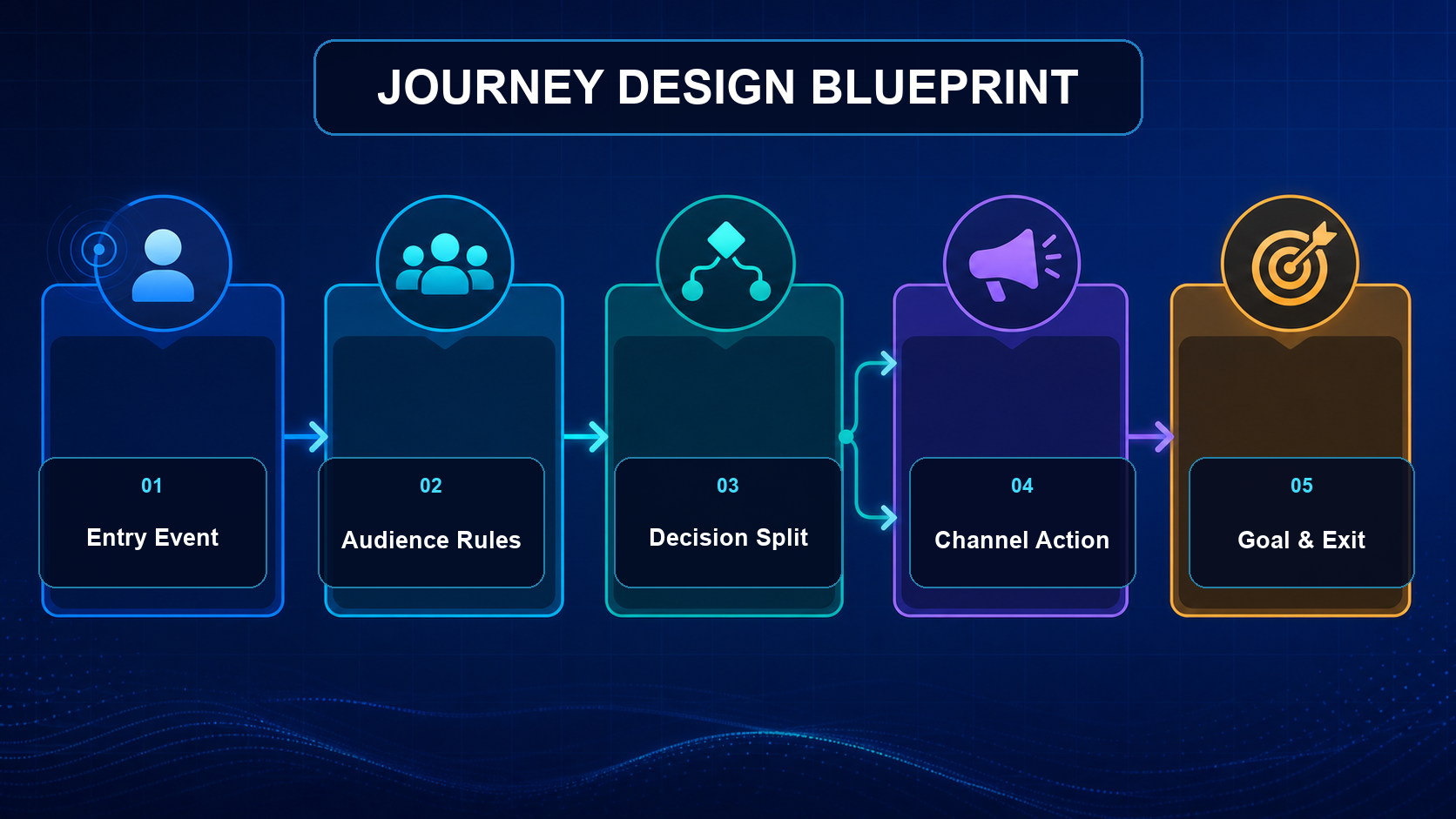
Figure 1: A cross-channel journey connects the entry event, audience rules, split logic, channel actions, goals, and exit criteria.
4. How Should Splits, Waits, and Cross-Channel Messages Be Arranged?
Decision Splits evaluate conditions based on customer or journey data in order. Engagement Splits route contacts based on message engagement such as opens, clicks, or bounces. The order of conditions matters because customers follow the first path they match. Each path should have a clear business meaning, not a collection of branches that only internal teams can decipher.
Wait activities control pacing and give data time to flow back into the system. Wait durations should not be based only on marketing habits. They should reflect the customer decision cycle, channel urgency, and CRM update latency. For example, after a customer requests a quote, sales should take over first. If an opportunity has already been created, the customer should exit the nurturing journey rather than continue receiving introductory content.
Cross-channel does not mean every person receives every channel. Teams can select Email, SMS, Mobile Push, advertising audiences, or sales tasks based on consent, preference, engagement, and business value. Each channel should play a distinct role: email explains content, SMS handles time-sensitive reminders, app push drives in-app actions, and CRM Tasks route follow-up to sales or service teams.
5. What Should Be Checked Before Journey Builder Goes Live?
After a journey is activated, changes usually require version management. Teams should therefore complete a repeatable launch checklist. The following seven items can serve as launch gates:
- Are the Entry Source, Contact Key, and required fields complete in the test data?
- Do consent status, unsubscribe handling, and sensitive-data rules meet the requirements of the target markets?
- Have the Decision Split order, default path, and one-to-many data relationships been validated?
- Could wait durations, re-entry rules, or overlapping journeys create excessive outreach?
- Are sender details, personalization fields, links, fallback values, and tracking working correctly for every message?
- Are Goal, Exit Criteria, suppression lists, and sales handoff conditions aligned?
- Are the journey name, version notes, owner, stop procedure, and exception notifications documented?
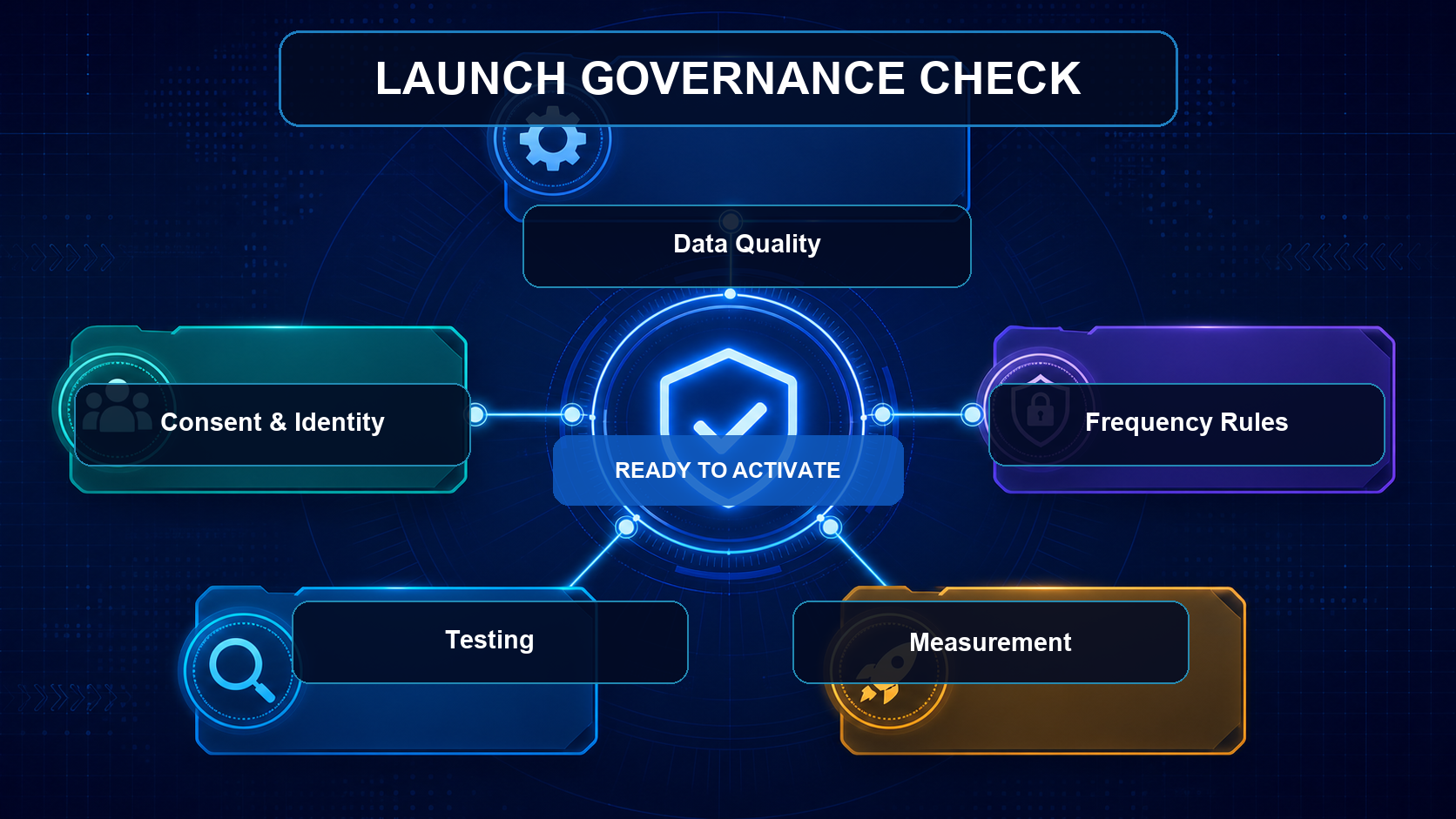
Figure 2: Before activation, teams should review data, consent, frequency, testing, and measurement settings together.
Use a small test audience to run through the entire journey and verify actual waits, splits, and channel outcomes. After testing passes, expand the audience gradually and keep a rollback plan. If the journey involves API events or CRM updates, also test retries, latency, missing values, and temporary external-system outages.
6. How Should Customer Journey Performance Be Measured?
A Journey Builder Goal can represent the intended result of the journey, but teams should not rely only on sends, open rates, or click rates. A useful measurement framework has three layers. The first is journey health, such as successful entries, errors, exits, and activity volumes. The second is channel engagement, such as delivery, clicks, replies, or conversions. The third is business impact, such as qualified leads, demo bookings, opportunities, renewals, or resolved service issues.
In the industrial equipment example, useful metrics could include demo booking rate within 30 days of a specification download, lead-to-opportunity conversion rate, first sales response time, and duplicate-message rate. These metrics should be segmented by market, product, and customer stage, and compared with a baseline group that did not enter the journey or used the previous process. If one path underperforms, first examine data quality, audience definition, and channel timing before changing content.
Each optimization cycle should focus on one or two core hypotheses. Create a new version and record the change, expected impact, activation date, and result. That discipline turns Journey Builder into an operating process that improves over time, rather than a difficult canvas to maintain.
7. Frequently Asked Questions
Is Journey Builder the same as email automation?
No. Journey Builder can connect Entry Sources, data decisions, waits, cross-channel messages, data updates, and Salesforce activities into a customer journey. Email is only one channel within that journey.
Can Journey Builder trigger journeys in real time?
Yes. Entry points such as API events can support event-driven journeys, but actual speed still depends on data sources, integrations, system processing, and channels. Test latency with real process flows before launch.
What is the difference between Decision Split and Engagement Split?
Decision Split mainly routes customers based on customer or journey data. Engagement Split routes customers based on message engagement, such as opens, clicks, or bounces. Choose the split type only after confirming when the required decision data is available.
Can a customer enter multiple journeys at the same time?
Yes, but companies need cross-journey priority, suppression, and frequency rules. Otherwise, different teams may send conflicting messages to the same customer within a short period.
When should a company ask for consulting support with Journey Builder?
Consulting support is useful when the journey involves multiple data sources, CRM, APIs, market-specific consent rules, or cross-functional operations. A consultant can help with data design, integration, testing, governance, and measurement, not just canvas setup.
8. Conclusion
The effectiveness of Salesforce Marketing Cloud Journey Builder depends on the alignment of data, business goals, and operating governance. Start with one high-value scenario, align the Contact Key and entry criteria, and test splits, frequency, and Goals with a small audience. If you need support planning cross-channel journeys, integrating CRM, or building a measurable launch process, contact LeadsTech and explore our Salesforce Marketing Cloud services.


9. Further Reading
- Marketing Automation Customer Journey Design Guide
Plan automation journeys from business goals, audiences, and touchpoints. - Global Marketing Automation Strategy and Implementation Guide
Learn how to coordinate data, content, and operations across markets. - Top 10 Marketing Automation Tools
Compare the capabilities companies should evaluate when choosing a marketing automation platform.
Related Articles

Enterprise AI MarTech Trends Analysis 2024-2029 Outlook Report
From AI content productivity tools to a core engine for revenue growth and marketing transformation
*The PDF will be sent directly to your inbox.

