
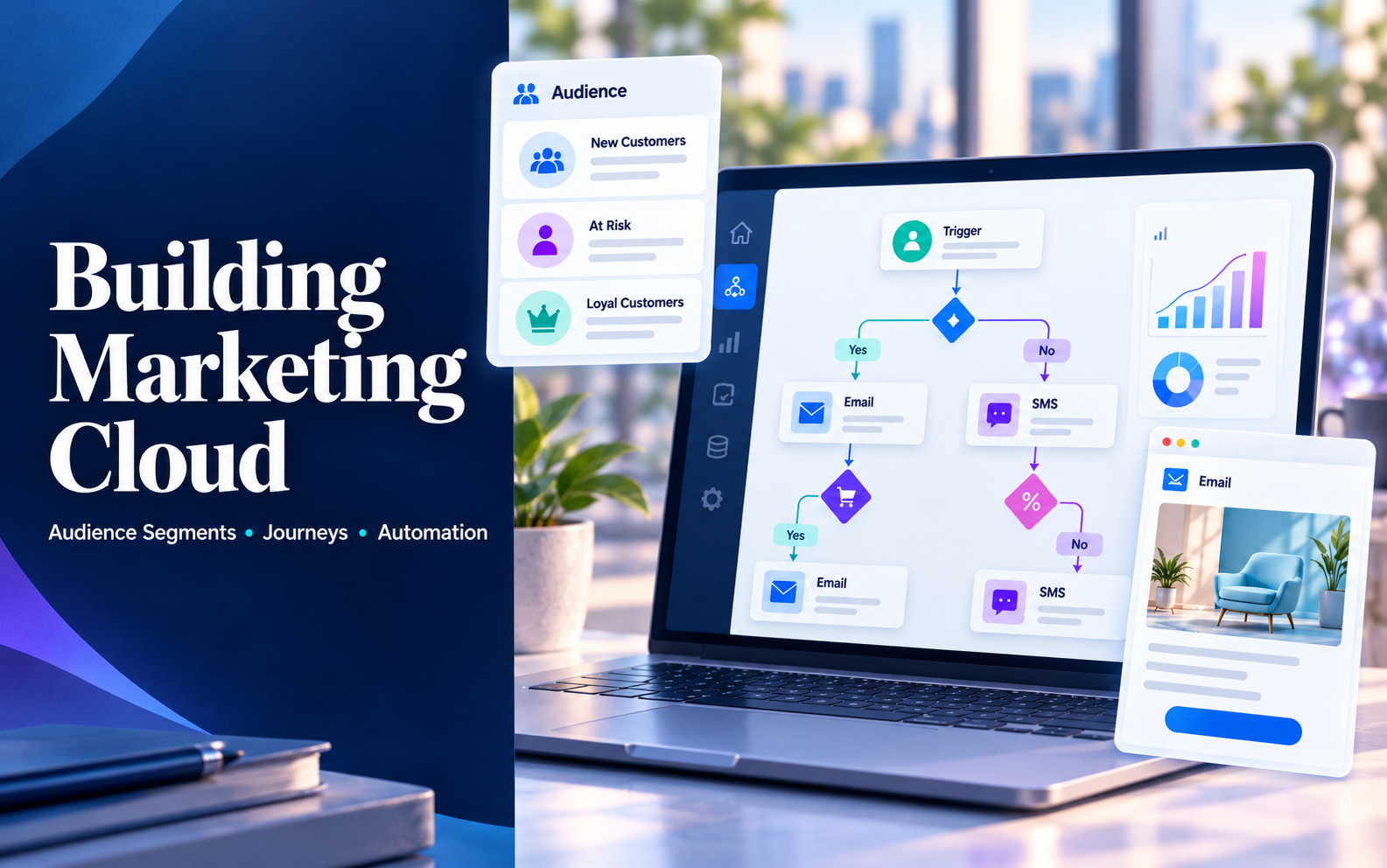
Marketing Cloud Setup: Segmentation, Journeys and Automation
Marketing Automation, Salesforce
28 October 2026
As marketing journeys multiply, businesses need clear audience criteria, reliable data and communication rules. Salesforce Marketing Cloud implementation involves more than drawing workflows. This article covers segmentation, Journey design, content and automation maintenance to help teams turn marketing ideas into verifiable processes they can sustain.
Summary
Marketing Cloud implementation aligns data, audiences, messages and subsequent actions. Focusing on Journey Builder in Marketing Cloud Engagement, this article explains segment specifications, entry and exit conditions, content testing and ongoing maintenance. Businesses should complete one journey with clear rules before expanding within their operational capacity. Tools and data models vary across Marketing Cloud products and must be confirmed for the actual solution.
1. Define the Use Case Before Implementing Marketing Cloud
New member welcomes, event reminders and lead nurturing all use marketing automation but pursue different goals. Define the audience, trigger and intended action before deciding how many segments and journey branches are needed.
Salesforce offers several marketing product lines. If requirements center on Journey Builder, Data Extensions and Automation Studio, confirm whether they belong to Engagement and check the features and channels included in your subscription. Similar product names do not mean the same design approach applies.
Keep the initial scope focused on a use case the team can maintain. Beyond features, assess data availability, content ownership and responsibility for exceptions. Workflows can run automatically, but operational responsibilities still need clear owners.
2. Answer Three Questions About Audience Segmentation
Who Are These People?
Use consistent identifiers to connect contact data from different sources, then select attributes relevant to the use case. Job roles, regions and customer stages help explain needs, but every criterion requires a clear definition, source and update time.
Email addresses can change or be shared. Engagement’s Contact Key and Email Studio’s Subscriber Key relate to contact identification. Confirm relationships across channels and data tables during implementation so the same person does not become multiple records that cannot be matched.
Why Communicate Now?
Static attributes provide background, while events and status explain the immediate reason to communicate. Event attendance, inquiries and purchases indicate different intentions. People should not receive identical content simply because they work in the same industry.
Behavioral criteria need time limits. Specify when an event occurred, when the data was updated and when communication stops being relevant. Delayed data can turn a useful reminder into an outdated message, so define exclusions or alternative handling.
Are They Eligible for Communication?
Someone who meets business criteria may not be eligible for messages through a particular channel. Design subscription preferences, suppression lists and approved business rules alongside segmentation, and confirm how changes synchronize and take effect.
Do not check eligibility only when building the list. A journey can last several days, during which unsubscribes, service issues or sales handoffs may change the next steps. Confirm how each important step uses the latest available information.
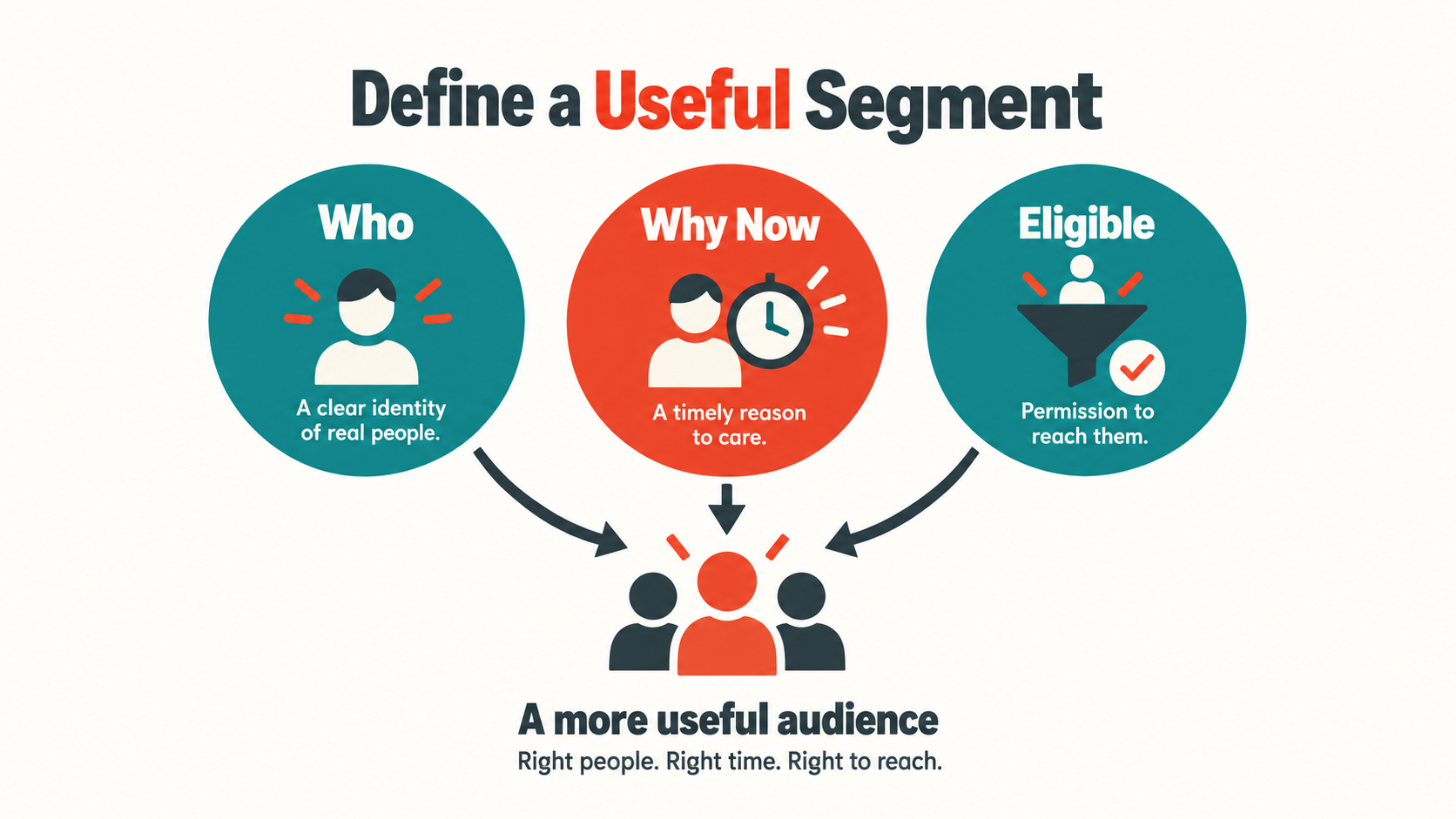
Figure 1: Useful segmentation considers audience identity, timing and communication eligibility together.
3. Write Audience Rules as Testable Segment Specifications
Segment names should mean the same thing to marketing and data teams. Without specific criteria, a label such as “high-intent customers” is difficult to test and can acquire different definitions across campaigns. Record criteria, time windows, exclusions and ownership in the specification.
For each segment, prepare samples that qualify, do not qualify and have missing data. Check both total counts and individual records to understand why each was included or excluded. This turns subjective discussions into traceable decisions.
Sources may store data at different levels of detail. Membership data may have one record per person, event registrations several records per person, and transactions multiple products. Confirm relationships and deduplication before joining data to avoid inflating lists or mixing events.
At handover, retain a mapping between segmentation rules and actual configuration. When business definitions change, teams can identify affected data preparation, Journey branches and reports instead of changing only a visible filter.
Define how often segments are recalculated. Daily updates, pre-campaign updates and event-triggered updates serve different needs. Data completion flags and audience count checks help prevent lists from being activated while data is only partially updated.
4. Design Journey Entry, Waits and Reentry
Entry Criteria and Event Relationships
Decide whether the journey starts with a person or a specific event. Someone attending two events may need two distinct reminders, while a new member welcome usually follows different rules. Operational convenience should not force every use case into the same model.
Journey Builder provides different reentry modes. Choose one for the use case, then test the same contact at different times and across journey versions. Confirm that it neither causes unintended repeated communication nor blocks appropriate follow-up.
Wait Times and Data Timing
Waits should support the user’s situation, such as allowing time to read or complete the next step. Account for time zones, content validity and source update schedules instead of applying fixed intervals without considering actual needs.
Branch decisions must specify which point in time the data represents. Journey Data and Contact Data serve different purposes. Before designing the journey, decide whether to use event data captured at entry or contact information updated later, and validate the corresponding data relationships.
Default Branches and Exit Rules
Give every branch explicit criteria and handle null values, unmatched conditions and data that has not yet updated. A default branch should not automatically make someone eligible for messages. When uncertain, wait, exclude the record or refer it to an owner.
Exit conditions specify when the goal is complete or continuing is inappropriate. Test when those rules are evaluated rather than assuming every data change immediately stops all actions. Where necessary, recheck eligibility before key actions.
5. Manage Dependencies Between Data and Journeys
Data imports, transformations, audience calculations and journey entry have dependencies. Record completion criteria for each step instead of merely scheduling times. When upstream work is delayed, downstream steps should wait, stop or follow an approved alternative.
Automation Studio and Journey Builder need coordination, but a successful scheduled job does not prove that a journey is correct. Even after a job completes, the source may be empty, data may be outdated or segmentation results may differ from expectations.
Error handling should cover retries and resubmissions. For events that trigger communication, confirm that resending data does not trigger unnecessary messages again. Recording event identifiers, processing status and timestamps supports investigation and recovery.
Monitor both technical and business conditions. Technical monitoring tracks job failures and delays; business monitoring checks audience counts, exclusion reasons and stalled processes. Set thresholds based on campaign characteristics rather than treating every variation as a fault.
Businesses also need coordination across journeys. The same customer may enter campaign, product and service workflows simultaneously. Marketing owners should determine communication priorities, frequency and mutual exclusions, then implement them as testable settings.
Data Dictionary and Maintenance Inventory
Create a concise dictionary for common fields, recording business definitions, types, allowed values, the meaning of null values and authoritative sources. Whether “customer stage” is manually maintained by sales or calculated from transactions directly affects segmentation reliability.
Identically named fields in different tables are not necessarily interchangeable. Identify the field each journey actually uses and how upstream processes produce it. This makes affected workflows easier to find when a source is renamed or discontinued.
Maintain a journey inventory covering purpose, owner, entry point, data dependencies, content assets and review date. It helps teams identify duplicate purposes, expired campaigns and unmaintained workflows instead of continually adding new ones without review.
6. Use Content and Testing to Keep Journeys Reliable
Personalized content needs reliable data and fallback text. Include test cases for missing names, different languages, broken links and changed event dates. One complete internal test record cannot represent every recipient.
Content review should cover subject lines, body copy, action buttons and landing pages. For journeys with multiple branches, maintain a content inventory and version relationships to verify that every path uses the right message and identify assets affected by later updates.
Start testing within a limited scope, check expected outcomes and then inspect the complete execution history. Include stop conditions, duplicate events and preference updates as well as normal paths. Verify that messages reach the right people, not simply that they are sent.
- Validate entry eligibility, event timing and contact identification.
- Check every branch, default path and missing-data outcome.
- Test reentry, resubmitted events and overlapping journeys.
- Confirm languages, personalization, links and fallback content.
- Check preference updates, exits and handling after a pause.
- Retain test evidence, owners and activation criteria.
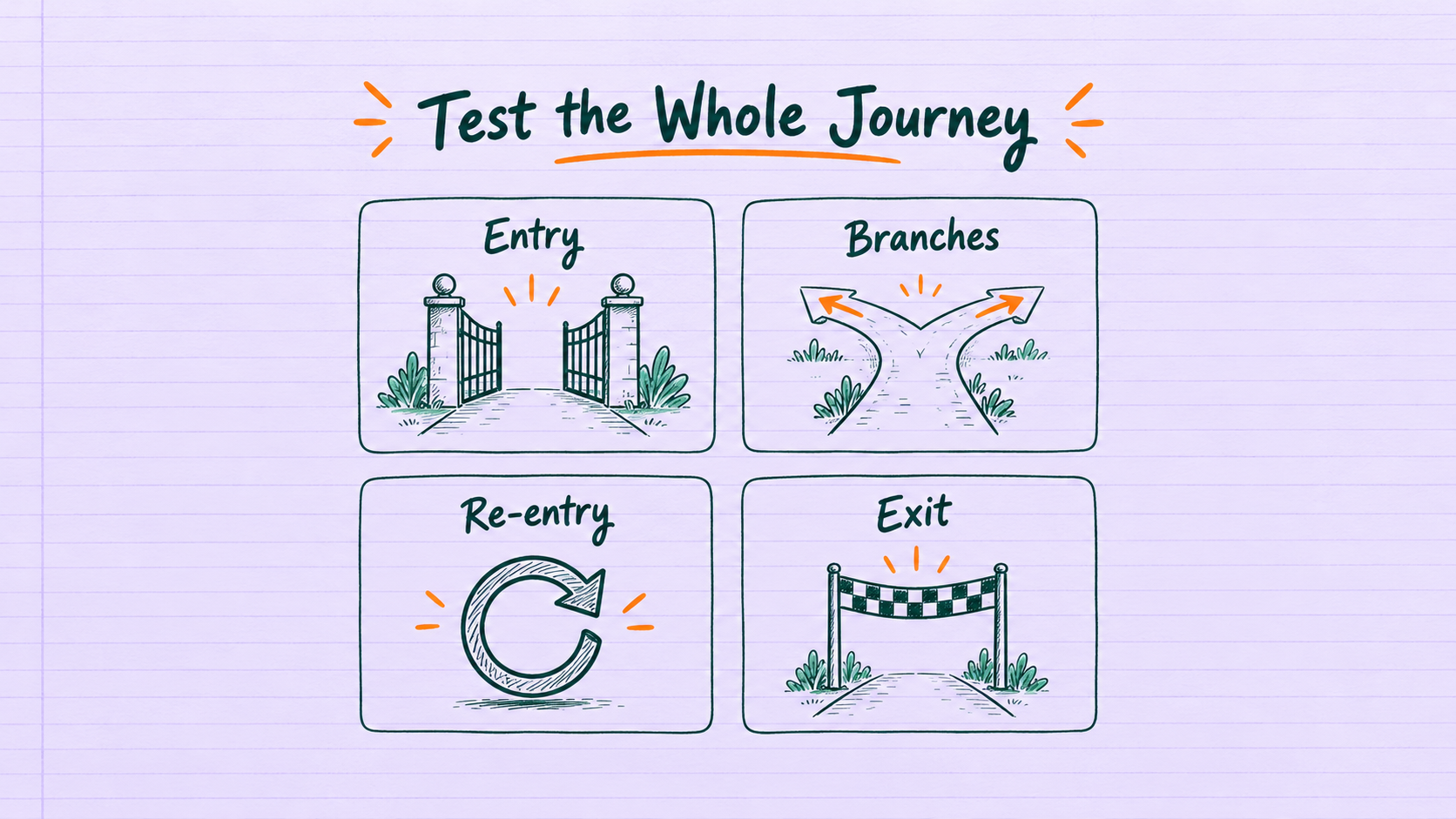
Figure 2: Journey testing should cover entry, branches, reentry and exit.
7. Turn Individual Campaigns Into Continuous Improvement
Evaluation should connect to the journey’s goals. Beyond sending and engagement metrics, confirm that subsequent actions are recorded and observation periods are consistent. An increase in one metric does not necessarily mean the whole journey delivered its intended value.
Separate data, rule and content issues before making improvements. If the audience is wrong, fix sources or criteria first. If the audience is correct but the next step is unclear, review messages and landing pages. Changing too much at once makes causes harder to interpret.
For example, a hypothetical B2B business could create an event follow-up journey that separates attendees from non-attendees and provides appropriate content. If sales has taken over a participant, subsequent communication changes according to approved rules. This is an illustrative scenario, not an actual client results case.
Acceptance testing in this scenario should include late event data, one person attending multiple events and preferences changing midway. The ability to explain each record’s path provides a more reliable basis for expanding segmentation.
Record the reason, scope and expected result of every revision, and retain comparable observation periods. Without version records, future team members may see configuration differences without knowing which changes were necessary fixes and which remain untested assumptions.
Create an Operating Routine Others Can Take Over
Daily maintenance should specify which exceptions to review, which settings to confirm before a campaign and who validates results after revisions. Marketing, data and IT teams can share responsibilities, but each issue type needs a clear first owner.
Exception reports should include time, impact, journey version and handling status. Simply reporting “the list is wrong” makes reproduction difficult. Tracing one representative record through sources, segmentation and the journey usually reveals causes more clearly than changing several settings at once.
During handover, have the receiving team replace content, investigate an exception and complete an approval process in practice. Documentation explains operations; rehearsal confirms understanding of the decisions involved and reveals steps that still depend on individual memory.
For journeys requiring sales follow-up, agree on handoff information and how acceptance and outcomes are returned. Creating a follow-up audience in a marketing platform does not mean sales has received it. Without subsequent status updates, the system may keep sending content that duplicates human conversations.
Deactivating a journey also needs a procedure. Check whether participants remain, whether related data jobs serve other purposes and how long content and reports must be retained. A campaign ending is not a reason to remove data or assets that other workflows still depend on.
With these habits, teams can turn recurring problems into checks for future implementations. Mixed event times can lead to event-date and time-zone checks; incorrect languages can prompt better fallback rules for missing language data. Improvements then accumulate into a shared method.
8. Frequently Asked Questions (FAQs)
Does Finer Segmentation Always Improve Results?
No. Segments should reflect distinct needs and available content. Excessive segmentation increases data, production and testing effort. If messages and next steps do not differ meaningfully, start with clearer groups that are easier to maintain.
Can Journey Builder and Automation Studio Replace Each Other?
They serve different purposes. In this article's scenario, data preparation and scheduled jobs must work with journeys. Completing only one side does not make the overall process ready. Confirm responsibilities based on the products, features and data architecture in use.
Are Manual Checks Still Needed After Activation?
Yes. Data sources, content and business rules can change. Schedule reviews, exception handling and version management, and designate people authorized to pause and resume workflows so automation remains manageable.
9. Conclusion
The quality of Salesforce Marketing Cloud implementation depends on consistent audience definitions, journey rules and ongoing maintenance. Establish traceable segmentation and test evidence before expanding channels and use cases to help reduce later adjustment costs.
LeadsTech can help businesses clarify marketing automation requirements, data integration and journey design, turning priority use cases into a concrete implementation scope.

To review existing segments or journeys, first organize your goals, data sources and current exceptions, then discuss potential improvements with the team.

10. Further Reading
-
Explore the fundamentals of marketing automation and its business applications.
-
How to Choose a Marketing Automation Platform
Assess requirements, data and operational conditions when selecting a platform.
Related Articles

Enterprise AI MarTech Trends Analysis 2024-2029 Outlook Report
From AI content productivity tools to a core engine for revenue growth and marketing transformation
*The PDF will be sent directly to your inbox.

