

Salesforce Sales Cloud Implementation: From Discovery to Launch
Customer Relationship Management (CRM), Salesforce
23 October 2026
Businesses typically implement Sales Cloud to make sales information consistent, clarify handoffs and give managers visibility into opportunity progress. Achieving these outcomes requires processes, data and responsibilities to be designed first. This guide follows the implementation sequence through discovery, configuration, acceptance and launch preparation to help teams build a practical plan.
Summary
Sales Cloud implementation should begin with business goals and sales processes, followed by data, access and automation design. The first phase should focus on verifiable core workflows rather than replicating every legacy tool at once. Configuration must be followed by migration rehearsals, testing across roles, training and cutover planning. Launch readiness depends on whether the business can perform its daily work, not simply whether features have been configured.
1. The First Step in Sales Cloud Implementation: Requirements and Goals
Build Requirements Around Work Problems
Start by bringing together sales representatives, managers, sales operations and IT to describe the problems that most affect their work. Examples include leads without owners, inconsistent opportunity stages or managers manually combining reports every week. For each problem, identify the step where it occurs, who it affects and the current workaround.
During interviews, follow a real sale from initial contact through closing and handoff, recording data sources and departmental responsibilities. Actual workflows often include exceptions such as partner referrals, purchases by existing customers and joint sales across regions. Looking only at the ideal workflow can leave design gaps undiscovered until launch.
Define Measurable First-Phase Outcomes
Connect implementation goals to observable behavior: whether qualified leads are assigned within an agreed time, opportunities have next actions and managers can review the pipeline from a shared data source. Establish a baseline before setting realistic targets, rather than adopting unsupported improvement percentages.
Prioritize requirements by business value, dependencies and delivery risk. Separate first-phase essentials, next-phase items and areas requiring further discovery, with approval from the business owner. A clear initial scope makes testing and estimation easier and reduces the risk of extensive changes close to launch.
2. Sales Cloud Process Design: Make Stages Reflect Real Progress
The Roles of Leads, Accounts and Opportunities
Sales Cloud commonly uses Leads for prospects awaiting qualification, Accounts for customer companies, Contacts for individual people and Opportunities for potential deals. Lead conversion can create or link accounts and contacts, with opportunity handling determined by the conversion options. Businesses do not need to treat every new contact as an established deal.
First define what makes a lead qualified and when an opportunity should be created. If sending an email alone puts a lead into the opportunity pipeline, managers may count unconfirmed needs as revenue opportunities. Shared conversion criteria give sales and marketing a common understanding of the handoff.
Define Entry and Exit Criteria for Opportunity Stages
Stages should reflect the customer’s decision progress, not just completed sales activities. For example, a needs-confirmation stage might require a documented problem, primary contact and next meeting. A proposal stage might require a traceable proposal and customer feedback. Each business should choose names and criteria that suit its sales model.
For each stage, specify who updates it, which information is required and how stalled deals are handled. Avoid adding so many stages for management purposes that users cannot distinguish them. If business lines differ substantially, consider separate processes while retaining shared reporting definitions.
Validate the Process with Scenarios First
Before configuration, have sales representatives walk several representative deals through the proposed process. Check whether purchases by existing customers, lost deals, delays and reopened deals can be represented sensibly. These exercises reveal overly idealized stage definitions or information that cannot be obtained when expected.
Process design should also cover the handoff after a deal closes. A closed-won status in Sales Cloud should not automatically mean an order has been fulfilled or revenue recognized. Connections to order and finance systems require separately defined triggers, data sources and reconciliation methods.
3. Building Sales Cloud Data Architecture and Access Controls
Map Relationships Before Choosing Fields
The data model should explain the relationships among accounts, contacts, opportunities and related records. For corporate groups, multiple locations or joint purchasing, clarify how the business wants to identify and aggregate information before choosing standard capabilities or extensions. Do not simply turn every legacy spreadsheet column into a new field.
Each important field needs a definition, source, owner and purpose. If it supports no operation, rule or analysis, reconsider whether it is necessary. Collect required information progressively by work stage instead of asking users to complete everything when creating a record.
Validate Access by Role and Scenario
Determine who can view, create, edit and export each type of data. Sales representatives, managers, operations staff and integration accounts have different needs, so testing only with an administrator account is insufficient. Access should reflect actual responsibilities, with the business confirming visibility for sensitive data.
Test both the work users should be able to perform and the data they should not be able to see. Cross-region collaboration, covering for colleagues and employee departures particularly need rehearsal. If access is temporarily broadened to resolve an operational problem, investigate the specific permission that was actually missing.
4. Sequencing Sales Cloud Automation and System Integration
Start automation with frequent, easily verified tasks governed by stable rules, such as follow-up reminders, status updates or guided collection of required information. Define triggers, outcomes and exceptions before selecting tools. Confirm feature availability against the actual edition, licenses and configuration.
Each automation needs a business owner and a failure-handling procedure. When several processes update the same field, clarify their execution relationships to avoid values changing repeatedly. Keep traceable information for important actions so administrators can distinguish manual changes from interface or automation updates.
Integration design starts by identifying the authoritative system for each type of data. Account details, product information and order status may be managed in different systems. Agree on identifiers, update directions, synchronization frequency and conflict rules, and explicitly list data outside the first-phase integration scope.
Do not test only the successful transfer of one record. Rehearse external system outages, invalid data formats and repeated messages. Operations teams need to know how they will be notified, correct source data and resubmit it so interfaces remain usable in production.
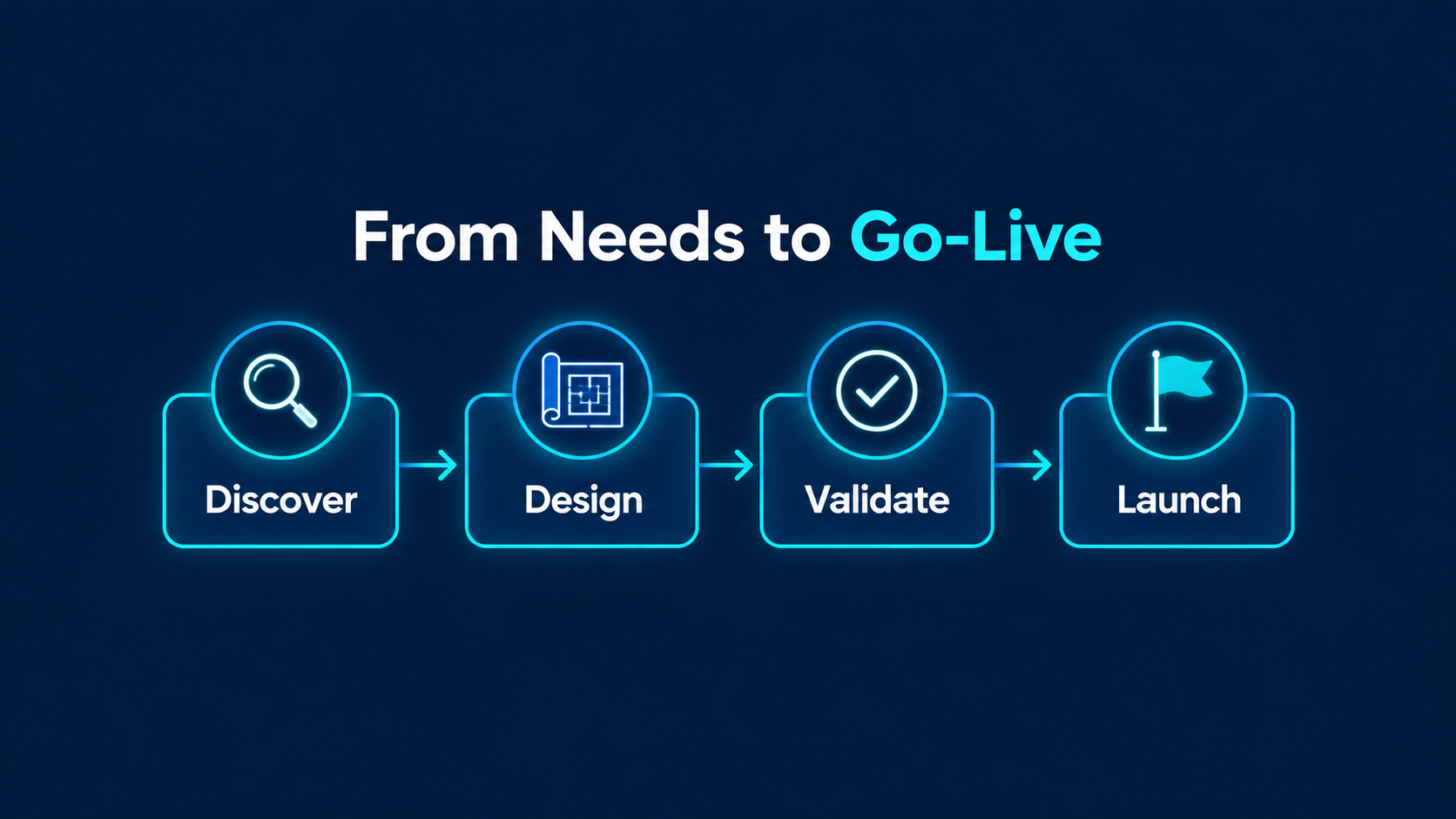
Figure 1: Discovery, solution design, validation and launch form a continuous implementation path.
5. Sales Cloud Data Migration: From Trial Loads to Reconciliation
Inventory source files and systems, then confirm what to retain, the data cutoff and ownership. Clean up duplicates, missing values and inconsistent definitions, documenting merge and exclusion rules. A new platform’s capacity is no reason to carry every historical error into it.
Sequence migration around record relationships and choose import tools that support the target objects and operations. Tools have different capabilities and limits, so validate them with representative samples first. Keep input, successful, failed and excluded record lists for each rehearsal so results can be reproduced and corrected.
Validation should cover at least record counts, key amounts, owners and account relationships. Sampling should include common exceptions rather than only the most complete records. Business data owners should approve results, while the technical team explains discrepancies and how they will be handled.
Before cutover, agree when updates to the old system will stop, how final incremental data will be handled and who will reconcile it before the new system opens. Without a clear cutoff, users may update both systems and create discrepancies on the first day.
6. Sales Cloud Testing, Training and Launch Checks
Complete Acceptance Through Workflows Across Roles
User acceptance can follow an end-to-end scenario from lead intake and qualification to opportunity creation, progress updates and management review. Each step needs expected results and evidence covering access, automation and integrations. Passing individual feature tests does not establish that the complete process works.
Classify defects by business impact. Issues that block core work, corrupt data or create access problems need resolution before the launch decision. Deferred issues also need owners and plans; labeling them future improvements must not become an indefinite escape route.
Let Each Role Practice Its Own Tasks
Training should let salespeople work through real scenarios, managers use management views and administrators perform routine maintenance. Brief guides and clear reporting channels are easier to adopt than a single demonstration of many features. Internal champions should join the pilot and help collect frontline feedback.
The launch plan also needs a designated decision-maker. Technical teams can report testing and deployment status, but business owners should decide whether the operational impact of remaining issues is acceptable. Document required evidence, permitted deferrals and stop criteria in advance to reduce last-minute cutover disputes.
Schedule a formal review between the pilot and full rollout. Ensure pilot findings are reflected in configuration, documentation and training, rather than remembered only by a few participants. If other teams use different processes, confirm that the shared design still fits.
Before opening the system, confirm each of the following:
- The approved scope has traceable test results, and major issues are resolved.
- Business owners have reconciled migrated data and relationships.
- Visibility and operational permissions are correct for actual user roles.
- Monitoring and handling procedures cover automation and interface failures.
- Teams have completed required training and know their launch support contact.
- Responsible owners have confirmed cutover steps, stop criteria and recovery arrangements.

Figure 2: Check processes, data, access and people together before launch.
7. Hypothetical Scenario: Complete the Workflow with One Sales Team First
Suppose a B2B services company has teams in several regions and struggles to track leads after handoff. The first phase could focus on one team, standardizing sources, ownership, qualification and opportunity creation criteria while enabling managers to run weekly meetings using the same pipeline data.
During the pilot, the team can monitor unassigned leads, opportunities without next actions and tasks that still require manual spreadsheets. Use these observations to refine processes and training rather than immediately adding more features. Once core work runs smoothly, extend the same standards to other teams.
This hypothetical scenario does not mean every business should follow the same phases or schedule. Inseparable integration dependencies must still be addressed in the first phase. Phased implementation aims to deliver usable outcomes and clear acceptance at each stage, not postpone important risks.
8. Continuous Improvement After Sales Cloud Launch
After launch, regularly review data completeness, lead handoffs, opportunity updates and management usage. Login counts can provide context, but should be assessed alongside completed work. If salespeople still manage important information in offline spreadsheets, investigate whether the cause is cumbersome operation, unclear definitions or a missing workflow step.
Separate feedback into usability issues, data issues, defects and new requirements to prioritize responses. Assess every change’s impact on reports, access and integrations, and retain testing and version records. Develop internal administrators who can gradually take ownership of configuration the business can maintain itself.
Management reports also need ongoing checks of their definitions. Opportunity amounts, expected close dates and actual orders may represent different stages and should not be combined indiscriminately. Important reports should identify filters, update times and purposes so managers understand which decisions the numbers support and can trace discrepancies.
Estimate cost and timing from user groups, data quality, integration scope and the business’s capacity to participate. Discuss licenses, implementation, data preparation and ongoing support separately instead of assuming one standard price covers everything. Clarifying first-phase outcomes usually makes proposals easier to compare.
9. Frequently Asked Questions (FAQ)
Does Sales Cloud implementation require extensive customization?
Not necessarily. First assess whether standard features and configuration meet business needs, then consider extensions. Customization needs a clear rationale, maintenance ownership and testing approach. Avoid creating long-term complexity simply to preserve old habits.
Must all historical sales data be migrated at once?
No. Define the migration scope based on retrieval needs, quality and relationships, and provide suitable access to data that is not migrated. The priority is reliable, usable information for launch, not the number of records moved.
How can we tell whether Sales Cloud is ready to launch?
Confirm that core scenarios, data reconciliation, access, integrations and staff readiness meet agreed criteria. Clear support and cutover arrangements are also needed. Completed configuration or a successful demonstration alone is not enough to justify launch.
10. Conclusion
Sales Cloud implementation requires one coordinated plan for processes, data, systems and people. Establishing shared definitions, then validating them through prototypes, rehearsals and acceptance, helps businesses understand the outcomes of each stage.
LeadsTech can help businesses discuss Salesforce sales management requirements and implementation approaches, starting with priority workflows to assess suitable data architecture, integrations and launch arrangements.

If you are planning your first phase, collect your current sales processes, data sources and management pain points to discuss the next steps with the team.

11. Further Reading
-
Salesforce Sales Cloud: A Complete Guide to CRM Sales Management
Learn how Sales Cloud supports enterprise sales management.
-
CRM for Global B2B Businesses: A Salesforce Implementation Guide
Explore B2B workflows and cross-system implementation considerations.
Related Articles

Enterprise AI MarTech Trends Analysis 2024-2029 Outlook Report
From AI content productivity tools to a core engine for revenue growth and marketing transformation
*The PDF will be sent directly to your inbox.

