
How Can Salesforce Social CRM Integrate WhatsApp, Facebook, and LINE Customer Service?
Customer Relationship Management (CRM), Salesforce
21 September 2026
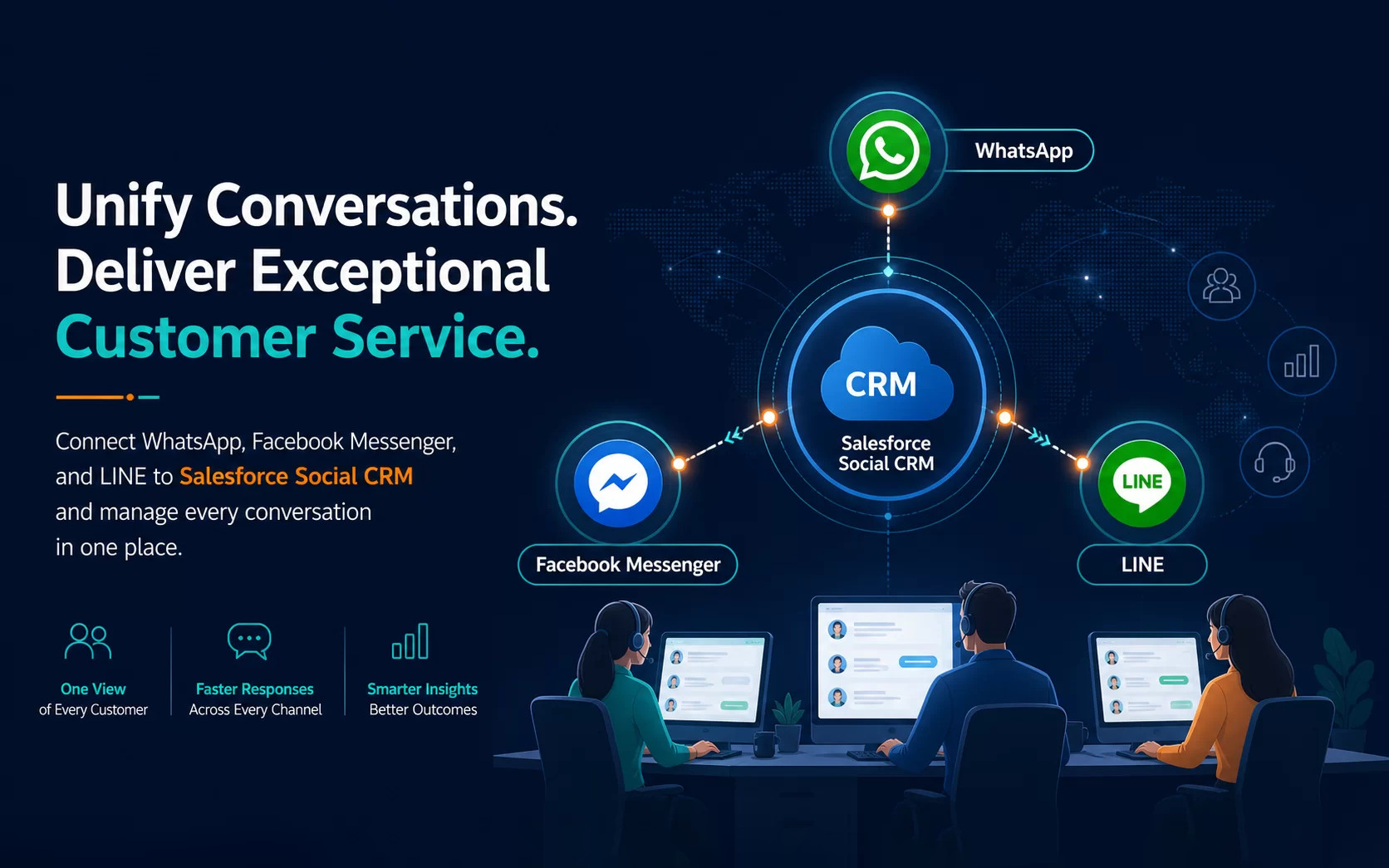
A customer may ask about an order on WhatsApp, follow up on a campaign through Facebook Messenger, and request after-sales support on LINE. When each channel is handled by a separate team, the business quickly encounters duplicate records, missed messages, unclear handoffs, and metrics that cannot be compared. Salesforce Social CRM can bring social conversations into a Salesforce Service Cloud workflow so that channel intake, identity matching, case routing, escalation, and performance reporting work as one operating model. LeadsTech helps enterprises plan Salesforce Social CRM and Service Cloud integrations, implement channel workflows, and improve the operating model after launch.
1. Why enterprises need connected social customer service
Most enterprises already use different messaging tools in different markets. WhatsApp may be the preferred channel for a Hong Kong customer, LINE may be central to a regional membership programme, and Facebook Messenger may capture questions generated by a campaign. Customers see one brand; internal teams often see three disconnected queues.
Disconnected channels create four recurring problems. Agents switch between several consoles to find customer history. The same person may appear under different handles or phone numbers. Handoffs lose the context needed to solve the issue. Management sees message volume but cannot consistently compare first-response time, resolution rate, escalation rate, satisfaction, or the commercial outcome of a conversation.
Social CRM turns a social channel into part of the customer relationship process. Incoming messages can be classified by channel, language, product, customer tier, intent, or service hours. The conversation can then be linked to the right customer, case, order, or service record. The operating question changes from “How many messages did we answer?” to “Did we solve the problem, protect the relationship, and create a useful next action?”
2. How WhatsApp, Facebook, and LINE should be used
These channels can all support customer conversations, but they should not automatically use identical workflows. The right design depends on customer behaviour, conversation type, content format, and the rules for proactive outreach.
WhatsApp: high-frequency notifications and one-to-one support
Best for order updates, appointment reminders, and after-sales questions. Define service windows, approved templates, and consent rules, then use Omni-Channel to route complex cases to the right team.
Facebook Messenger: brand engagement and campaign inquiries
Best for ads, posts, events, and community questions. Identify intent first, then direct each conversation to FAQs, bots, marketing, or service teams so simple requests do not occupy specialist capacity.
LINE: regional-market and membership service
Best for member notifications, bookings, store service, and after-sales support. Confirm the Official Account, Messaging API, webhook, permissions, and native auto-reply approach before launch.
3. How to design the Salesforce Social CRM architecture
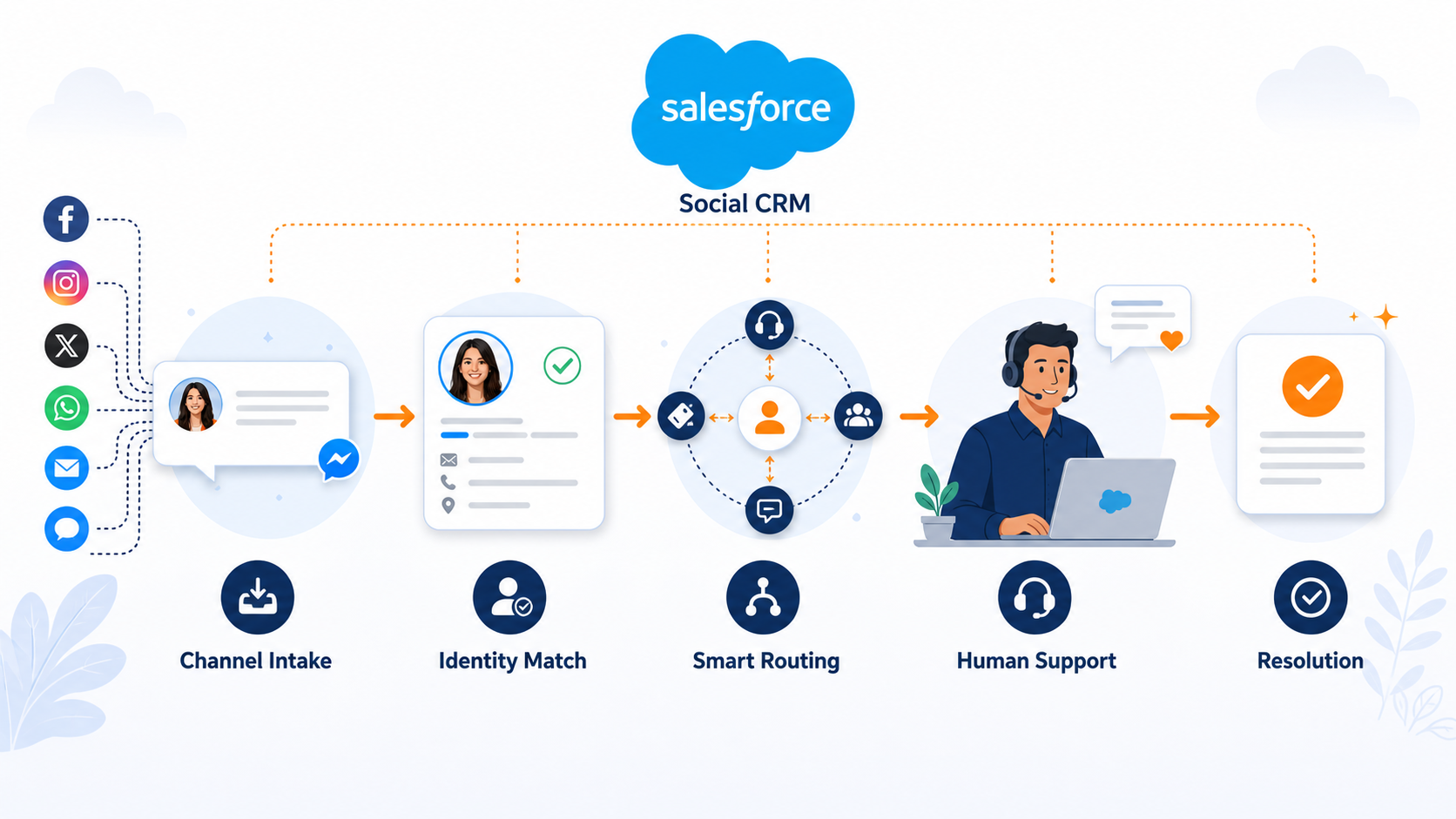
A maintainable design separates the channel, messaging, identity, service workflow, and analytics layers. The channel layer receives WhatsApp, Facebook Messenger, and LINE traffic. The messaging layer stores the conversation, attachments, timestamps, source, and state. The identity layer matches a channel user to a Salesforce Contact, Person Account, or another customer record. The service layer manages cases, queues, priority, SLA, transfer, and escalation. The analytics layer connects messaging activity with service outcomes, opportunities, membership activity, or operating KPIs.
Identity matching should not rely on a display name. A stronger approach gives priority to a consented phone number, email, membership ID, or channel identifier and applies explicit duplicate rules. If the identity cannot be confirmed, keep the interaction in a review state instead of merging it into the closest-looking customer. This decision affects personalisation, access control, reporting, and data deletion requests.
Conversations and cases should also be separated. A greeting, opening-hours question, or issue resolved by a bot may remain a Messaging Session or interaction record. Refund requests, product faults, complaints, account changes, or cross-team work should create a Case according to a clear rule. The result is a complete interaction history without flooding the CRM with low-value cases.
4. How to plan routing, service workflows, and automation
After the channels are connected, the most important operating question is who should handle each message. Create a routing matrix with at least the channel, language, customer type, intent, priority, service hours, target queue, and escalation condition.
For example, a WhatsApp order-delay question may go to a logistics queue; a renewal question from a strategic customer may go to an account manager; a Facebook campaign question can receive a knowledge answer first and move to a representative when the customer asks for a refund; and a LINE store appointment can route by region before an identity or payment issue creates a Case. Every rule needs a fallback so that an unmatched message never remains in an unmanaged queue.
Introduce automation in stages. Start with welcome messages, common questions, basic data capture, and queue routing. Then add keyword triggers, service-hour checks, case creation, reminders, and SLA monitoring. Evaluate AI agents, knowledge recommendations, translation, and cross-channel personalisation only after the data and workflow foundations are reliable.
Define transfer-to-human conditions such as repeated failed self-service, refund or legal language, account changes, high-value orders, or an answer that the knowledge base cannot support. The handoff should carry a summary, identity result, completed steps, and unresolved question so that customers do not have to repeat themselves.
5. Data governance and compliance considerations
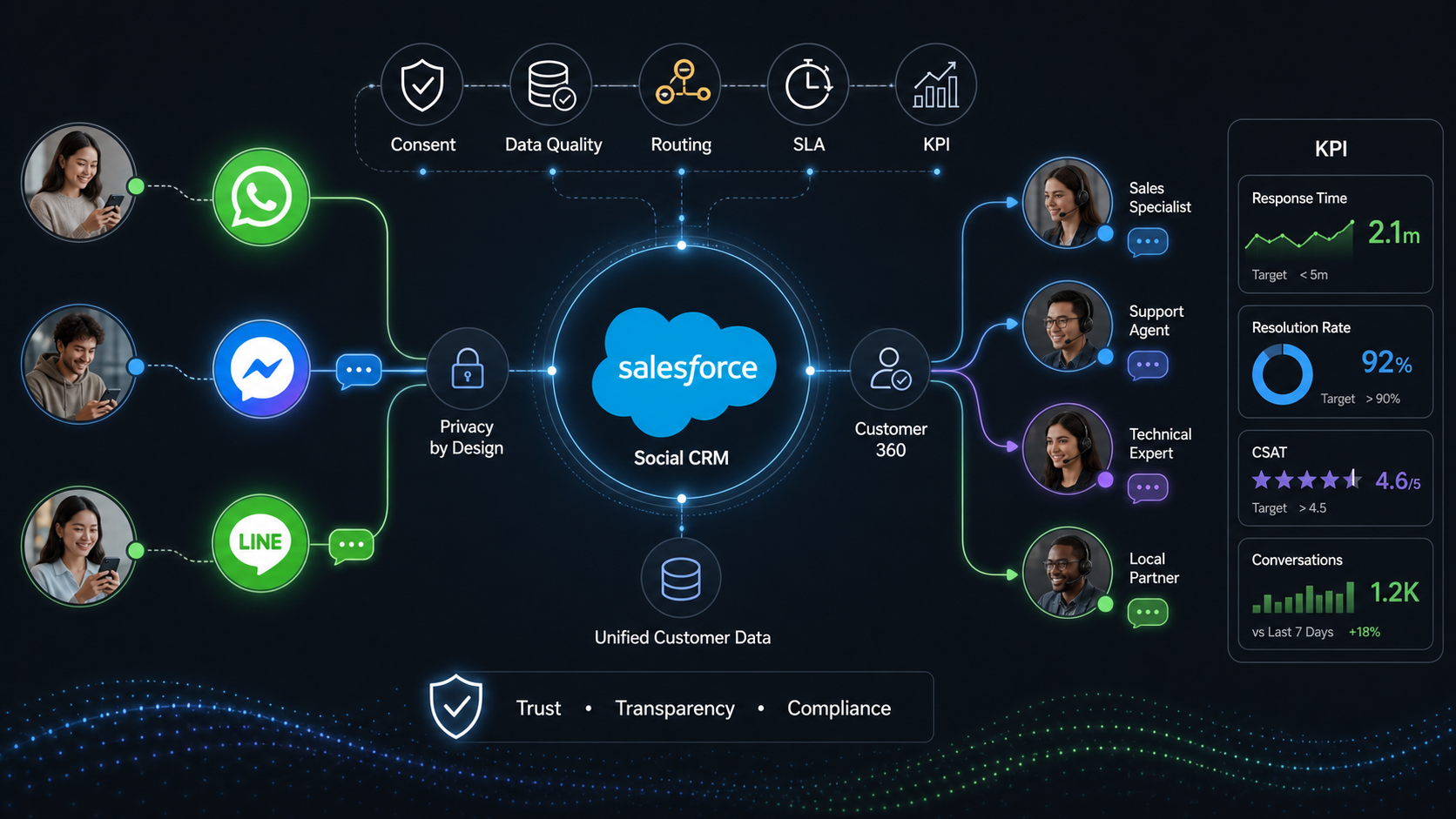
WhatsApp, Facebook, and LINE each have their own business accounts, administrators, tokens, webhooks, and messaging policies. Salesforce adds permission sets, queues, Omni-Channel settings, and data-access rules. Receiving a message in a test environment does not prove that the production security boundary is correct.
Decide how long messages are retained, who can download attachments, how sensitive information is masked, and how access, correction, or deletion requests are handled. Payment-card data, identity documents, health information, and other sensitive content should not be left to an individual agent’s judgement.
Channel policies also affect proactive communication. Customer-initiated support and business-initiated notifications are different situations. For WhatsApp, messages outside the customer-care window generally require approved templates and appropriate consent. These constraints belong in the workflow design, not in a last-minute support playbook.
Finally, standardise KPI definitions: first-response time, average handling time, transfer rate, first-contact resolution, escalation rate, customer satisfaction, message-to-opportunity rate, and cost by channel. Without a common definition, dashboards compare activity rather than customer outcomes.
6. Implementation Checklist
Before launch: define the service model
Confirm priority channels, service scenarios, identity-matching rules, and which intents should create a Case.
Configure and test routing
Set routing by language, region, customer tier, and intent; test fallback queues, handoffs, attachments, and high-priority cases.
Operate and improve
Track unassigned and overdue conversations, then review tokens, webhooks, access, channel cost, and first-contact resolution.
7. Frequently Asked Questions
Answers to the questions enterprise teams most often ask before implementation.
Can Salesforce Social CRM connect WhatsApp, Facebook, and LINE at the same time?
It can, subject to the Salesforce edition, Messaging plan, region, channel accounts, and any third-party requirements. Confirm the supported channel and policy details before implementation.
Can one service team handle conversations from all three channels?
Yes. Salesforce Messaging can bring the conversations into the Service Console, while Omni-Channel assigns them to queues, bots, or representatives. Channel-specific tone, language, service hours, and priority rules still matter.
Can Salesforce automatically merge customers who use different channel accounts?
Do not assume that every account can be safely merged. Define the matching priority for phone, email, membership ID, and channel identifier, and keep uncertain identities in a review state.
Can a business send proactive service notifications on WhatsApp?
Yes, but customer-initiated support and business-initiated notifications follow different rules. Approved templates, consent, the customer-care window, and message policy requirements must be checked.
What should an enterprise define first?
Define one measurable service scenario and its success metrics before configuring every channel. Validate identity matching, routing, handoff, case creation, and reporting in that scenario first.
What can LeadsTech help with?
LeadsTech can support Salesforce Social CRM and Service Cloud planning, channel integration, data-model design, Omni-Channel routing, automation, access governance, testing, and continuous optimisation.
8. Conclusion
Connecting WhatsApp, Facebook, and LINE is not simply a matter of receiving messages in Salesforce. The long-term value comes from designing channels, identities, cases, routing, permissions, and metrics as one operating model. Start with a focused service scenario, validate the data and handoff logic, and then expand to more markets and channels. Explore Salesforce Social CRM and Salesforce Service Cloud, or contact LeadsTech to plan a practical implementation path.


9. Further reading
Related Articles

Enterprise AI MarTech Trends Analysis 2024-2029 Outlook Report
From AI content productivity tools to a core engine for revenue growth and marketing transformation
*The PDF will be sent directly to your inbox.

