
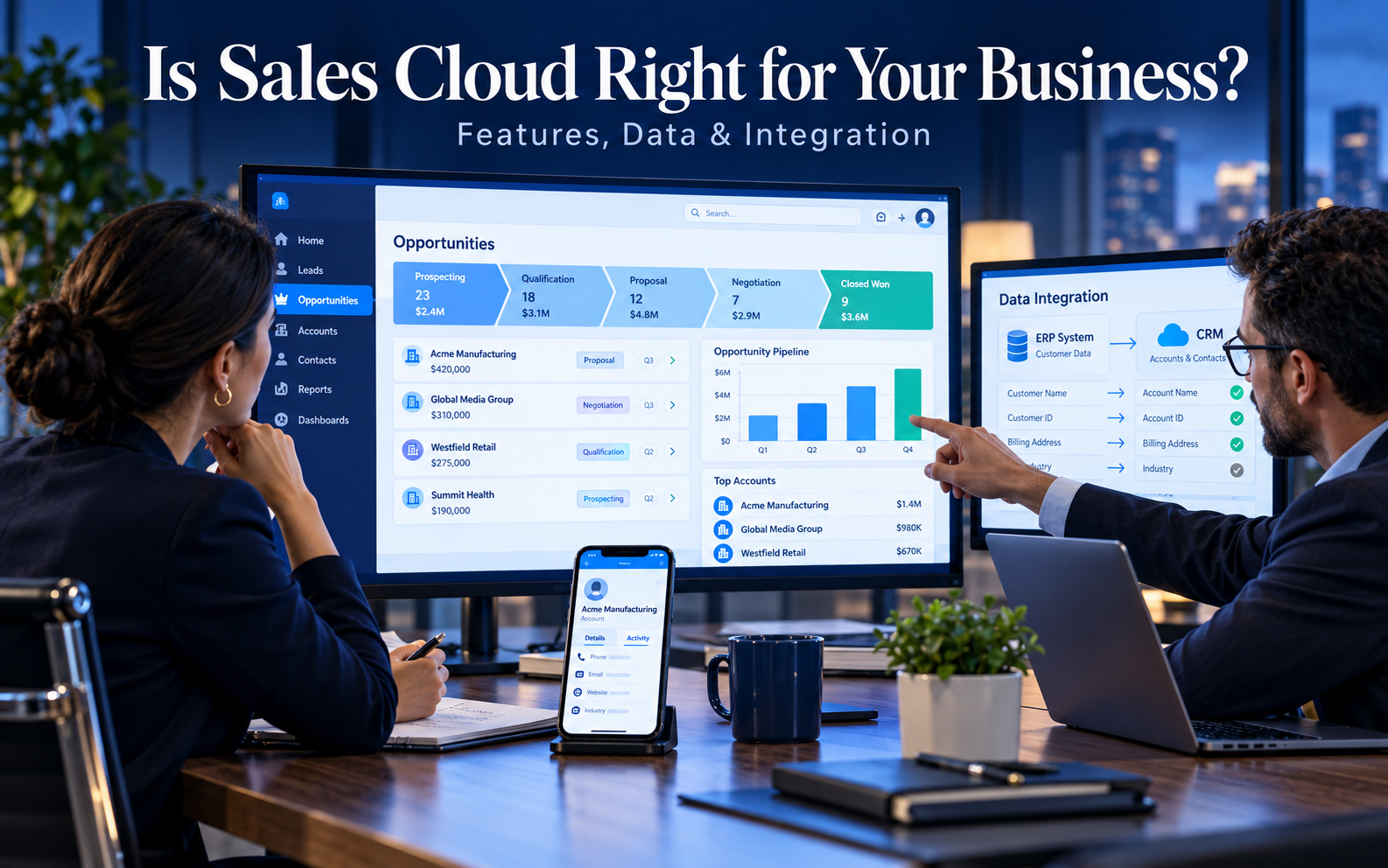
Is Sales Cloud Right for You? Features, Data and Integration
Customer Relationship Management (CRM), Salesforce
25 October 2026
Choosing Sales Cloud takes more than comparing feature counts or brand recognition. You need to know whether it supports your sales processes, manages data reliably, and fits your team’s ability to use and maintain it. This pre-implementation framework helps you turn product demonstrations into an evidence-based selection decision.
Summary
Evaluate Sales Cloud across sales activities, data relationships, integration needs, and operational capacity. The platform supports account, contact, lead, and opportunity management, but you need to verify what each edition and add-on includes. Test representative scenarios and account for implementation, data cleanup, and ongoing maintenance costs. The right outcome may be a full implementation, a pilot, or further preparation.
1. Which Sales Challenges Make Sales Cloud Worth Evaluating?
If customer information is scattered, lead handoffs are difficult to track, or managers lack a consistent view of opportunity progress, consider whether you need a more comprehensive sales management platform. These problems usually involve collaboration and ongoing data updates. A bigger spreadsheet alone will not resolve them.
Sales Cloud helps teams manage leads, accounts, contacts, and potential deals, with processes and analytics that support their work. Those capabilities will not automatically resolve existing management problems, however. If your team has no shared definition of an opportunity, changing tools may still produce inconsistent reports.
Before evaluating platforms, identify the three activities you most want to improve. Describe how each works today, the resources it consumes, and the results you want. This shifts the discussion from abstract digital transformation goals to testable requirements and helps you compare whether competing solutions address the same problems.
A small team with simple sales processes and tools that already support collaboration may not need a full implementation immediately. As processes, regions, and data sources multiply, however, the cost of operating without a shared system can rise. Assess fit based on operational complexity and growth plans, not headcount alone.
2. Evaluate Sales Cloud Features Through Real Work Scenarios
Lead, Account, and Opportunity Management
Ask the vendor to demonstrate how a lead enters the system, is assigned and qualified, and becomes a trackable opportunity. Check for duplicate data, clear ownership, and easy access to previous interactions. Use data that reflects your business rather than relying on a carefully staged demonstration.
Also test expansion sales to existing customers, cross-regional selling, and deals involving multiple decision-makers. If important activities require extensive workarounds or separate spreadsheets, determine whether the process still needs to be designed or the platform cannot meet the requirement. Do not assume every gap requires custom development.
Pipeline, Forecasting, and Management Views
Managers may need to understand stalled opportunities, next steps, and team risks, not just total pipeline value. Start with specific management questions and check whether reports can answer them from consistent sources. Salespeople and managers should agree on definitions for amounts, dates, and stages.
Support for analytics, forecasting, automation, and AI can vary by edition and product combination. Map each requirement to the proposed package, required add-ons, and applicable limits. Seeing a feature in a demonstration does not mean it is included in your purchase.
Everyday Use and Extensions
Evaluate data-entry effort, information retrieval, and administrator maintenance alongside features. Have a salesperson complete a routine task and note where extra help is needed. Then ask an administrator to demonstrate common changes. These exercises help estimate training and ongoing maintenance needs.
For additional applications or extensions, confirm the provider, fees, data access, and support responsibilities. Apps can address gaps, but they also introduce version, integration, and operational dependencies. Include them in the overall design before purchasing so essential capabilities do not come with unexpected conditions after launch.
3. Sales Cloud Data Architecture: Can It Represent Your Customer Relationships?
Separate Accounts, Contacts, and Deals
B2B organizations typically need to manage business accounts, contacts, and opportunities separately. First describe the relationships among parent companies, subsidiaries, locations, and contracting entities, then determine how they map to the Salesforce data model. Mixing different concepts in one field makes analysis and integration harder.
For example, a sales team may serve a brand while separate legal entities handle contracts and payments. Identify which relationships matter to sales management and which belong in other systems. This requires deliberate data design, not individual explanations in sales notes.
Check Data Quality and Identification
Sample your data for duplicates, missing values, outdated records, and inconsistent formats. Estimate how much business judgment cleanup requires and who can decide whether to merge or retain records. Without reliable customer identifiers, a technically successful integration can still connect information to the wrong customer.
Every critical data element needs a source and a maintenance owner. Customer names, products, order statuses, and contact preferences may be managed in different systems. Define the authoritative source and update rules for each. Sustainable data architecture depends on responsibilities that people can fulfill.
Permissions and Data Visibility
Teams across departments and regions may need to share some information while restricting other data. Test viewing, editing, and export permissions for specific roles, including delegated work, collaborative selling, and handoffs when employees leave. Testing only with an administrator account does not reflect daily use.
Raise your organization’s requirements for data retention, access, and cross-regional processing during selection. Have the relevant owners and vendors verify the applicable arrangements. A feature name or a general security statement does not prove that every internal requirement is met.
4. Sales Cloud Integration: Confirm Requirements and Constraints First
Define Each System’s Responsibilities
List the systems that must exchange data with CRM, such as your website, marketing platform, order system, and analytics tools. For each connection, document the data exchanged, ownership, update direction, and acceptable delay. Not every data flow needs real-time, bidirectional synchronization; choose the approach that serves the business use case.
A manager who reviews completed orders daily may not need the same synchronization design as a real-time operational workflow. A salesperson who must check information before preparing a quote may have different latency requirements. Clarify business timing needs before comparing integration costs and complexity.
Verify API Access, Licensing, and Capacity
Salesforce documentation states that API access depends on edition and user permissions; it is not provided identically across all plans. Confirm whether your proposed plan supports the intended integrations, requires add-ons, and has relevant usage limits. Being able to log in does not mean every interface is available.
Existing systems may also impose interface fees, data format requirements, or service-hour restrictions. Integration evaluation requires input from both vendors, not just Salesforce. Record any important dependency that remains unconfirmed as an assumption to validate in the business proposal.
Plan for Failures and Ongoing Maintenance
The integration design should explain failure notifications, retries, duplicates, and conflict resolution. If an external system becomes unavailable, your team needs to know which activities are affected and how missing data will be reconciled after recovery. These provisions determine whether operations remain manageable.
Confirm who maintains interfaces, reconciles data, and tests after version updates. A one-time integration fee does not necessarily include ongoing maintenance. If your organization lacks internal technical staff, include continuing support in the evaluation.
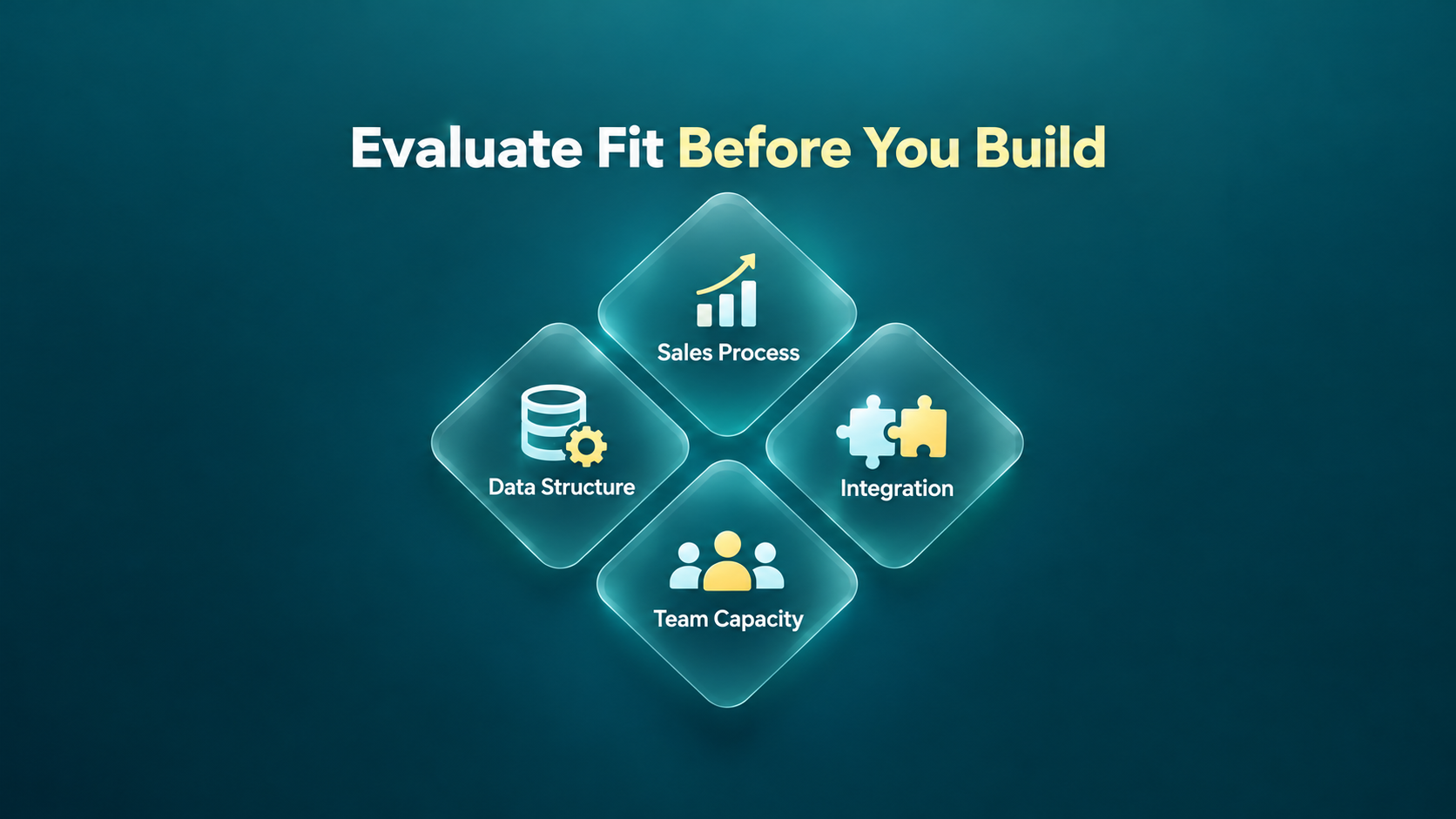
Figure 1: Evaluate Sales Cloud across processes, data, integration, and team capacity.
5. Assess Sales Cloud Costs and Team Capacity
Licensing is only part of the total cost. Include requirements analysis, configuration, data cleanup, integration, testing, training, and ongoing support. Proposals may cover different services, so compare equivalent deliverables and verify the region, currency, and contract terms that apply.
Internal effort also carries a cost. Business owners must approve processes, data owners must define cleanup rules, administrators must learn maintenance tasks, and users must participate in testing. Hiring a consultant does not eliminate these responsibilities.
Create a capacity checklist showing which tasks your team will own, where external support is needed, and how much time people can contribute. If one employee serves as a part-time administrator, account for the competition between daily support and implementation work. Plan around available capacity rather than an ideal staffing model.
Document exit and data retrieval arrangements, including how critical records can be exported, how documentation will be handed over, and who retains configuration and integration specifications. This clarifies long-term maintenance responsibilities and preserves options if requirements or delivery arrangements change.
Assess returns against measurable business problems, such as repetitive data preparation, untraceable handoffs, or incomplete records. State assumptions clearly for outcomes such as revenue that depend on many factors. Buying a system does not automatically improve sales performance.
6. Validate Sales Cloud Fit Through a Pilot
Choose representative teams, data, and exceptions for the pilot, with a clear time limit and evaluation criteria. The goal is to test critical assumptions: whether users can complete their work, data relationships are accurate, and required integrations are feasible. It is not to demonstrate every feature.
Use the following checklist to involve people in different roles:
- Test lead handoffs, opportunity updates, and management reviews with realistic scenarios.
- Verify data relationships among representative accounts, contacts, and deals.
- Check data visibility and operating permissions using actual user roles.
- Confirm data exchange and failure handling for critical interfaces.
- Record where users need extra help or must work outside the system.
- Compare expected and actual maintenance work, then revise resource estimates.
Retain evidence and unresolved questions from the pilot. Distinguish product limitations from configuration issues and undefined processes, since each calls for a different response. More development budget may not solve a lack of shared definitions. If an essential capability is absent from the proposed package, reconsider the product combination.
7. Evaluation Outcomes: Implement, Pilot, or Prepare First
If core requirements are validated, data and integration responsibilities are clear, and staff are available, plan a phased implementation. The first phase should deliver a complete, usable workflow. Define acceptance criteria, cutover steps, and launch support so the purchasing decision connects directly to the delivery plan.
If the features appear suitable but data relationships, interfaces, or user adoption remain uncertain, start with a limited pilot. State the questions to test and the decision criteria to prevent an open-ended trial. The results should support a decision to expand, adjust, or stop the proposed approach.
If there is no process owner, data sources are unclear, or testing and maintenance resources are unavailable, address those gaps first. This does not mean Sales Cloud will never be suitable; it means the conditions for successful use are not yet in place. Resolving foundational issues makes later investment more manageable.
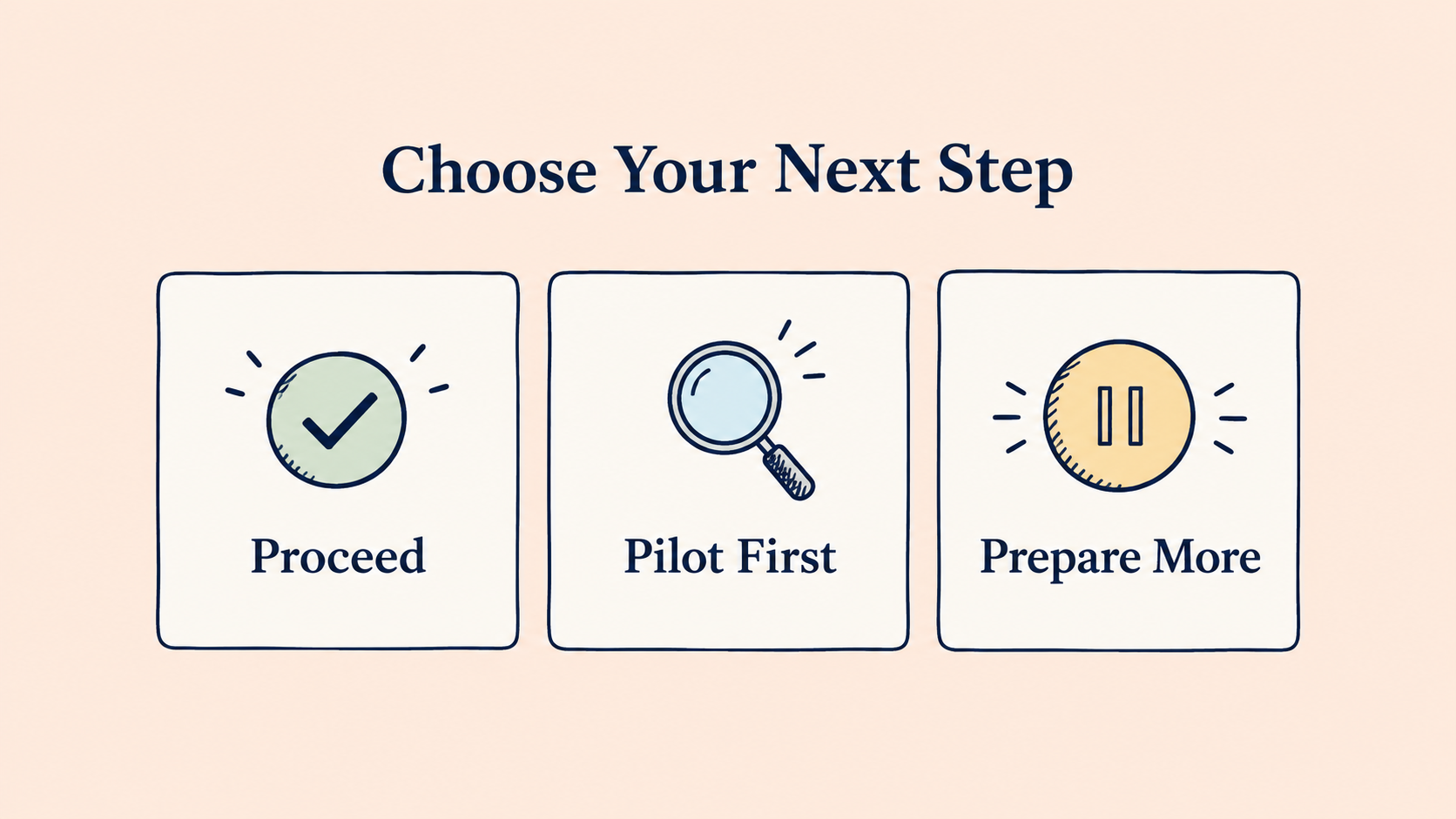
Figure 2: Use evaluation evidence to decide whether to proceed, pilot first, or prepare further.
8. Hypothetical Scenarios: Why Two Businesses Reach Different Decisions
Suppose Company A operates across regions, has clear opportunity stages and a dedicated administrator, but stores data in several systems. Its priority may be to validate the data model and integration approach before implementing in phases. It may not need the most complex feature package, but it does need reliable handoffs and shared reporting.
Company B has not defined when to create an opportunity, its salespeople calculate deal values differently, and no one is responsible for approving processes. Even if the product demonstration meets expectations, Company B should establish shared rules and ownership before running a pilot. Otherwise, the new platform may simply inherit existing inconsistencies.
These hypothetical examples show why product fit and organizational readiness require separate assessments. The same features can offer different value and implementation costs across organizations. Record conditions and dependencies explicitly so decision-makers understand the basis for your recommendation.
9. Frequently Asked Questions
Is Sales Cloud only for large businesses?
No. Fit depends on processes, collaboration, data, integrations, and the capacity available to support them. Smaller teams may need comprehensive management, while businesses with simple processes should compare whether a different investment would suit them better.
Does having an API make integration easy?
No. You still need to verify licensing on both sides, data models, identifiers, update directions, limits, and failure handling. An available interface is a starting point; the full data exchange process must still be designed and tested.
Does a trial prove that the purchased plan includes every feature?
No. Trial and demonstration environments may differ from the package you purchase. Map required features, integrations, and support to the formal quote and contract, then verify editions, add-ons, and usage limits.
10. Conclusion
Evaluate Sales Cloud by connecting its features to your processes, data, and operational capacity. Representative scenarios, clear evidence, and a complete cost assessment help determine the right timing and implementation scope.
LeadsTech can help you assess Salesforce sales management, data, and system integration requirements, turning product selection questions into practical evaluation tasks.

If you are comparing options, bring a list of priority processes, existing systems, and available team capacity to discuss the next step with us.

11. Further Reading
-
Salesforce Sales Cloud: A Complete Guide to CRM Sales Management
Learn how Sales Cloud supports sales management.
-
CRM for Global B2B Businesses: A Salesforce Implementation Guide
Explore B2B processes and cross-system implementation considerations.
Related Articles

Enterprise AI MarTech Trends Analysis 2024-2029 Outlook Report
From AI content productivity tools to a core engine for revenue growth and marketing transformation
*The PDF will be sent directly to your inbox.

