
2026 CRM System Guide: How to Evaluate and Choose the Right Platform
Customer Relationship Management (CRM), Social CRM
27 February 2026
1. Introduction: Why Choosing a CRM Is More Complex
In 2026, businesses face a more complex CRM landscape than ever before. On one hand, the number of CRM products and platforms continues to grow, with increasingly detailed feature differentiation. On the other hand, business expectations for CRM now go far beyond simple contact management. LeadsTech can help businesses set CRM evaluation criteria around real sales, service, and data management scenarios.
CRM systems are taking on broader roles, including sales process management, customer data integration, and cross-department collaboration. They are also becoming foundational platforms for marketing automation, AI analytics, and data governance. A poor selection impacts not just one department, but the entire operational structure.
CRM selection and implementation planning are about more than choosing a tool. Businesses must assess whether the system architecture can support their growth over the next several years.
2. CRM Market Trends and Evolution
From a market perspective, CRM development has clearly shifted. Traditional sales-focused CRM tools are evolving into enterprise-level platforms.
- First, CRM users are no longer limited to sales teams. Through data integration, consistent data definitions, and ongoing governance, CRM can become a primary source of customer data shared by marketing, sales, customer service, and management.
- Second, organizations demand stronger data governance and visibility. CRM not only records data but also influences decision quality and operational efficiency.
- At the same time, integration capability has become a baseline requirement. Whether CRM can seamlessly integrate with ERP, marketing systems, and service platforms is now a key selection factor.
- Finally, AI and automation are increasingly embedded into CRM applications. From sales forecasting and intelligent recommendations to workflow support, AI is changing how CRM is used in practice.
These trends have transformed CRM selection from a short-term operational need into a long-term strategic decision.
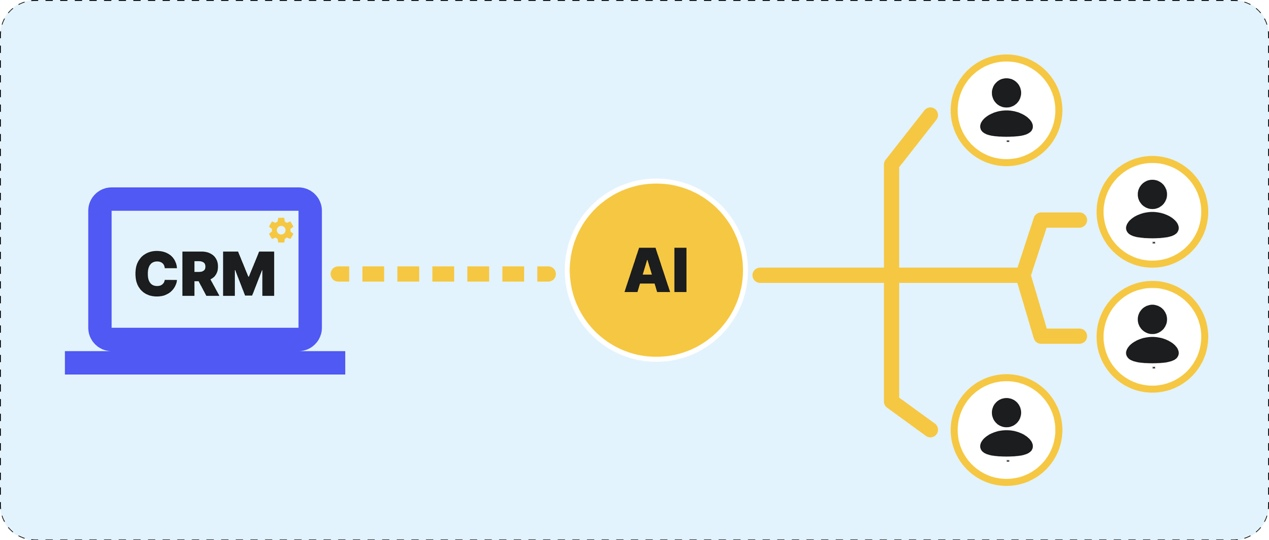
3. CRM Implementation: 7 Steps from Needs Assessment to Optimization
Implementing CRM requires coordinated planning for customer data, business processes, and team responsibilities so the system becomes part of everyday work. These seven steps help businesses confirm requirements, configure the system, and track performance after launch.
1. Identify Business Challenges and Implementation Goals
Start by identifying the problems you want to solve, such as fragmented customer data, missed sales follow-ups, or limited visibility into opportunities. Bring sales, marketing, customer service, and IT together to assess requirements, appoint a project owner, and set measurable goals, such as faster customer responses, higher follow-up completion rates, or better data completeness.
2. Select a CRM Platform and Create an Implementation Plan
Evaluate CRM platforms based on budget, user numbers, essential features, ease of use, and integration requirements. Define the implementation scope, timeline, and departmental responsibilities. Prioritize core needs such as customer data management and opportunity tracking, then expand functionality gradually.
3. Configure Workflows and Connect Existing Systems
Configure customer fields, opportunity stages, lead assignment rules, follow-up reminders, and user permissions around actual working practices. Connect website forms, email, marketing tools, or ERP as needed, and define data synchronization directions and update rules to reduce duplicate entry and information gaps.
4. Clean and Migrate Customer Data
Review customer data in Excel, legacy systems, and other sources. Resolve duplicate records, missing fields, and inconsistent formats, then map existing fields to the new system. Back up the data before migration and test with a small sample. After migration, verify customer information, transaction histories, and relationships between records.
5. Test Business Scenarios and Complete Acceptance
Test complete workflows using everyday scenarios. For example, confirm that a customer submitting a form creates a lead, assigns an owner, and triggers a follow-up reminder. Check permissions, data synchronization, automation rules, and report results. Have actual users confirm that the system meets their needs before launch.
6. Train Users and Launch the System
Provide role-based training for sales, marketing, customer service, and managers so teams can create records, update opportunities, and review reports. Supply user guides and a support contact. Where appropriate, pilot the system with selected teams and resolve issues before expanding adoption.
7. Track Results and Optimize Continuously
After launch, regularly review system usage, customer data completeness, follow-up completion rates, and sales cycle length against pre-implementation baselines. Use team feedback to refine fields, workflows, and automation, and confirm whether CRM is addressing the original business challenges.
4. Assessing Business Needs Before CRM Implementation
Before evaluating any CRM platform, organizations must first assess their own needs and current situation rather than directly comparing product features.
- Start by reviewing whether your existing sales processes are clearly defined. If processes are unstable, even the most comprehensive CRM system will struggle to deliver value.
- Next, evaluate how customer data is currently managed. Is it scattered across multiple systems, Excel files, or managed individually?
- Third, determine whether cross-department data sharing is required. For example, do sales, marketing, and service teams need a unified customer view?
- Finally, consider your business direction over the next one to three years, including potential team expansion, business model adjustments, or system integration initiatives.
The answers to these questions often matter more than a feature checklist when selecting the right CRM.
5. Main Types of CRM Systems
This article compares CRM selection across three common implementation scenarios: entry-level and SMB needs, enterprise packages, and platform extensibility. This is a comparison framework, not a set of mutually exclusive product categories. A single platform can serve multiple scenarios, and its capabilities should be evaluated by edition, features, and implementation scope.
- The first category includes entry-level and SMB CRM systems. These emphasize quick deployment and ease of use, making them suitable for smaller teams with relatively simple sales processes.
- The second category consists of packaged enterprise CRM systems, offering comprehensive modules and standardized workflows. These are suitable for organizations with established IT environments that prefer stable, standardized systems.
- The third category is platform-based CRM. These systems emphasize scalability, integration capability, and long-term governance, making them ideal for growing or enterprise-level organizations.
Understanding these differences helps organizations avoid implementing overly complex platforms too early or choosing systems that limit flexibility during rapid growth.
6. Overview and Comparison of Major CRM Platforms
Among the three CRM categories above, the following representative platforms are commonly evaluated by businesses.
Comparison Table of Different CRM Types and Platforms
| CRM Type | Representative Platforms | Suitable Business Stage | Process Flexibility | Scalability & Integration | Implementation Complexity |
|---|---|---|---|---|---|
| Entry-Level / SMB | HubSpot CRM, Zoho CRM | Small / Mid-Sized Businesses | Low–Medium | Low–Medium | Low |
| Packaged Enterprise CRM | Microsoft Dynamics 365, SAP CX, Oracle CX | Mid-to-Large Enterprises | Medium | Medium | Medium |
| Platform-Based CRM | Salesforce | Growing / Enterprise-Level | High | High | Medium–High |
7. Core Differences Between CRM Platforms
During the selection process, companies often find that most CRM systems can meet basic functional requirements. The real differentiation lies in platform-level architecture and design, rather than individual features.
First is process flexibility.
Some CRM systems are built around standardized workflows, making them suitable for organizations with stable and predictable processes. Others allow businesses to adjust sales stages, data structures, and rules based on their actual operating model, which is ideal for organizations whose processes continue to evolve.
Second is the data model and governance capability.
CRM is not just about storing data. It defines how data is structured, related, and utilized. As customer structures become more complex, the scalability of the data model directly affects future analytics, reporting, and system integration capabilities.
Third is system integration and long-term scalability.
As organizations grow, CRM will almost inevitably need to integrate with other systems, such as marketing automation platforms, service systems, ERP, or data platforms. Whether the CRM platform provides stable APIs and a mature ecosystem significantly impacts the long-term sustainability of the overall IT architecture.
8. CRM Selection for Small and Medium Businesses
For small and mid-sized businesses, the primary goal of CRM is typically to establish basic customer data management and sales process discipline, rather than implementing a highly complex platform all at once. At this stage, common challenges include scattered customer data, limited visibility into sales progress, and a lack of process consistency.
As a result, SMBs often prioritize solutions that offer fast implementation, low learning curves, and controlled costs, rather than highly customized platform-based systems.
In practice, commonly evaluated CRM solutions suitable for SMBs include:
HubSpot CRM
Offers both free and paid versions, covering contact management, basic sales pipeline management, and simple reporting. It is well-suited for teams just beginning their CRM journey or those seeking rapid deployment.
Zoho CRM
Provides comprehensive functionality with flexible module options, making it ideal for organizations that want to gradually expand their CRM capabilities during the SMB growth stage.
These types of CRM systems share a common advantage: they can quickly address issues related to data centralization and process visibility, helping businesses establish a foundational management structure.
As the organization grows and processes become more complex, evaluating whether to upgrade or migrate to a more advanced platform is generally a more stable and strategic approach.
9. CRM Selection for Growing and Enterprise Organizations
As companies enter a growth or enterprise stage, CRM is no longer just a sales management tool. It becomes a core platform that must support cross-department collaboration, customer data integration, and long-term system scalability.
The following comparison uses Microsoft Dynamics 365 and Salesforce as examples to illustrate how businesses can evaluate existing system integration, workflow configuration, and long-term scalability. It is neither a comprehensive market list nor a platform ranking.
Microsoft Dynamics 365
Microsoft Dynamics 365 integrates closely with the Microsoft ecosystem and suits businesses that prioritize integration with Microsoft 365, Teams, and Power Platform. Its customer engagement applications can also extend data models and business processes through tools such as Dataverse and Power Apps. Suitability should be evaluated against licensing editions, customization needs, and integration scope.
Salesforce
Salesforce is centered around a platform-based CRM architecture, emphasizing process flexibility, data integration, and long-term scalability. It is suitable for businesses with evolving sales models or those that require cross-departmental sharing of customer data across sales, marketing, and service teams.
When Should You Evaluate Salesforce?
For businesses that need collaboration across sales, marketing, and service and plan to keep adapting their processes, Salesforce is one CRM option worth evaluating. Key considerations include:
- Whether the required workflows and data models can be implemented through existing features, configuration, or custom development
- Integration methods, data synchronization rules, and maintenance responsibilities for existing systems
- Licensing, data quality, and additional costs required for future analytics and AI applications
The decision to choose Salesforce should still be based on actual requirements, proof-of-concept results, and total cost of ownership, compared alongside other candidate platforms.
10. Conclusion: Building a Long-Term CRM Strategy
In 2026, choosing a CRM system is no longer just about “which product has the most features,” but rather “which platform best aligns with the business’s development pace.”
Different sizes and maturity levels of businesses are naturally suited to different types of CRM.
The key is not to follow the market’s most popular options, but to clearly understand your own processes, data needs, and future direction, and select a system architecture that can grow with your business.
If you would like to learn more about the overall positioning and use cases of Salesforce CRM products, you can refer to our Salesforce product introduction page to understand its role within the enterprise CRM framework from a platform perspective. We also offer Salesforce-related consulting and implementation services, assisting businesses from selection and planning to actual deployment.
If your business is in the critical phase of CRM system evaluation, upgrade, or re-planning, feel free to contact us through the Contact Us page, where our consultant team can help you clarify direction, reduce selection and implementation risks, and build a long-term CRM strategy.
Further Reading
Related Articles
Enterprise AI MarTech Trends Analysis 2024-2029 Outlook Report
From AI content productivity tools to a core engine for revenue growth and marketing transformation
*The PDF will be sent directly to your inbox.