

What Is GA4? Metrics, Events, and Conversion Tracking
Google Analytics, Website Analytics
17 October 2026
GA4 (Google Analytics 4) is Google’s next-generation analytics platform. It shifts the focus from traditional pageview and session reporting to event-based analysis of user interactions. For your business, the goal is to build a consistent measurement plan that connects website behavior to business objectives, rather than simply install GA4.
Summary
GA4 uses events and parameters to describe user interactions on websites and apps. You can track users, sessions, engaged sessions, events, key events, traffic sources, landing pages, and ecommerce activity, then analyze that data with Explore, funnels, paths, segments, and BigQuery. A sound GA4 setup starts by defining your business objectives, user actions, events, parameters, and KPIs, rather than tracking everything you can.
1. What Is GA4?
GA4 analyzes how people use your websites and apps. It records where visitors come from, which content they view, how they interact, and whether they complete a form, download, purchase, or another important task.
For business websites, GA4 is commonly used to measure the performance of SEO, paid media, email, social media, referrals, campaigns, content, lead generation, and ecommerce.
2. The GA4 Event-Based Data Model
GA4 treats most interactions as events. Examples include page_view, scroll, click, form_start, form_submit, and purchase. Each event can also carry parameters such as product_name, form_name, page_type, campaign_name, or market.
This model captures real behavior more effectively than pageviews alone, but it also requires consistent naming and governance. If different websites use different event names for the same action, comparing performance across markets becomes difficult.

3. Core Metrics for Business Websites
Users measures the size of your audience, while sessions represent visits. Engaged sessions help you understand visits with more interaction, event count shows how often interactions occur, and key events identify actions that matter to your business.
Look beyond traffic. B2B websites should pay closer attention to form starts and completions, downloads, product page interactions, CTA clicks, and the quality of the resulting leads. Ecommerce teams typically focus on view item, add to cart, begin checkout, purchase, revenue, and average order value.
4. Understanding Events, Parameters, and Key Events
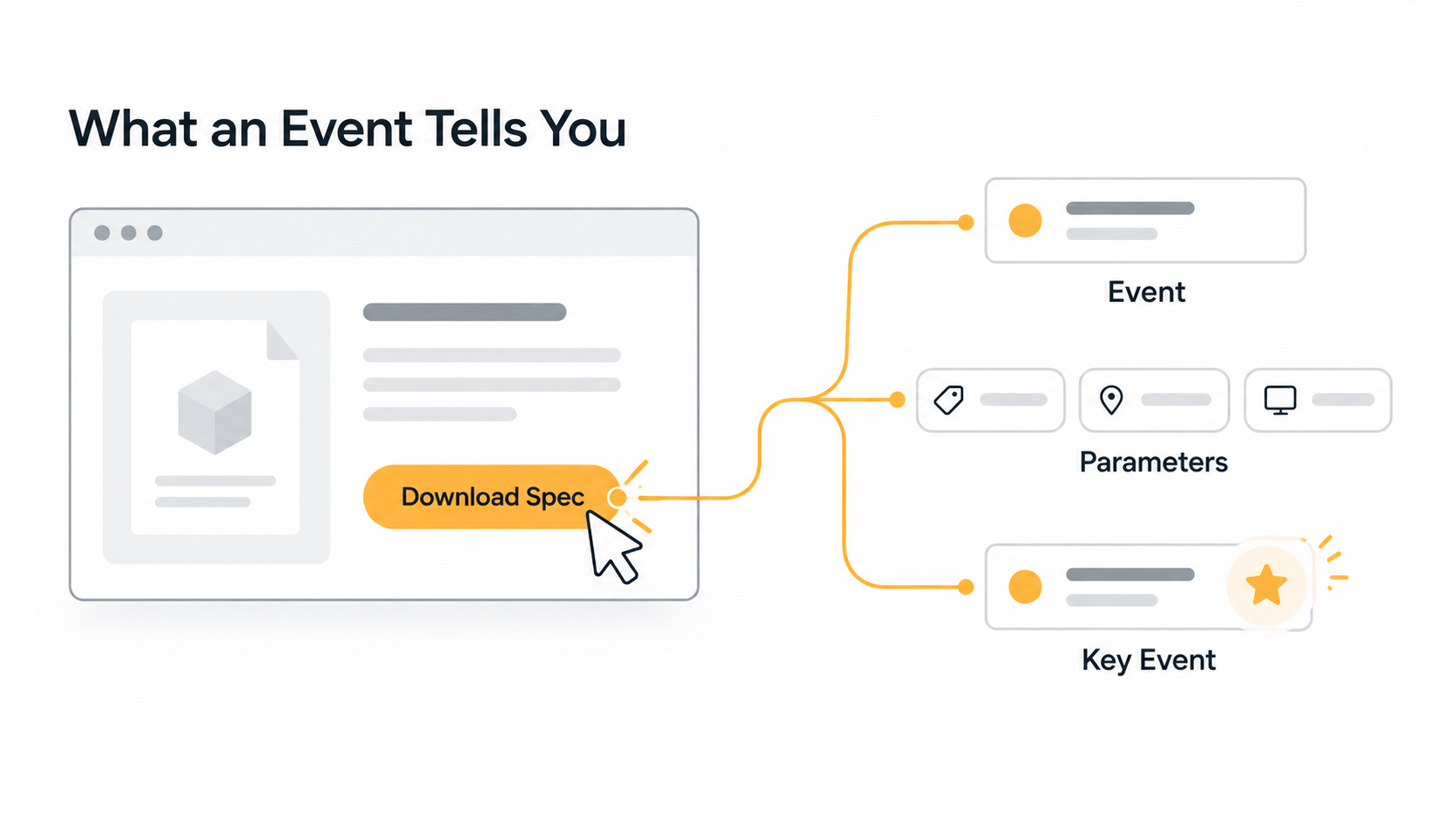
An event tells you what happened. A parameter adds details about that action. A key event identifies an action that is especially important to your business.
For example, clicking “Download Spec” could trigger a download_click event with product_name, file_type, language, and page_location parameters. If the download is an important business action, you can mark it as a key event or include it in subsequent conversion analysis.
5. How to Plan GA4 Tracking
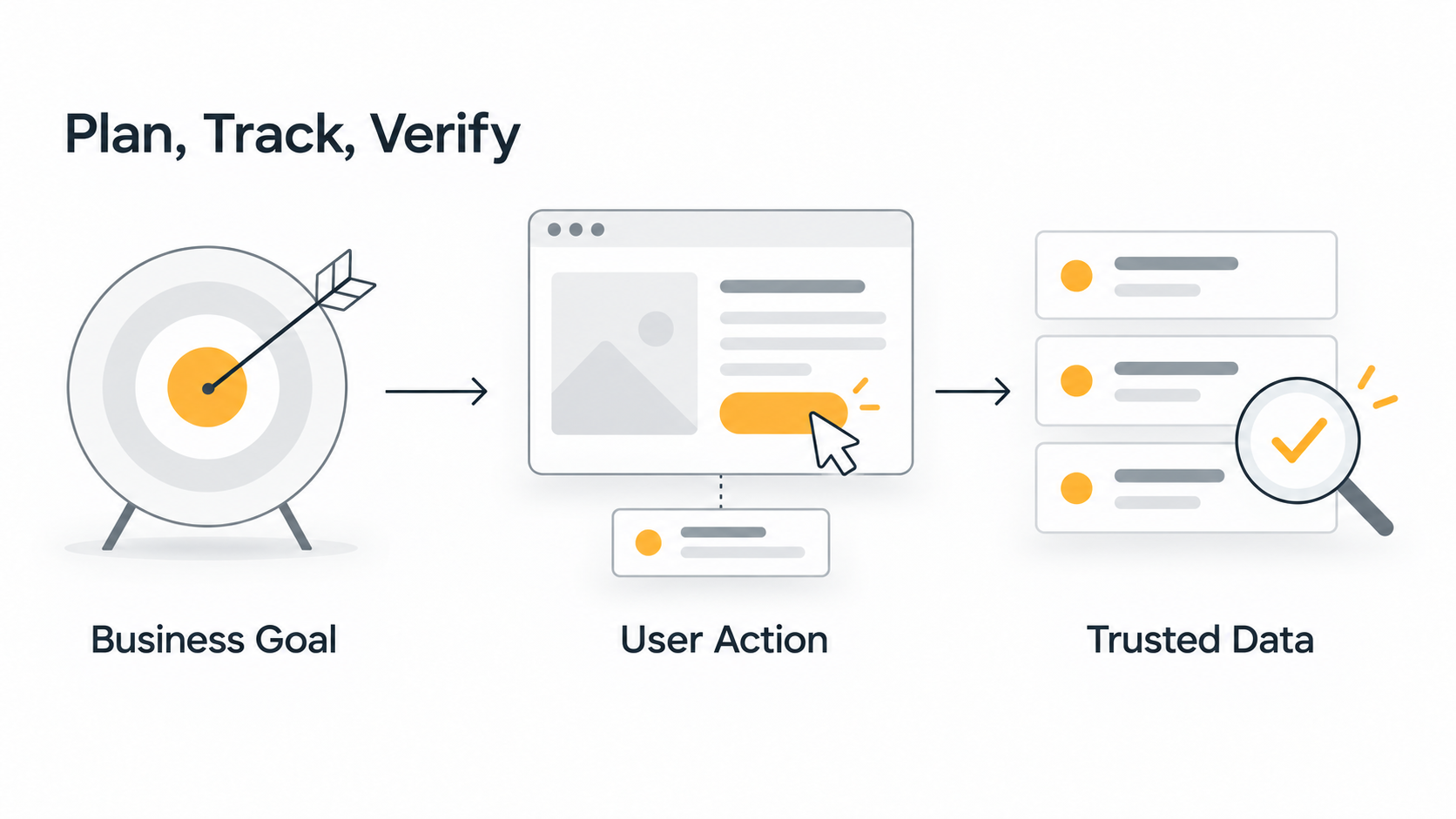
Start by listing your business objectives, such as generating more qualified leads. Next, define the relevant user actions, such as CTA clicks, form starts, and form submissions. Then design your events and parameters. Confirm your data layer, tag manager, consent, and cross-domain tracking requirements. Complete QA before building dashboards and establishing a regular analysis process.
If you manage multiple sites or markets, create a shared tracking specification so that each market does not invent its own naming conventions. If you also use a CRM, retain campaign, source, and product interest information to support lead attribution later.
6. Common GA4 Implementation Issues
Common issues include duplicate event triggers, missed form submissions, inconsistent UTM naming, internal traffic that has not been excluded, and sessions that break across domains. Teams also need to account for the effects of consent on the data and reconcile key event definitions with actual leads in the CRM.
Another common problem is reporting without analysis. Use GA4 to develop hypotheses, compare segments, build funnels, and validate website changes, rather than simply report users and sessions each month.
7. Frequently Asked Questions
Is GA4 free?
GA4 offers a standard version, while larger organizations can also consider Google Analytics 360. Evaluate your choice based on data volume, governance, and enterprise requirements.
Can GA4 analyze apps?
Yes. GA4's event model is designed to support unified analysis across websites and apps.
Will installing GA4 automatically track every conversion?
No. You still need to identify the actions that matter to your business and properly plan the events, parameters, and key events that capture them.
8. Conclusion
GA4 delivers value when your organization uses consistent events and metrics to describe real user journeys. Start with a measurement plan, implement tracking, and then use the data to improve SEO, UX, campaigns, and conversions. That is how you get more from GA4 than its default reports.
If you need help with GA4 tracking, a data layer, dashboards, or website analytics planning, explore LeadsTech’s Analytics and MarTech services:
Explore Analytics and MarTech Services
For help auditing, implementing, or optimizing GA4, contact LeadsTech:

Related Articles

Enterprise AI MarTech Trends Analysis 2024-2029 Outlook Report
From AI content productivity tools to a core engine for revenue growth and marketing transformation
*The PDF will be sent directly to your inbox.
Email Error
Please enter a valid email address.
Thank You!
The whitepaper has been sent to your inbox. If you don’t see it, please check your spam or promotions folder.

