

Service Cloud Implementation Guide: Processes, Setup and Launch
Customer Relationship Management (CRM), Salesforce
31 October 2026
Implementing a customer service system involves more than case screens. It also includes channels, responsibilities, service deadlines and information shared across departments. Salesforce Service Cloud implementation should start with real service processes. This article covers requirements review, case design, data integration, testing and launch to help businesses establish traceable, maintainable service operations.
Summary
Before configuring workspaces, routing, service deadlines and integrations, clarify how cases arrive, who owns them, how they are handled and when they are complete. This article uses the familiar Service Cloud name; current Salesforce documentation also uses Agentforce Service. Confirm actual features and licensing for your offering. The initial phase should deliver one service process with clear acceptance criteria, alongside data migration, operator training and post-launch support.
1. Start Service Cloud Implementation by Reviewing Current Operations
Understand Case Sources and Handling Paths
List the email, form, telephone and messaging channels customers use, then trace how each inquiry is recorded and handed over. If the same issue is scattered across inboxes, spreadsheets and personal conversations, the system design needs to address record relationships and ownership.
Select representative cases that are common, complex or require escalation. Observe the process from receipt and information gathering through internal collaboration to closure. Include frontline staff’s accounts of actual work and exceptions, rather than relying only on managers’ descriptions.
Connect each pain point to an observable outcome, such as inquiries without an owner, unanswered handoffs or agents repeatedly looking up orders. These issues help teams prioritize the initial phase instead of including every feature at once.
Define Service Goals and Initial Scope
Goals may include traceable cases, clear handoffs, accessible information and consistent replies. Before setting time-based metrics, confirm how data is recorded and how start and end points are defined so changes before and after implementation can be compared.
Focus initially on one service team, primary channels and representative case types. Complete the essential workflow before gradually adding channels or self-service. This usually makes testing, training and issue handling easier to organize.
The scope document should identify included and deferred items, data sources, owners and acceptance criteria. Service, IT and other collaborating departments must understand it to avoid implementing the system under conflicting assumptions.
2. Design the Case Lifecycle and Data Structure
A Case can serve as the central record for tracking customer issues and service work. Define what one case represents before deciding how to connect customers, contacts, products, orders or other service data. Avoid treating every message as the same type of work.
Statuses should reflect actual progress, such as new, in progress, awaiting information and complete. Names can suit the business, but every status needs entry conditions, an owner and a next step. Otherwise, reports become difficult to interpret.
Waiting for a customer reply and waiting for internal support are different operational issues. Whether to record them separately depends on follow-up and measurement needs. Simplifying screens should not remove information needed to explain stalled cases.
Define closure conditions clearly. Resolving the issue, informing the customer and completing required records may be separate checks. If a customer replies again, decide whether to reopen the case or create a related new one, and test the effect on tracking and metrics.
Design fields around handling and analysis needs. Give classifications, priorities and reasons shared definitions, and reduce duplicate entry. Require fields only when necessary so frontline staff do not enter inaccurate information simply to save a case.
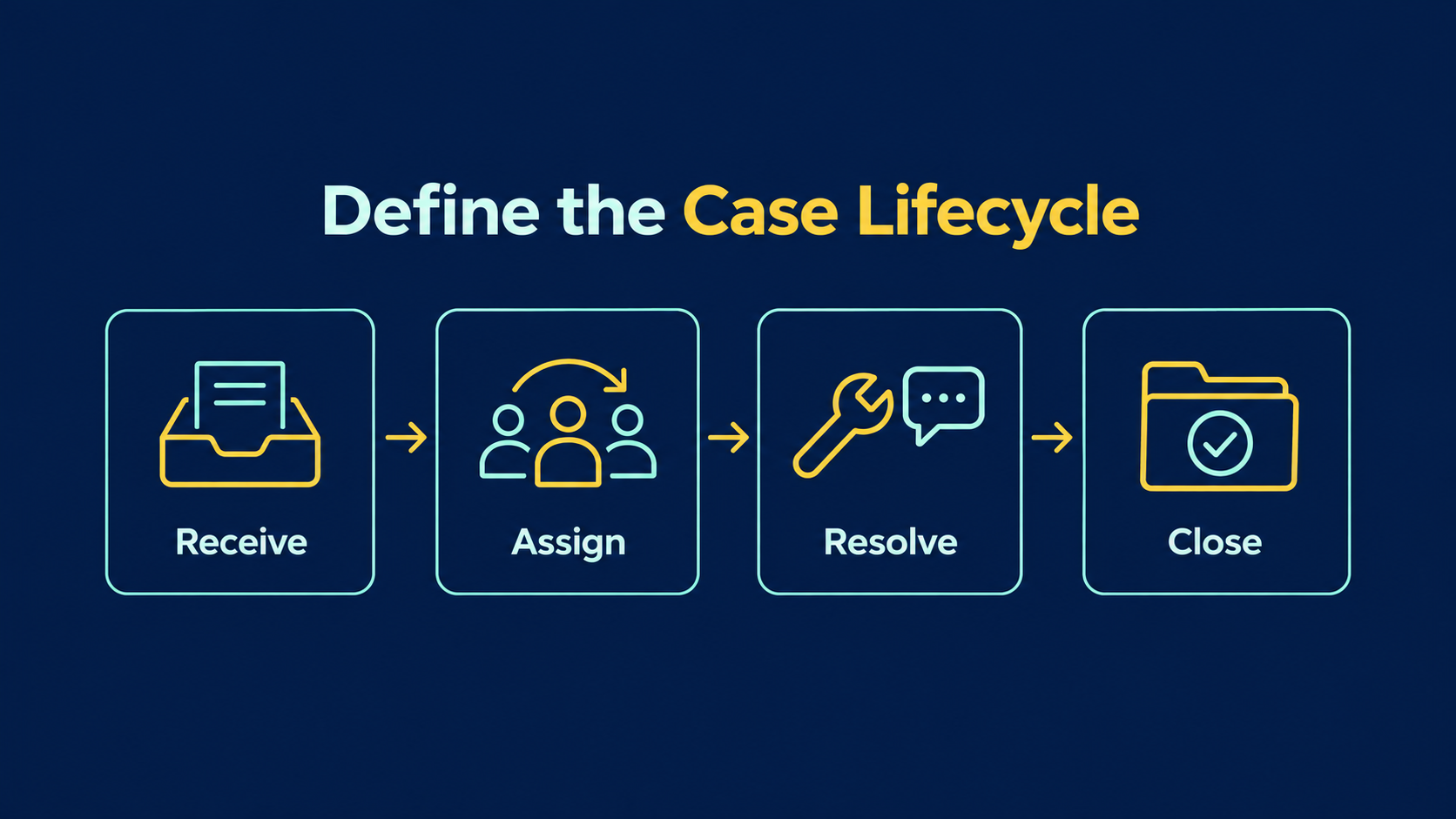
Figure 1: The case lifecycle runs from receipt and assignment through resolution to closure, with ownership and conditions at each stage.
3. Set Up Service Channels and Service Console
Salesforce offers Email-to-Case and Web-to-Case to help create cases from email and website form inquiries. Businesses still need to plan email forwarding, form fields, replies and relevant limits, then validate them against actual scenarios.
When the same customer contacts you through multiple channels, identify related records and avoid duplicate handling. Define the division between automatic matching and human judgment. Similar names or email addresses do not establish that every inquiry concerns the same issue.
Arrange the Service Console workspace around agents’ tasks so they can easily review cases, customer context and necessary information. Identify the systems agents switch between most often before deciding what to display or integrate. Avoid putting every available dataset on one screen.
Common replies and knowledge content support consistency but need review and maintenance. Prepare suitable templates for different issues, clearly separating internal reference material from customer-facing information so outdated guidance is not reused.
Telephone, messaging and other channels may require different licenses and connection arrangements. Confirm the actual offering, existing providers and data flows before implementation. “Omnichannel” does not mean every channel is included and immediately usable.
4. Plan Case Routing and Service Deadlines Together
Route Cases to People Who Can Handle Them
Routing rules can reflect case type, language, product or team responsibility. Before choosing settings, determine who receives each type of work, which tasks require specific skills and what happens when nobody qualifies.
Omni-Channel helps route work from different service channels to suitable, available agents. Verify service channels, routing methods, agent status and capacity together. Creating a queue alone does not establish that all work will be received correctly.
Current official documentation focuses on Enhanced Omni-Channel; Standard Omni-Channel was retired in Summer ’26. Check configuration and migration against your existing organization and current documentation instead of following outdated steps directly.
Turn Service Commitments Into Testable Rules
First response and problem resolution are different milestones. Specify the customers, cases and service hours covered by each commitment before evaluating how Entitlement Processes and Milestones support tracking. Do not begin with a single generic countdown.
Time rules must account for business hours, holidays, time zones and waiting states. Business rules should determine when timing runs, pauses or finishes, followed by tests of each condition. A visible timer does not establish that it accurately reflects the service commitment.
Escalation procedures should specify whom to notify, who takes over and how handling is confirmed. Sending a reminder does not resolve an issue. Supervisors need visibility into cases still awaiting follow-up and practical next steps.
5. Arrange Data Integration and Migration
Agents may need orders, contracts, equipment details or interaction history. Distinguish information stored in the platform from information queried while handling a case. Then confirm sources, update frequency, permissions and failure handling, avoiding unnecessary copies of all data.
Integration specifications should define identifiers and authoritative sources. If a transaction system maintains order status while agents can only view it or submit requests, clear operational boundaries are needed. When the platform displays older data, agents should know its update time and what to do.
Before migration, organize customer and contact mappings, case classifications and statuses. Historical data may not fit new rules. Preserve necessary original information and create mappings rather than changing the meaning of past records to fit new fields.
Rehearse imports with samples, checking record counts, relationships, dates, owners, attachments and other items within migration scope. Open cases are especially important because they directly affect service after cutover. Assign owners to confirm them.
The cutover plan should state when the old system stops accepting new records, how final changes are imported and where historical information can be found afterward. If old and new workflows run briefly in parallel, define one authoritative work location to avoid duplicate handling.
6. Test and Train for Real Service Work
Testing must go beyond confirming that a case was created. Trace customer inquiries through routing, replies, collaboration and closure. Have frontline agents, supervisors and administrators complete their respective tasks to establish whether the workflow is coherent.
Exception tests can cover after-hours inquiries, no available agents, transfers, missing data, integration outages and replies after closure. Define expected outcomes for each, recording actual behavior and unresolved issues.
Test permissions with accounts for different roles. Confirm through actual use that agents can access needed data, supervisors can review team work and other departments can handle only authorized tasks. Reading setting names is insufficient.
Base training on scenario tasks such as accepting cases, finding knowledge, updating status and escalating issues. Let staff perform the work, then provide concise instructions. This reveals understanding gaps more effectively than showing feature screens alone.
- Customer inquiries create correct records through designated channels.
- Case classification, routing and unaccepted work scenarios have been validated.
- Replies, knowledge content and cross-team handoffs work correctly.
- Service deadlines and exception timing follow approved rules.
- Integrated data, permissions and migration relationships have been checked.
- Operators know how to report exceptions and pause processing.
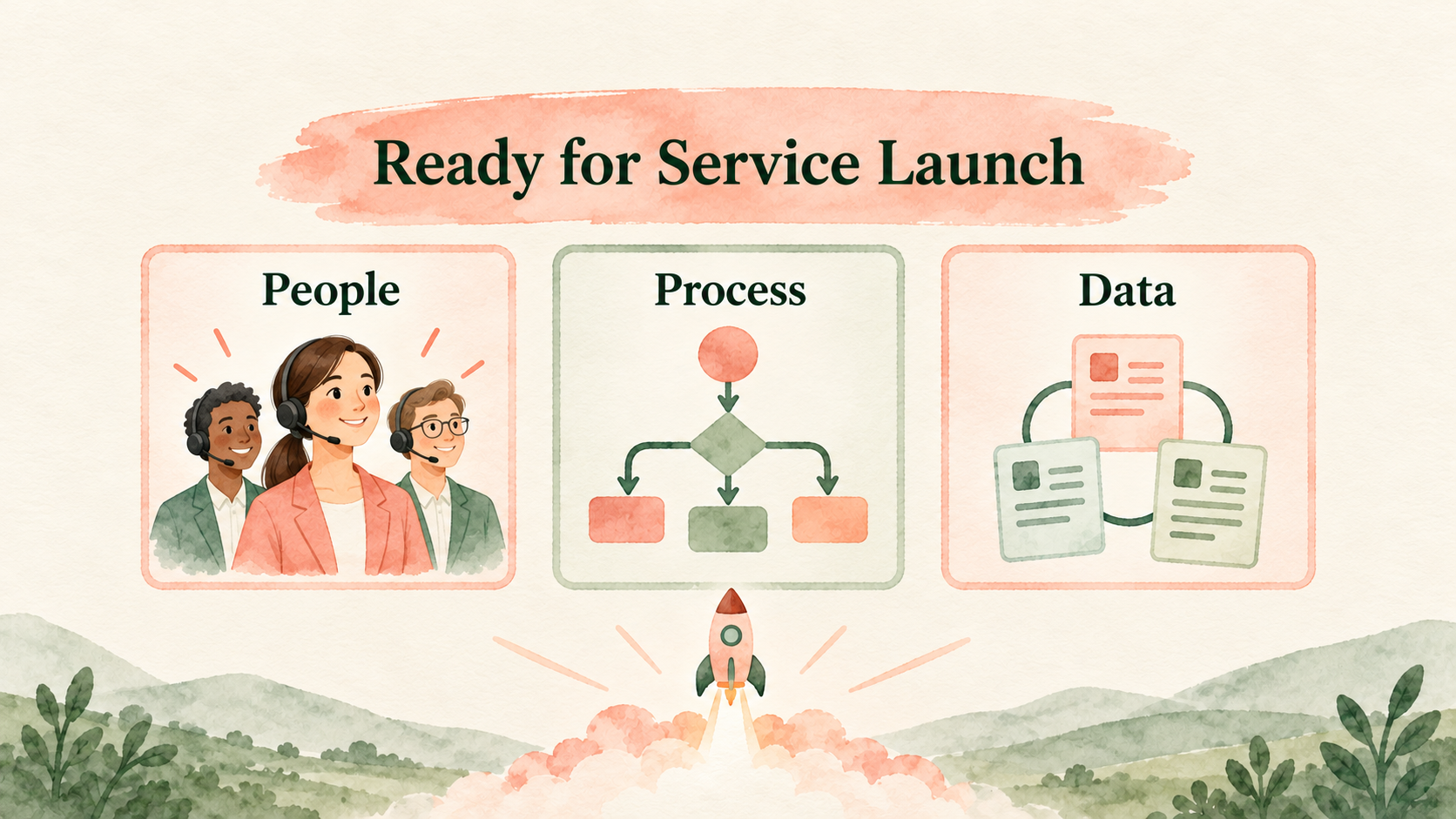
Figure 2: Confirm people readiness, process validation and data quality together before launch.
Establish Metric Baselines and Shared Definitions
Before cutover, collect available service volumes, pending case counts and response times, recording data limitations. If old workflows lack complete timestamps, establish a baseline in the new workflow rather than directly comparing numbers with different definitions.
Metrics need denominators, reporting periods and exclusions. Results depend on whether reopened cases count as new work, how time awaiting customers is shown and whether transfers restart handling time. Service managers should agree on these definitions.
Reports should support each user’s decisions. Frontline agents need their next task and missing information, supervisors need backlogs and routing status, and management needs issue trends and improvement progress. One overview cannot replace every role’s needs.
7. Launch and Keep Improving
Before launch, service, IT and data owners should jointly confirm readiness across people, processes and data. Schedule cutover around service volume and support arrangements, defining fallback handling and recovery conditions for major issues.
Initially, focus on unassigned cases, long waits, duplicate inquiries and integration failures. These signals reveal workflow gaps. Do not pursue case closure counts alone while overlooking whether customers receive appropriate responses.
For example, a hypothetical B2B equipment business might start with email service and technical support. General inquiries go to the service team, while issues requiring product expertise pass to technical staff. This is an illustrative implementation scenario, not an actual client results case.
In this scenario, ownership must continue after transfer, order or equipment data must be accessible and customer replies must preserve context. Validate this complete service chain before expanding channels or automation to keep the process manageable.
Combine case reasons, handling bottlenecks and staff feedback in continuous improvement. Recurring issues may call for better knowledge content or upstream processes. If handoffs are often delayed, review responsibilities and information before changing system settings.
Update Service Knowledge Alongside Workflows
After resolving a new issue, assess whether it should become knowledge content. Explain applicable scenarios, prerequisites, handling steps and escalation conditions. Assign a reviewer and review date so the team has a consistent basis for use.
Coordinate knowledge updates and workflow revisions. If reply templates still refer to old steps, agents can provide outdated guidance despite updated system settings. Include related assets in change inventories to reduce inconsistent information.
Maintain a regular post-launch issue review so frontline staff can raise scenarios that are hard to classify, lack data or require cumbersome steps. Confirm their prevalence and causes before making changes. Avoid adding a field or automation rule for every exception.
8. Frequently Asked Questions (FAQs)
Must Every Channel Be Enabled During Service Cloud Implementation?
No. Complete the primary channels and representative case workflows first, then expand as teams, content and integrations become ready. Review routing, replies and exception handling for each added channel.
Does Omni-Channel Remove the Need to Plan Staffing?
No. Routing depends on agent qualifications, availability, capacity and settings. Unaccepted work and special cases still need handling. The system executes rules, while service supervisors remain responsible for operations.
Must All Historical Cases Be Migrated Before Launch?
Not necessarily. Define scope around daily service, lookup and retention needs, prioritizing open cases and essential relationships. Other historical information can be retained and accessed through approved arrangements.
9. Conclusion
Service Cloud implementation must bring case workflows, data and staffing together. Start with a clear initial scope and use realistic scenarios for acceptance and training to turn system settings into reliable service operations.
LeadsTech can help businesses discuss Salesforce service workflows, data integration and implementation requirements, clarifying scope and launch arrangements.

To plan a service system implementation, organize your primary channels, case types and current handoff issues, then discuss a suitable implementation path with the team.

10. Further Reading
-
Global CRM Systems: Manage the Customer Lifecycle With Salesforce
Understand customer relationship management through cross-team data and workflows.
-
CRM for Global B2B Businesses: A Salesforce Implementation Guide
Explore business requirements, system integration and implementation planning.
Related Articles

Enterprise AI MarTech Trends Analysis 2024-2029 Outlook Report
From AI content productivity tools to a core engine for revenue growth and marketing transformation
*The PDF will be sent directly to your inbox.

