

Service Cloud Setup: Case Management, Routing and Automation
Customer Relationship Management (CRM), Salesforce
1 November 2026
Reliable service automation depends on consistent case data, routing rules and agent status. Salesforce Service Cloud setup needs to address these conditions together. This article explores Case Management, Omni-Channel and automation rules, covering design decisions, common issues and acceptance methods to help businesses establish stable service workflows.
Summary
Treat cases, routing and automation as one continuous process. Case fields need shared definitions. Omni-Channel requires checks of work type, agent eligibility, availability and capacity, while automation needs explicit triggers and exception handling. This article uses the Service Cloud name; current official documentation also uses Agentforce Service. Confirm settings and licensing against your actual offering and current documentation, particularly rather than reusing retired Standard Omni-Channel procedures.
1. Establish Consistent Definitions for Case Management
Define Cases, Categories and Priorities
A Case should represent a traceable service need. Explain how replies about the same issue continue, when different issues are separated and how duplicate inquiries are handled. Unclear case boundaries can distort routing and reports.
Classification fields should support actual handling, such as product, issue type or support team. Excessively detailed options increase judgment effort, while overly broad options cannot support routing. Test whether categories are understandable with representative cases, then refine them.
Priorities also need explicit criteria. Customer impact, time sensitivity and service arrangements may jointly determine order. Do not leave everyone to interpret “urgent” independently. Specify who can adjust priorities and whether changes require routing or notifications to be reassessed.
Statuses Should Explain the Next Step
Case statuses are more than report labels. They should tell teams who owns the work, what it is waiting for and when follow-up is required. Waiting for customer information differs from waiting for internal support, so design statuses around operational needs.
Every status needs entry and exit conditions. If all cases remain in progress indefinitely, supervisors cannot distinguish actual workload from waiting work. Tie required information to tasks so agents do not enter meaningless data merely to satisfy mandatory fields.
Include closure and reopening in the workflow. Define decisions and responsibilities when customers reply again, add a new issue or report that the problem remains unresolved. Test the effects on service deadlines, subsequent notifications and metric definitions.
2. Omni-Channel Routing Requires Four Conditions
Work Type and Routing Entry Point
Identify whether the work being routed is a Case, messaging work or another supported object, then verify service channels and routing design. Channels can differ in licensing, lifecycle and configuration. One case-routing method cannot be applied indiscriminately to every type of work.
With queue-based routing, cases must enter the correct queue with the corresponding routing configuration. If classification happens after entry, establish when it is reassessed so work does not reach an unsuitable team.
Agent Eligibility and Availability
Being able to view a case does not necessarily mean an agent can receive that type of routed work. Check agents’ channels, permissions, queue or skill arrangements and available statuses so business rules match system conditions.
Availability should reflect actual work. Signing in does not mean an agent is accepting cases. Breaks, other tasks and shift changes also need clear procedures. Training should explain how status affects receiving work, rather than merely how to switch a button.
Capacity and Workload
Capacity is a key routing condition. Check both the workload an agent can handle and the capacity required by each work type. If a work item exceeds available capacity, it may remain unrouted even with agents online.
Set reasonable weights based on work characteristics. Simple inquiries and cases requiring detailed investigation may not represent the same load. Observe real samples before adjusting rules, rather than simply increasing capacity numbers.
Different capacity models may treat completion or status changes differently, so confirm when capacity is released. Closing a screen does not always mean a case is complete, and continued assignment to an agent does not imply identical capacity accounting in every model.
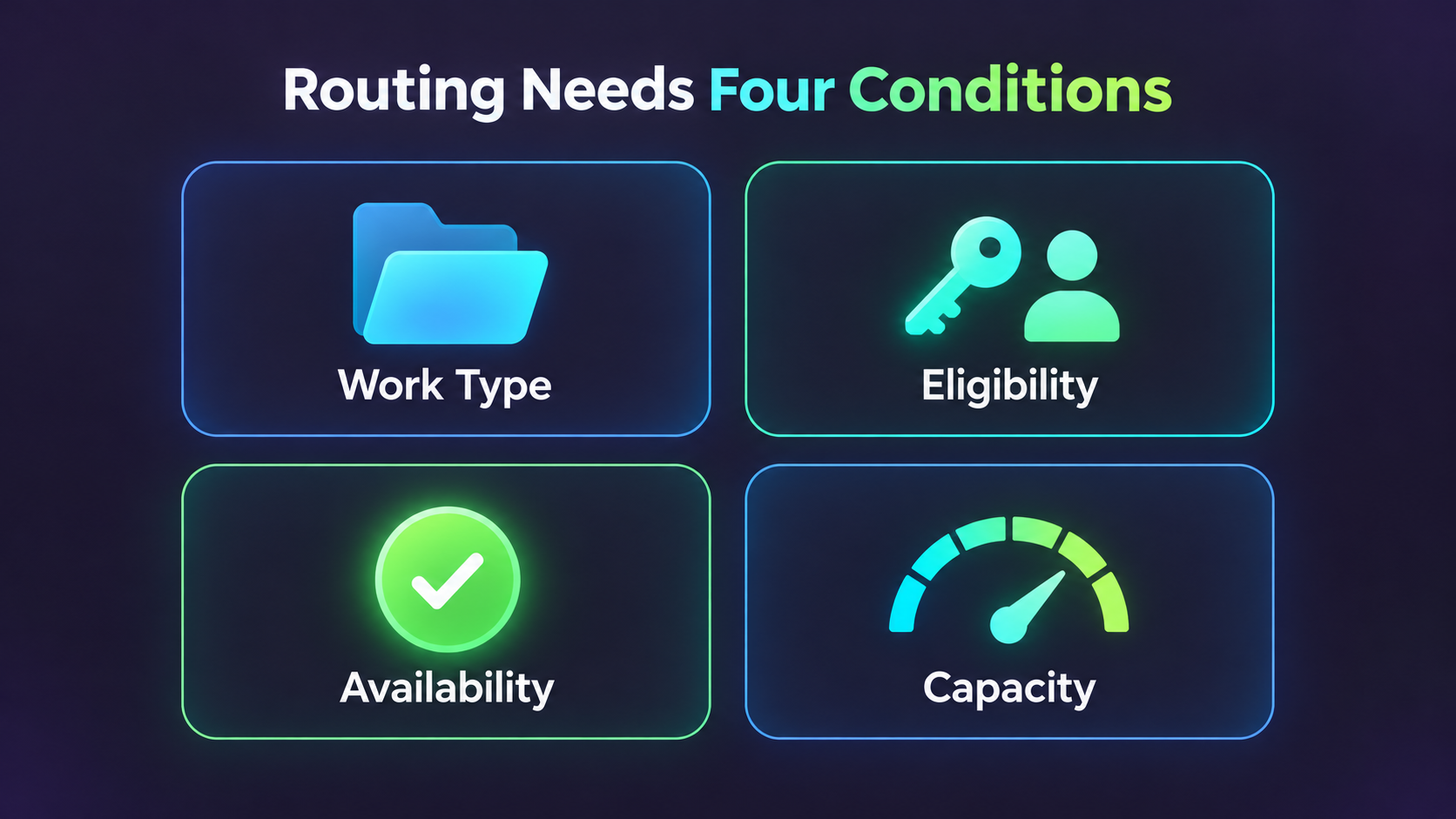
Figure 1: Routing requires work type, agent eligibility, availability and capacity to be checked together.
3. Plan Priorities, Transfers and Unaccepted Work
Routing priority should reflect service goals and tradeoffs when one team handles different types of work. A higher priority does not create more staff. Persistent accumulation of high-priority work still requires a review of staffing and upstream causes.
On transfer, the receiving agent should get an issue summary, completed actions and next steps, rather than merely a changed owner. Define whether acceptance is required and who remains responsible until acceptance to avoid gaps in ownership.
If no agent has the necessary skills or capacity, establish alternatives such as waiting, notifying a supervisor or transferring to another team under approved conditions. Test the approach for the channel and routing method instead of assuming the platform automatically handles every exception.
Rehearse peak periods and after-hours scenarios. Customers should receive replies consistent with actual arrangements, while supervisors need visibility into pending volume and longest waits. Avoid automated promises of handling times the team cannot deliver.
Official guidance now focuses on Enhanced Omni-Channel; Standard Omni-Channel was retired in Summer ’26. Existing customers should review current organization settings, upgrade outcomes and applicable documentation instead of treating older tutorials’ defaults as current behavior.
4. Start Service Automation With Triggers, Actions and Exceptions
Specify When Automation Runs
Automation specifications should identify the trigger, required conditions and whether the same case can run through the process again. Notifying an owner when priority changes to high differs from notifying them every time a high-priority case is saved.
Salesforce Flow record-triggered flows can run on record creation or updates when conditions are met. Confirm the required trigger timing and test whether unrelated field changes repeat actions, avoiding multiplied notifications or tasks.
Give Actions Clear Ownership and Scope
Actions may update information, notify people or hand work over. Define who uses the result, whether a reply is required and how completion is confirmed. A successfully executed system action does not mean the service work is complete.
If standard rules, Flow and external integrations all modify cases, document their shared execution boundaries. Agree on who maintains each field and which actions may run only once to prevent overwrites or repeated triggering.
Make Exceptions Traceable
Automation needs appropriate handling and alerts for missing customer data, unavailable recipients or paused external systems. Error records should at least identify the affected work, when the problem occurred and whether a retry is needed.
Retries must account for partially completed actions. If a notification was sent but a later update failed, rerunning everything may create duplicates. Define how processed status is identified and test the recovery method.
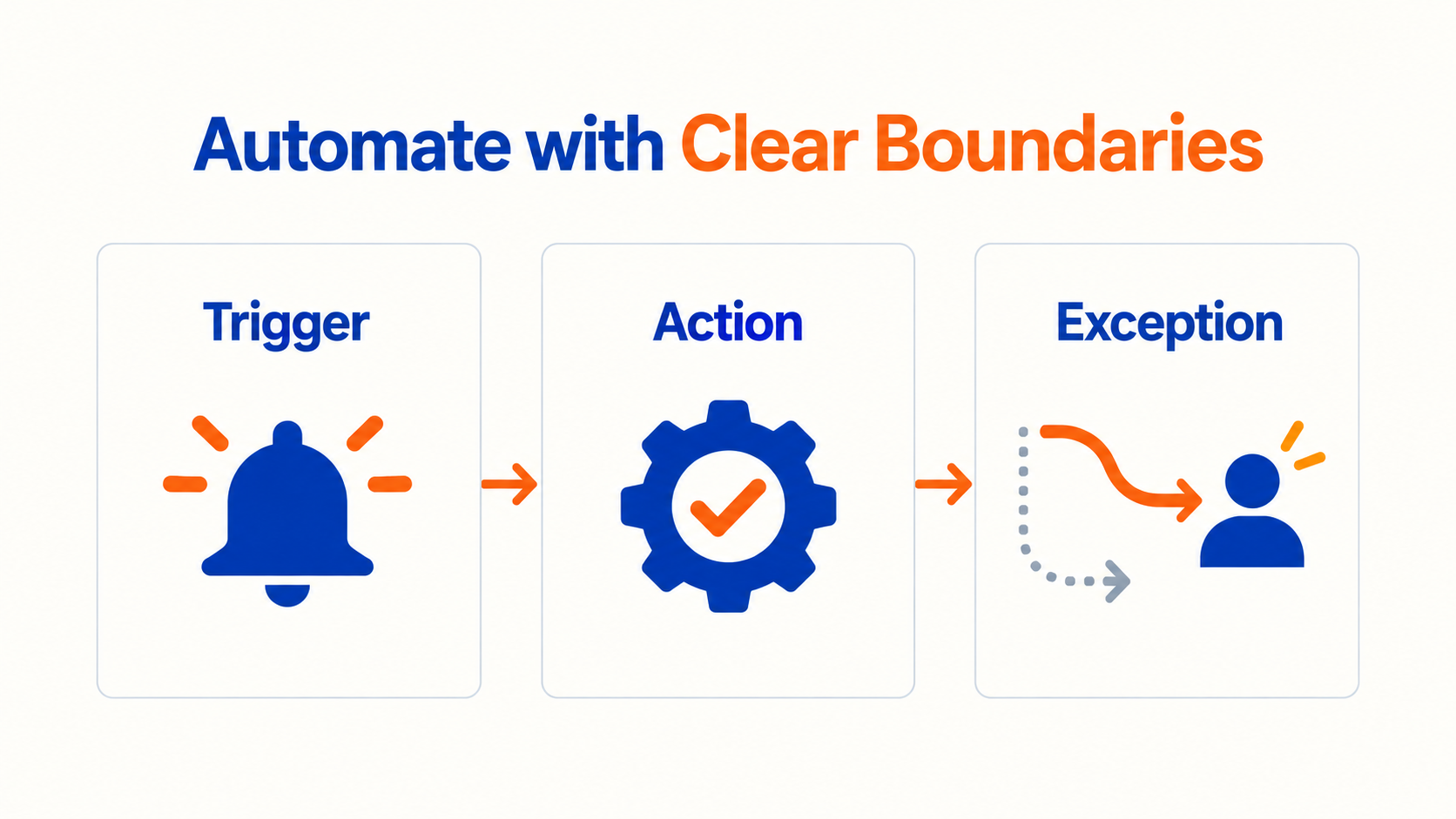
Figure 2: Define trigger conditions, actions and exception handling before automating service workflows.
5. Make Service Deadlines and Knowledge Support Actual Work
First response, resolution and waiting are different concepts. Evaluate how Entitlement Processes and Milestones support service deadlines only after defining applicable customers, cases, business hours and completion conditions, then check the configuration.
An automatic reply does not necessarily constitute a meaningful response. If the business measures whether an agent has understood and addressed an issue, it needs corresponding records and shared definitions. Otherwise, metrics can look healthy while customers still wait for useful information.
Knowledge content and standard replies reduce repetitive work, but need defined applicability, review and maintenance ownership. Agents should easily find relevant content and understand when it cannot be reused directly or when further investigation or escalation is needed.
For AI-assisted service, confirm actual features, licensing and data scope, then design human handoff and validation. Do not delegate every exception to unverified new capabilities before the basic case workflow is stable.
6. Troubleshoot Routing Issues Step by Step
When a case does not reach the expected agent, choose one reproducible record and establish the time and conditions of the issue. Avoid changing several settings at once. Even if service resumes temporarily, doing so makes the underlying cause difficult to identify.
- Confirm the case type, classification data and actual routing entry point.
- Check that the case entered the expected queue or routing flow.
- Review service channels, routing configuration and applicable permissions.
- Confirm the receiving agent’s eligibility and availability at the time.
- Compare required work capacity with the agent’s remaining capacity.
- Check exception paths, transfers and external integration records.
- Retest the same scenario after correction and retain the results.
If only some cases are affected, compare them with normal cases by product, language, source or creation time. If all work is affected, check shared entry points and agent status first, then progressively narrow the scope.
Revalidate references and permissions after deployment between environments. A working test environment does not establish that production queues, users and integrations are identical. Include these differences and confirmation owners in the deployment checklist.
7. Use Representative Scenarios for Launch Acceptance
Consider a hypothetical business with general service and product technical teams. Initially, general inquiries can go to service, with technical cases meeting defined conditions transferred afterward. This illustrative setup checks whether ownership and information continue intact through the process.
Acceptance testing should cover eligible agents, all agents busy, missing classification, failed transfers and replies after closure. Explain the expected path, actual handling and final owner for each record, rather than checking only its final queue.
Automation tests should distinguish creation from updates. Check first entry into conditions, remaining under the same conditions and reentry after leaving them. This establishes whether behavior matches the design and helps reduce repeated execution.
After launch, establish an observation period with explicit support arrangements and collect agent and supervisor feedback. Prioritize issues affecting case acceptance, replies and data accuracy before convenience improvements so changes follow a clear order.
Keep Settings and Operational Records Consistent
Maintain concise documentation for every routing and automation rule, including purpose, owner, dependent fields and latest validation date. When changes are requested, teams can review existing rules first and avoid creating several interfering configurations for the same purpose.
Before a change, list affected case types and actions. A new priority option can affect routing, notifications, timing rules and reports. Updating only the dropdown can send some cases along unexpected paths.
Define the relationship between manual changes and automation. After agents change owners or priorities, specify which rules still run and which decisions remain manual. Otherwise, staff may repeatedly edit values that the system continually changes back.
Beyond failure counts, monitor whether work is stuck where it should not be. A notification followed by prolonged nonacceptance may indicate ownership or staffing problems. Technical success should not exclude the issue from improvement work.
Supervisor reviews should combine case quality and workload. Frequent transfers may indicate classification or information gaps. Repeated capacity exhaustion warrants reviewing work weights and staffing. Use data to find causes, rather than merely compare individual closure speeds.
Finally, turn resolved exceptions into reusable test scenarios. Revalidate key scenarios after routing or automation changes so past experience continues to protect daily workflows and reduce recurring issues.
Test records should also preserve the configuration version used at the time, enabling later comparisons under equivalent conditions rather than relying on memories of a successful test.
8. Frequently Asked Questions (FAQs)
Why Are Cases Not Routed Even When Agents Are Online?
Being online is only one condition. Also check work type, routing entry point, eligibility, availability and capacity. Reproducing the conditions with one case usually reveals causes more clearly than reviewing the current screen alone.
Is More Case Automation Always Better?
No. Every automation needs a clear requirement, trigger, exception handling and maintenance owner. Overlapping rules increase understanding and testing effort. Stabilize existing workflows before adding necessary capabilities.
Can Test Environment Settings Be Moved Directly to Production?
Check environment differences and revalidate first. Users, queues, permissions, data and external connections may differ. Production deployment needs a checklist, test evidence and recovery arrangements.
9. Conclusion
Service Cloud setup should align case definitions, routing conditions and automation rules. Validate normal and exception paths together, and establish a structured troubleshooting method to make service workflows easier to maintain.
LeadsTech can help businesses discuss Salesforce service systems, case workflows and integration requirements, clarifying implementation priorities and improvement options.

If case routing or automation maintenance is causing difficulties, organize representative scenarios and the current configuration scope, then discuss suitable solutions with the team.

10. Further Reading
-
Global CRM Systems: Manage the Customer Lifecycle With Salesforce
Understand customer relationship management through cross-team data and workflows.
-
CRM for Global B2B Businesses: A Salesforce Implementation Guide
Explore business requirements, system integration and implementation planning.
Related Articles

Enterprise AI MarTech Trends Analysis 2024-2029 Outlook Report
From AI content productivity tools to a core engine for revenue growth and marketing transformation
*The PDF will be sent directly to your inbox.

