
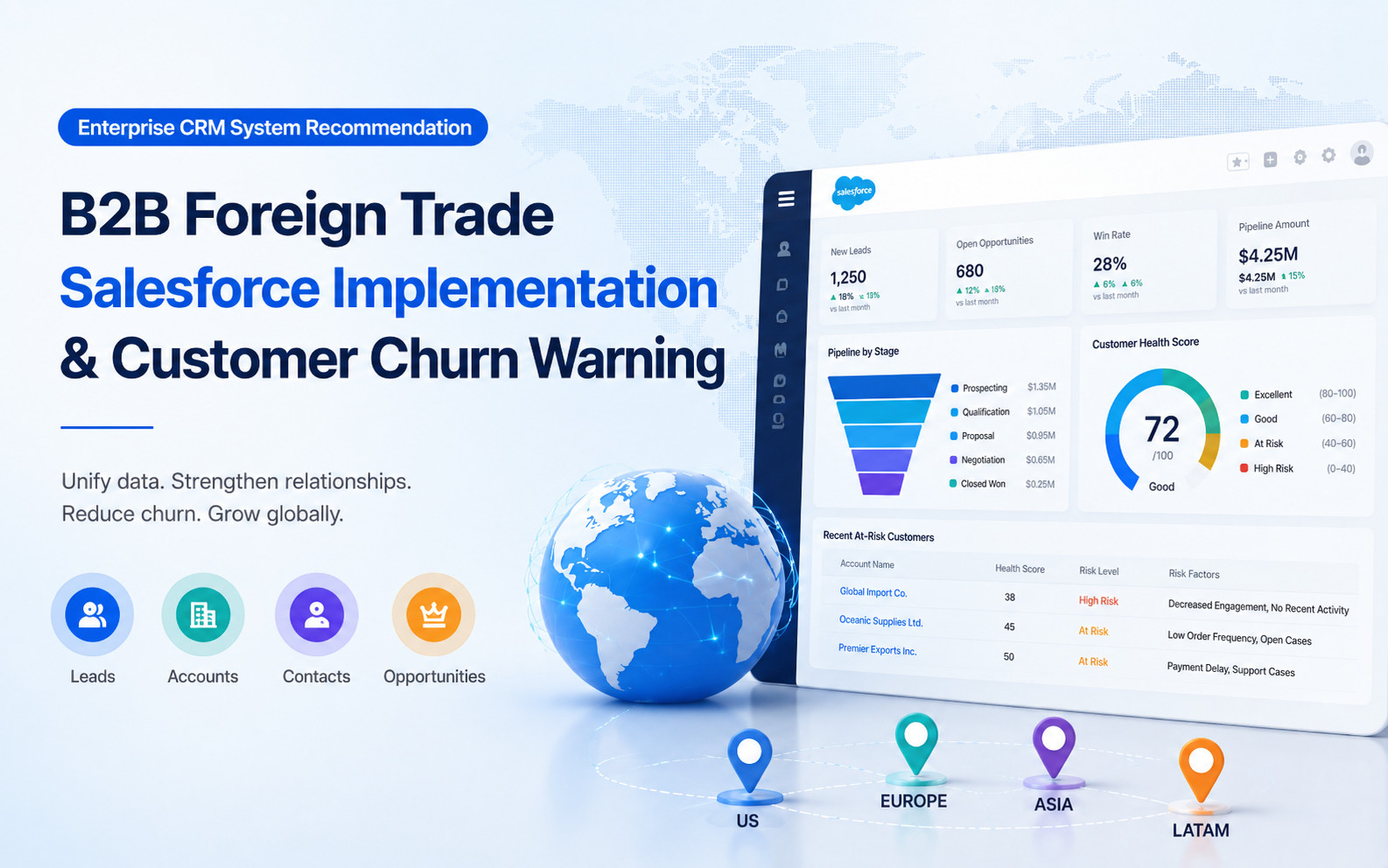
Enterprise CRM Guide: Salesforce for B2B Export Sales and Churn Alerts
B2B Marketing, Customer Relationship Management (CRM), Lead Generation, Salesforce
29 July 2026
Executive Summary
Customer relationship management (CRM) systems centralize customer, contact, sales interaction, and opportunity data, while supporting customer relationship operations through workflows, permissions, automation, and reporting. This article addresses common challenges among B2B exporters, including missed lead follow-ups, unreliable opportunity stages, disengaging existing customers, and difficult cross-regional collaboration. It explains why enterprise CRM selection should start with the actual sales process rather than a feature-by-feature comparison. By the end, you will have a practical framework for designing Salesforce-based sales follow-up, opportunity management, and customer retention processes.
For enterprise CRM selection, the important comparison is not the length of a feature list. It is whether sales workflows, customer data, and follow-up can operate within one governed process. As a Salesforce partner, LeadsTech considers business processes, Customer 360 data integration, and team adoption before helping a company decide whether Salesforce fits its stage of growth.
1. Introduction: Export Sales Follow-Up Is Difficult—and Sales Effort Is Not the Only Issue

For many export businesses, the sales problem is not a lack of customers. It is that customer information is scattered across Excel spreadsheets, email, WhatsApp, quotations, and individual computers. When a salesperson leaves, past conversations become difficult to retrieve. Customer inquiries go without consistent follow-up. Managers can see the total pipeline value but cannot tell which deals have stalled.
Enterprise CRM selection should therefore go beyond asking, “Which system has the most features?” The more important question is, “Can the system bring leads, accounts, contacts, opportunities, and next actions into one traceable process?” Salesforce Sales Cloud supports lead, account, contact, and opportunity management, as well as sales processes and lead routing. Quotations can be incorporated into the workflow through Salesforce’s standard quote functionality, additional products, or integrations with ERP and CPQ systems. The exact capabilities depend on the edition and implementation configuration.
For teams collaborating across countries and product lines, Salesforce CRM is better positioned as the foundation for sales operations than as a simple contact database. The value of a Salesforce implementation partner extends beyond system configuration: the partner must understand territory assignment, quotation cycles, and account hierarchies in an international trade environment.
2. Is Salesforce Right for B2B Export Businesses? Four Criteria
Salesforce is not the only option for every export business. Before selecting a platform, determine whether all four of the following requirements apply:
1. Leads from multiple sources must be assigned consistently, with the first response, next actions, and conversion outcomes tracked.
2. Teams across regions, product lines, or distributor networks must share customer information while maintaining appropriate data access and sales ownership.
3. Website forms, marketing automation, ERP, customer service, or e-commerce systems must exchange data with the CRM.
4. Management needs standardized opportunity stages, sales forecasts, loss reasons, and customer retention metrics.
If the business has only a small customer base, a single sales process, and no integration requirements, a lightweight CRM may be easier to maintain. As the requirements above grow, however, Salesforce’s configurable objects, automation, permissions, and integration capabilities become more valuable.
3. Start by Identifying the Three Types of Customers Most Likely to Churn
Before launching an enterprise CRM initiative, identify where customer attrition occurs in the journey. This article focuses on three common risk scenarios in B2B export sales.
1. Customers Who Do Not Receive a Timely Response After an Inquiry
Leads generated through the website, trade shows, or email can easily be missed or answered late when no owner or response-time target is defined. Salesforce describes lead management as an ongoing process that begins with a prospect’s first interaction and continues through lead capture, nurturing, qualification, and conversion.
2. Customers Whose Opportunities Stall After a Quotation
After sending a quotation, many salespeople record only a “Quoted” status without documenting the customer’s current objections, competitors, decision-makers, or next follow-up date.
3. Existing Customers Who Gradually Disengage After a Purchase
A previous purchase does not guarantee repeat business. Without records of buying cycles, order frequency, service issues, and changes in key contacts, the team may not detect weakening relationships or declining repurchase potential in time.
An effective enterprise CRM recommendation should first design fields, alerts, and accountability mechanisms around these three risks—before discussing reports and automation.
4. Implementation Step One: Standardize Sales Stages and Next Actions
One common risk in Salesforce implementation is migrating a disorganized set of Excel fields into the new system without redesigning the process. Before configuring page layouts, standardize sales stages, conversion criteria, and data ownership.
Stages should represent the customer’s decision progress, not the salesperson’s subjective assessment. For example:
New Lead
Source confirmed; awaiting first contact
Contacted
Initial conversation completed; requirements under review
Requirements Confirmed
Product, quantity, market, and buying roles identified
Solution or Quotation in Progress
Quotation, sample, or technical proposal delivered
Commercial Negotiation
Price, delivery schedule, contract, or terms under discussion
Won, On Hold, or Lost
Outcome and reason are mandatory
When a lead is converted in Salesforce, users can create or associate an account and contact, with the option to create an opportunity. Lead conversion criteria should therefore be standardized during implementation. Otherwise, some team members may create opportunities too early, while others leave qualified prospects in the lead pool for too long.
At this stage, the Salesforce implementation partner should help define the “required information” and “next action” for every stage. For example, the quotation stage should require the quote expiration date, expected decision date, and next communication date. This turns Salesforce CRM into a tool that advances deals rather than merely a daily sales reporting system.
5. Opportunity Management Must Track Momentum, Not Just Deal Value
In B2B export sales, opportunity value alone does not indicate the probability of closing. A high-value deal with no recorded contact for three months is generally riskier than a smaller deal with confirmed requirements and a defined decision process.
An enterprise CRM recommendation should therefore assess “deal momentum” in addition to value. At a minimum, each opportunity should maintain:
Next Action and Due Date
Define the follow-up task, owner, and completion deadline.
Customer’s Buying Objective and Expected Decision Date
Record the purchasing objective, budget timeline, and expected decision milestone.
Key Contacts and Their Roles
Identify decision-makers, end users, technical stakeholders, procurement contacts, and other key roles.
Current Obstacles
For example, price, certification, lead time, or competitors.
Last Interaction Date and Days in Stage
Identify high-risk opportunities with prolonged inactivity or stage stagnation.
Reason Lost or Placed on Hold
Capture the true reason to support future reviews and re-engagement.
Salesforce opportunities are used to track potential deals in progress, including the associated account, key participants, expected revenue, and sales stage. Teams can also use activities, contact roles, and custom fields to document deal progress.
In an enterprise CRM, management should prioritize opportunities that have not been updated within the required timeframe, have repeatedly postponed close dates, or lack a next action—instead of looking only at total pipeline value. If a Salesforce implementation partner delivers dashboards without first defining these rules, even the most polished reporting will not improve follow-up quality.
6. Existing-Customer Churn Alerts: Move from Order History to Account Health
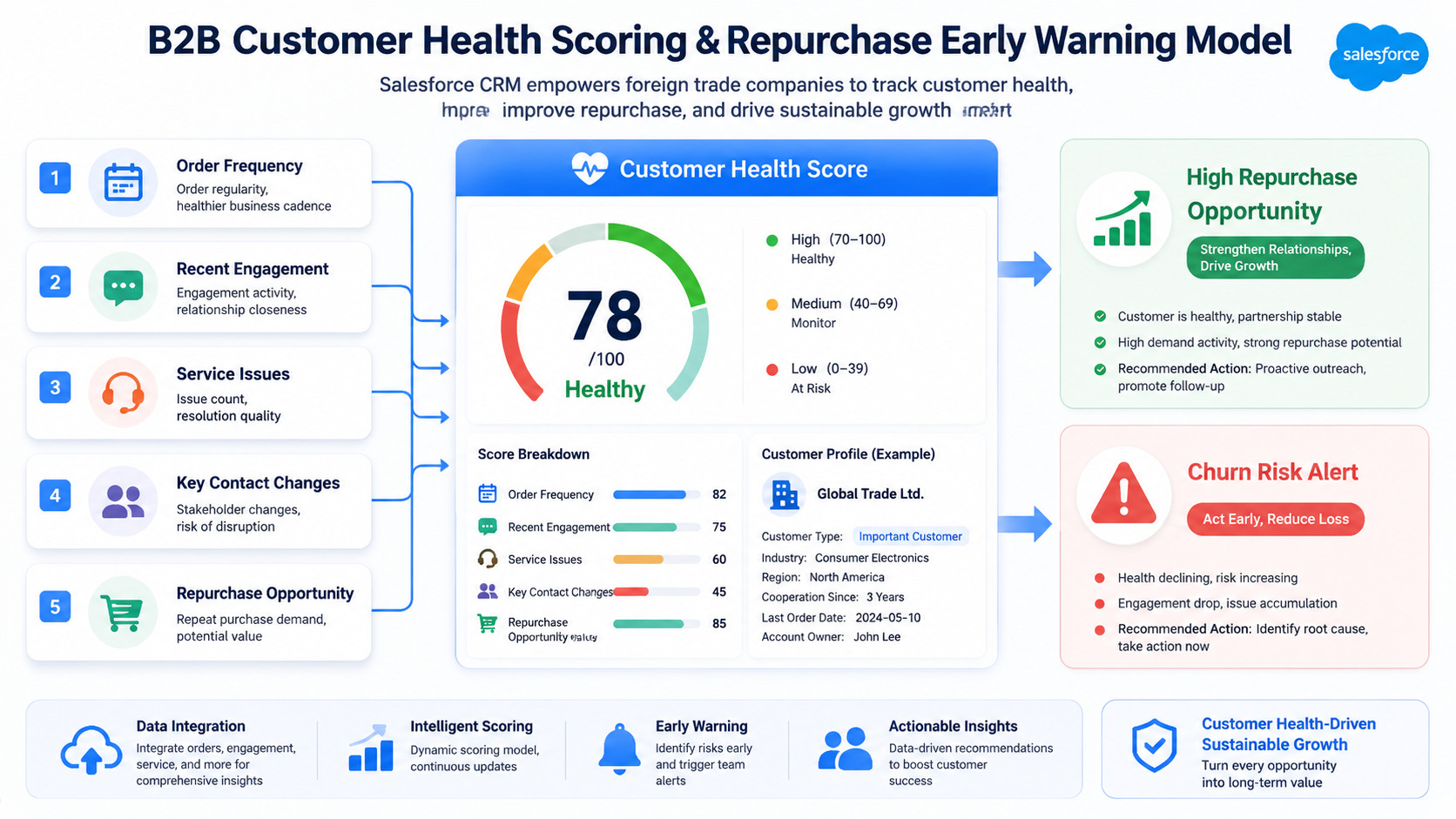
Many export companies focus their CRM efforts on acquiring new customers while overlooking existing-account management. In practice, customer churn rarely happens without warning. It is often preceded by reduced engagement, unanswered quotations, declining order frequency, or changes in key contacts.
An enterprise CRM can establish a straightforward health-scoring mechanism for strategic accounts:

Order Signals
Has the interval between orders exceeded the normal purchasing cycle? Has the range of products purchased decreased?

Engagement Signals
How long has it been since the most recent email, meeting, quotation, or service interaction?

Relationship Signals
Have key buyers, technical contacts, or executives changed?

Service Signals
Are there unresolved complaints, delivery exceptions, or after-sales service cases?
Sales Cloud can associate contacts, activities, and opportunities with an account, giving sales teams an account-level view of interactions and transactions. If a company wants to unify data across sales, service, marketing, commerce, and external systems, it must configure the relevant Salesforce applications, system integrations, or data capabilities such as Data 360. Sales Cloud alone does not automatically create a complete unified customer view.
This design shifts the sales approach from “no customer contact, no follow-up” to proactive intervention when an account shows risk signals.
7. Three Common Implementation Mistakes
A weak enterprise CRM recommendation often fails not because the wrong system was selected, but because the implementation approach was flawed.
Mistake 1: More Fields Mean a More Professional System
Too many fields discourage salespeople from entering data. Prioritize fields that influence the next decision, assignment, or forecast.
Mistake 2: Putting Every Customer into the Same Process
New leads, strategic deals, distributors, repeat purchases from existing customers, and after-sales collaboration have different management objectives. Configure appropriate record types, stages, or page views for each.
Mistake 3: Treating Go-Live as the Finish Line
After CRM go-live, stage definitions, loss reasons, follow-up alerts, and reporting standards require continuous optimization. The system should adapt as the sales strategy evolves rather than becoming an inflexible process burden.
For projects with significantly different processes or an immature data foundation, start with a pilot for one priority product line or regional team. Validate stage definitions, fields, permissions, and reporting standards before expanding gradually into additional markets.
8. How to Evaluate a Salesforce Implementation Partner
When selecting a Salesforce implementation partner, companies should not ask only, “How many projects have you completed?” They should also require the partner to explain how it would address practical challenges in international trade operations.
Evaluate the following four capabilities in particular:
Lead Ownership and Responsibility Boundaries
Can the partner map lead sources, territory assignment, and sales ownership boundaries?
Conversion Rules
Can the partner design conversion rules from leads to accounts, contacts, and opportunities?
System Integration Experience
Does the partner have experience integrating CRM with website forms, marketing automation, ERP, or customer service systems?
Continuous Optimization Framework
Does the partner provide post-go-live data governance, training, and continuous optimization?
A reliable Salesforce implementation partner will first ask, “Which customers are at risk of churning?”, “Why are salespeople reluctant to enter data?”, and “Why does activity stop after a quotation?” Only then will it decide how to configure fields, automation, and reports.
For cross-regional B2B teams, the key to an enterprise CRM recommendation is not applying a standard template. It is building a system that reflects the real sales process while retaining the flexibility to support new markets, product lines, and customer engagement models in the future.
9. Frequently Asked Questions (FAQ)
Does Salesforce Include Built-In Customer Churn Alerts?
Salesforce can record orders, interactions, opportunities, service cases, and contact changes. However, “account health” and “churn alerts” generally require the company to define scoring criteria first, then implement them through fields, Flow, reports, Einstein capabilities, or external data integrations. The exact capabilities depend on the products and editions purchased, data quality, and implementation configuration.
Can Salesforce Directly Manage Export Quotations and Orders?
Sales Cloud can manage products, price books, opportunities, and standard quotes. Complex quoting, discount approvals, configurable products, order fulfillment, and financial data, however, generally require Revenue Cloud, CPQ capabilities, or ERP integration. The boundary between CRM and ERP should be defined before solution selection.
What Should B2B Export Businesses Do First When Implementing CRM?
First, standardize lead sources, ownership, sales stages, lead conversion criteria, next actions, and loss reasons. Configure fields, automation, and dashboards only after these fundamentals are clear. When process and data ownership remain undefined, importing historical Excel data usually transfers existing problems into the new system.
How Can a Company Measure Whether a Salesforce Implementation Is Effective?
Track first-response time, lead conversion rate, time spent in each opportunity stage, the percentage of opportunities without a next action, forecast accuracy, repeat-purchase cycles for existing customers, and sales data completeness. Do not use on-time system go-live as the sole measure of success.
10. Conclusion
Sales follow-up difficulties and customer churn in B2B export businesses are often linked to fragmented customer information, unclear sales ownership, and inconsistent management of deal progress. Effective enterprise CRM selection and implementation should establish clear lead assignment, opportunity stages, next actions, and account health mechanisms—not merely add more data-entry fields.
The value of Salesforce CRM lies in connecting accounts, contacts, opportunities, and sales activities into a traceable process. Implementation success depends on whether the company first standardizes its sales rules and selects a Salesforce implementation partner that understands the boundaries of its business processes.

Companies planning a Salesforce rollout, sales process redesign, or customer churn alert framework can learn more about Salesforce solution services or visit the LeadsTech website to discuss an implementation roadmap with our consulting team.


Further Reading
- Global CRM System Recommendation: Why International Businesses Choose Salesforce for End-to-End Customer Lifecycle Management
Learn how Salesforce supports international sales, customer service, and customer lifecycle operations. - Choosing a Customer Relationship Management Provider: A Complete Guide to Salesforce Implementation for B2B International Expansion
Continue evaluating CRM implementation partners based on their business understanding, integration capabilities, and long-term service capacity.
Related Articles

Enterprise AI MarTech Trends Analysis 2024-2029 Outlook Report
From AI content productivity tools to a core engine for revenue growth and marketing transformation
*The PDF will be sent directly to your inbox.

