
Enterprise DXP Guide: Website, CMS, App, and CRM Integration Architecture
AEM Sites, Content Management System (CMS)
24 September 2026
Once a business operates websites, apps, membership services, CRM, and marketing tools, it often faces duplicated content maintenance, fragmented customer data, and difficulty measuring results. This article examines system roles, data flows, implementation steps, and governance to help you plan a digital experience platform that can be delivered in stages.
Summary
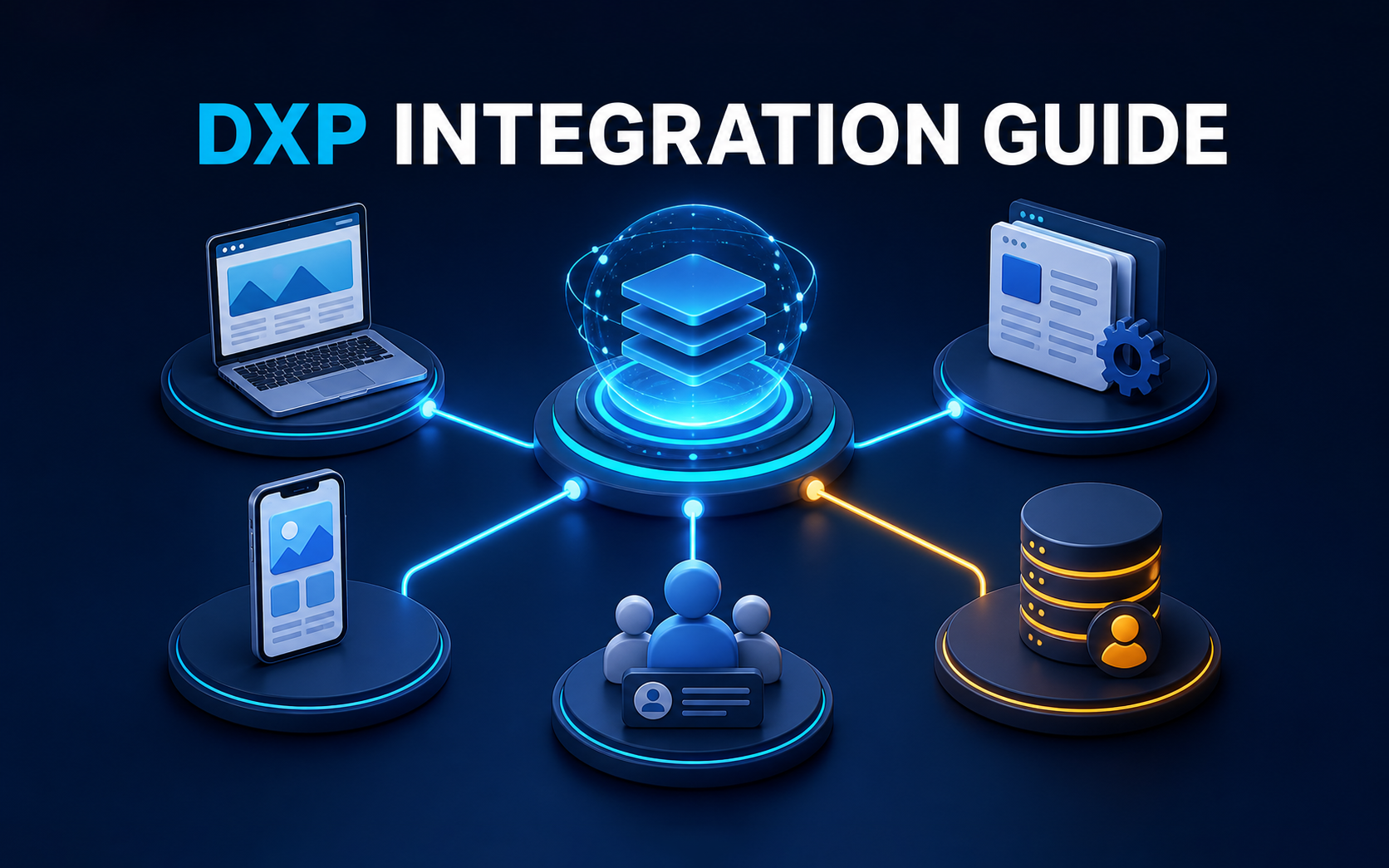
A DXP is an architecture that connects content, customer data, digital channels, and operational processes, rather than a single large software application. First clarify the responsibilities of your CMS, CRM, websites, apps, and data platforms, then design APIs, events, and identity management. Start implementation with specific journeys and measurable goals instead of replacing every system at once. Track results through time to publish content, identity match rates, form conversions, consistency across channels, and operating costs.
1. Why Do Businesses Start to Need a DXP?
For a business with just one corporate website, a traditional CMS is often sufficient to manage pages and articles. As the business expands across markets, languages, mobile apps, member portals, e-commerce, customer service, and marketing automation, a CMS alone struggles to answer three questions: who the customer is, what they have done across channels, and what content or service to offer next.
The problem is often unclear responsibilities between systems. A website records anonymous browsing while CRM stores only identified customers; an app maintains its own content; marketing teams manually import lists from spreadsheets; and sales teams cannot see which resources a customer downloaded. These gaps create duplicate work and make personalization, attribution, and continuity of service harder.
A digital experience platform (DXP) establishes a shared operating approach: content can be reused across channels, customer data can move under appropriate permissions, and interaction outcomes can feed analytics and business processes. Integration and governance provide its value, rather than simply adding another tool.
2. How Do DXP, CMS, CRM, and CDP Differ?
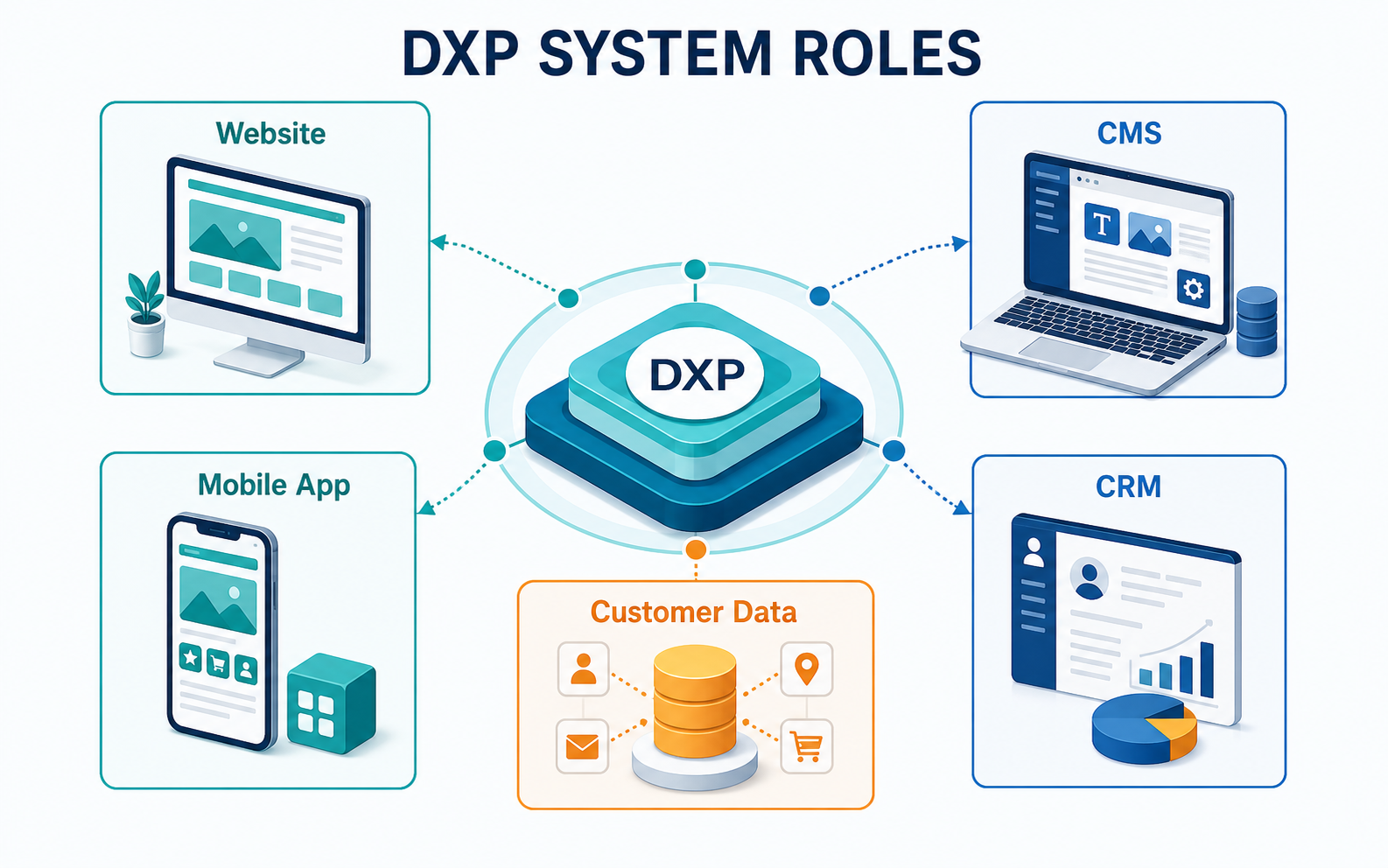
A CMS supports content creation, approval, and publishing and serves as the organization’s content source. CRM manages identified customers, companies, opportunities, and follow-up records, primarily supporting sales and customer relationships. A CDP or another customer data platform combines events across channels to build profiles for analysis or activation. A DXP brings these capabilities together to provide consistent experiences across websites, apps, portals, and other touchpoints.
Adopting a DXP does not require replacing all existing systems. A more practical approach is to define which system owns each type of data. For example, the CMS manages product content, CRM manages contact details, and a designated platform stores consent records. The DXP uses APIs and events to coordinate presentation and processes. Clear responsibilities help prevent systems from overwriting one another’s data.
3. The Roles of Websites, CMS, Apps, and CRM in a DXP
The website is a key entry point for public information, search traffic, inquiries, and member services. It should retrieve CMS content, submit forms to CRM, send analytics events, and adapt content using data that can lawfully be used.
The CMS should serve as a governed content source, maintaining versions, languages, approval status, structured fields, and digital assets. When websites and apps share content, consider delivering it through APIs instead of copying and pasting it into both systems.
Apps support signed-in services, push notifications, and experiences based on location or device context. Key events such as registration, saving favorites, applications, or renewal intent should be shared according to data policies so customer service, marketing, and CRM can continue the journey.
CRM preserves customer and opportunity context. Website forms, campaign sources, and important behaviors should be recorded in a traceable way. Customer stages or service status from CRM can also inform the DXP under appropriate rules, without exposing all sensitive fields directly to the front end.
4. How Should You Plan a DXP Integration Architecture?
The first layer covers experience channels: websites, apps, customer portals, e-commerce, and messaging. The second covers content and services: CMS, product information, search, forms, and membership features. The third covers customers and operations: CRM, customer service, marketing automation, and order systems. The fourth covers data and measurement: analytics, data warehouses, CDP, consent management, and reporting.
Integration typically combines synchronous APIs, asynchronous events, batch data exchange, and identity resolution. Real-time queries suit information that requires an immediate response; events record behavior and trigger subsequent processes; batches suit aggregation that does not need to happen immediately. Choose based on timeliness, data volumes, failure retries, and security requirements instead of making every data flow real time.
Identity design is especially important. Anonymous visitors, signed-in members, CRM contacts, and company accounts may use different identifiers. Define when identities should be merged, how duplicate records are handled, how activation stops after consent is withdrawn, and which teams can access which data.
5. Six Steps to Implement a DXP
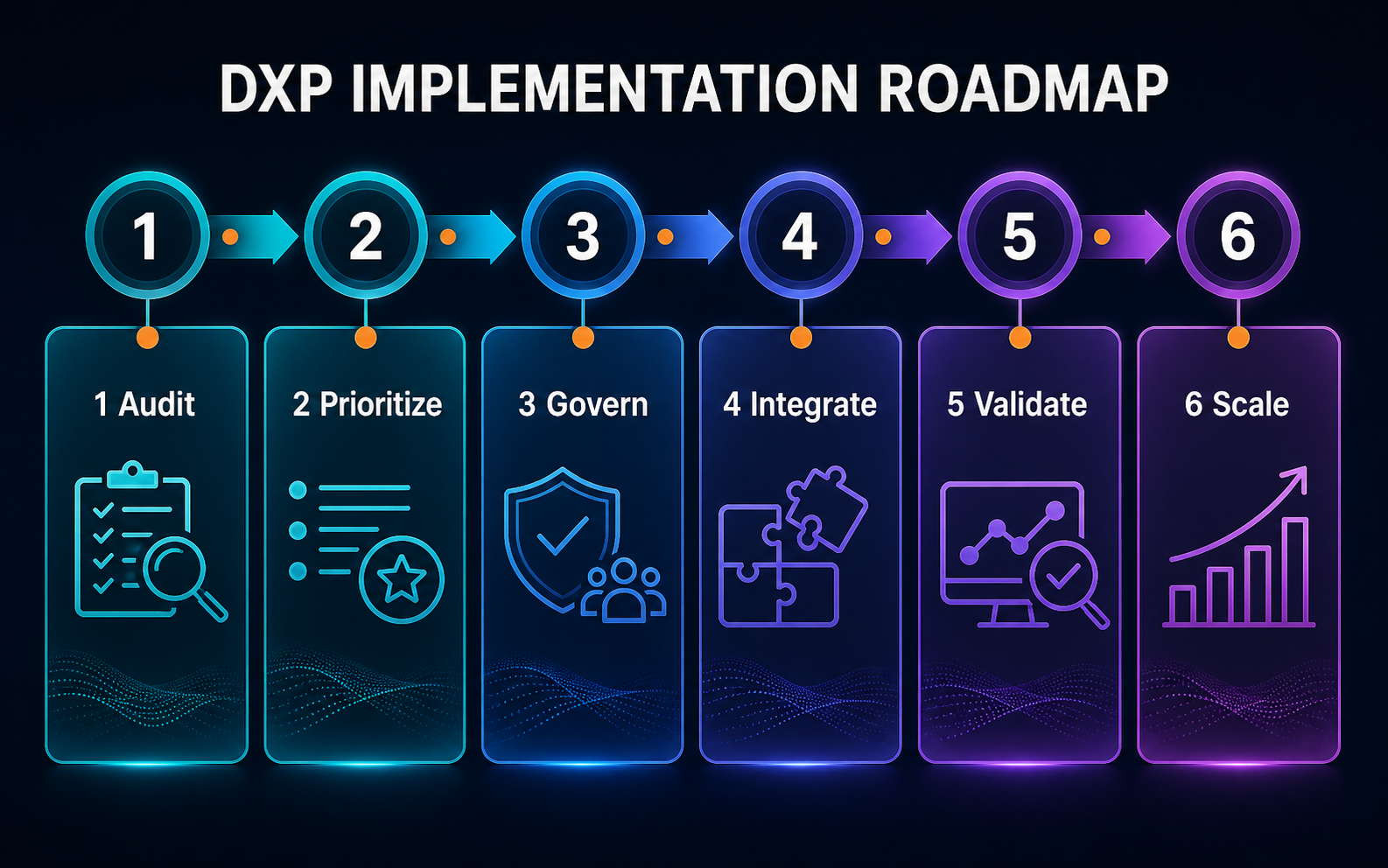
1. Inventory channels, systems, data owners, interfaces, and current pain points. Identify duplicate capabilities and manual handoffs.
2. Choose one or two high-value customer journeys, such as content download through sales follow-up, or member login through a service request. Avoid covering every scenario at the outset.
3. Define each system’s responsibilities, core data models, identity rules, consent requirements, and retention periods.
4. Map content and data flows, documenting APIs, events, batch jobs, error handling, monitoring, and security controls.
5. Build a minimum viable integration first. Run end-to-end tests with real but controlled content and processes to verify that teams can operate it in practice.
6. Expand to more markets and channels based on data and user feedback. Establish version control, change approvals, service levels, and incident handling.
6. Hypothetical Example: Resolving Data Gaps Across Markets
Suppose an industrial equipment company operates websites in Hong Kong, Taiwan, and Southeast Asia, along with a product app and regional CRM systems. Marketing teams recreate product pages for each website. After customers download catalogs, staff in different regions manually organize the information, and sales teams cannot quickly identify lead sources or products of interest.
The company could first structure product and technical content in the CMS, then publish it through APIs to its market websites and app. Forms would consistently send source, language, product, and consent status to the integration layer, where rules route records to the correct CRM queue. CRM would return qualification status so marketing can see which content generates valuable opportunities. The first phase can address content reuse, source tracking, and assignment speed before introducing complex personalization.
Track the share of content reused across channels, time to publish pages, form data completeness, duplicate lead rate, lead assignment time, the proportion of CRM records with traceable sources, and conversion from content engagement to qualified opportunities.
7. Which Metrics Should You Use to Evaluate a DXP?
For content operations, track the share of content created once and reused across channels, translation and approval time, and the time from requesting a campaign page to publishing it. For data quality, track identity match rate, required-field completeness, duplicate customer rate, and event delivery failure rate.
For experience performance, track login success, on-site search success, form completion, completion of key app tasks, and interruptions in cross-device journeys. For business outcomes, track qualified inquiries, lead response time, opportunity conversion, and customer service handling time. Technical monitoring should cover API latency, error rates, data freshness, system availability, and maintenance cost per change.
Avoid relying on a single DXP ROI figure. Set a baseline, target, data source, and review cadence for each journey, and record which improvements result from process, content, integration, or channel changes.
8. Common DXP Planning Mistakes
One mistake is buying a platform before defining its purpose, leaving extensive capabilities without an operational team to use them. Another is replacing the CMS, CRM, app, and analytics platform all at once, making scope, dependencies, and risk difficult to control. A third is designing an ideal architecture while overlooking data quality, consent, retries, monitoring, and everyday permissions.
Treating personalization as the first goal is another common error. If identities cannot be matched reliably, content is unstructured, or CRM stages are inconsistent, personalization rules amplify those problems. Establish trustworthy data and reusable content first, then gradually add segmentation, recommendations, or automation.
9. DXP Implementation Checklist
- Have you selected specific customer journeys instead of an abstract goal to improve experience?
- Have you documented each system’s responsibilities for data and content?
- Have you defined the identity relationships among anonymous visitors, signed-in members, contacts, and company accounts?
- Have you documented consent, purposes, access permissions, and retention periods?
- Do APIs and events have defined timeouts, retries, monitoring, and owners?
- Is CMS content structured and reusable across websites and apps?
- Can CRM preserve lead sources and the context of key interactions?
- Are end-to-end testing, rollback plans, and post-launch support in place?
- Does each journey have a baseline, target, and data source?
- Can you deliver in phases with verifiable outcomes at each stage?
10. Frequently Asked Questions (FAQ)
Does Adopting a DXP Require Replacing the CMS?
Not necessarily. If your existing CMS provides suitable content models, permissions, versioning, and APIs, it can remain the content core of the DXP. Assess the gaps first, then decide whether to extend, integrate, or replace it.
What Matters Most When Integrating a DXP and CRM?
Clearly define data ownership, identity matching, consent, and synchronization rules. Send traceable, compliant information that sales and service teams actually need, rather than pushing every website behavior into CRM.
Is a DXP Suitable for a Midsize Business?
Suitability depends on the complexity of channels, content, data, and collaboration, not company size alone. If your business already has websites across markets, apps, membership services, CRM, or extensive manual handoffs, start with one high-value journey instead of building the entire platform at once.
11. Conclusion
Start DXP planning with the customer journeys, content processes, and data collaboration your business needs to improve. Clarify the roles of websites, CMS, apps, CRM, and data platforms, then connect them through APIs and events that can be monitored, supported by governance. This provides a foundation for gradually building consistent, scalable digital experiences.


12. Further Reading
- DXP vs. CMS vs. CDP: An Enterprise Guide to Digital Experience and MarTech Architecture
- What Is a Headless CMS? Key Considerations Before Building a Multichannel Content Architecture
- CRM and Website Integration Guide: From Lead Capture and Source Tracking to Sales Follow-Up
Related Articles

Enterprise AI MarTech Trends Analysis 2024-2029 Outlook Report
From AI content productivity tools to a core engine for revenue growth and marketing transformation
*The PDF will be sent directly to your inbox.
Email Error
Please enter a valid email address.
Thank You!
The whitepaper has been sent to your inbox. If you don’t see it, please check your spam or promotions folder.

